Pixel Flow Level 503 Solution | Pixel Flow 503 Walkthrough
How to beat Pixel Flow Level 503: Video solution & walkthrough. The fastest way to pass Pixel Flow 503.
Is this the wrong level layout?🤔
Pixel Flow randomizes levels for different players. Don't worry, just upload a screenshot of your board, and our AI will find the correct video instantly.
Pixel Flow Level 503 Walkthrough
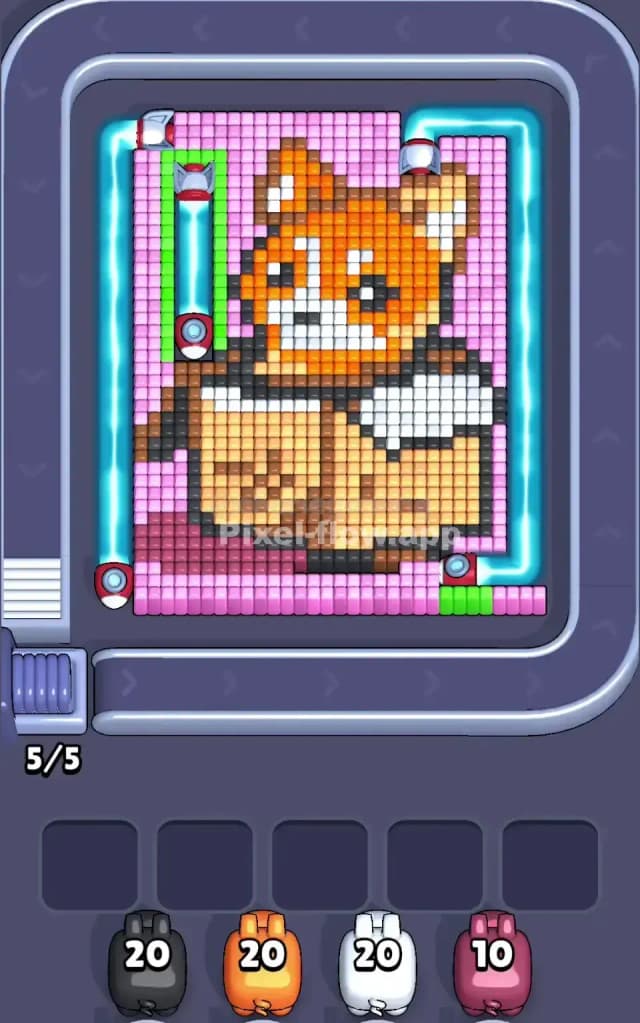
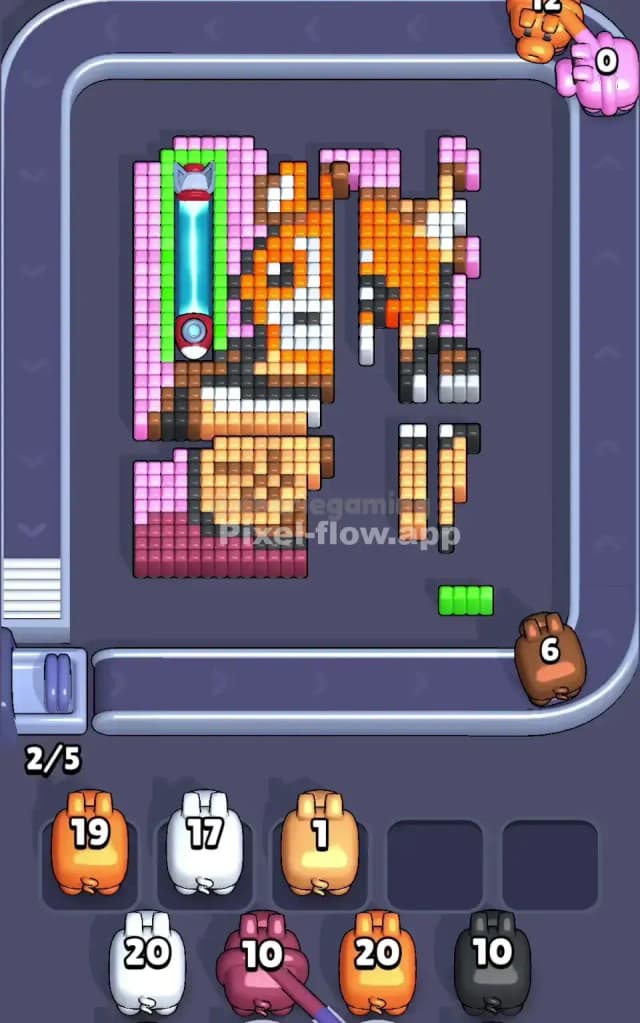
This level features a voxel art piece of a cute Red Panda (or perhaps a Corgi) peeking out of a cardboard box. The animal has orange and white fur, and the box is a mix of beige and brown. The entire scene is framed by a solid Pink background.
The rule to beat Pixel Flow Level 503 is strict: do not shoot the Blue Laser Gates. These electric beams on the left and right sides block your shots. If you fire a pig at a color hidden behind a laser, you waste ammo. Because your ammo count is tight, wasting shots on shielded blocks will clog your waiting slots and cause a "Game Over." You must clear the unshielded center to manipulate the board state.
Is it hard? Yes. I would judge this as a very hard level because it baits you into clearing the background first, which is exactly the wrong move.
Pixel Flow Level 503 Overview
Imagine a little orange fox hiding inside a shipping box. The artwork is centered, with the character's face (Orange/White) looking straight at you. The box (Beige/Brown) takes up the bottom half of the central figure.
The board is highly asymmetric regarding threats.
- The Flanks: Both the far left and far right columns are filled with Pink background pixels, but they are protected by Blue Laser Gates.
- The Center: The Fox and the Box are completely exposed. There are no shields covering the face or the cardboard.
- The Trap: Most players instinctively try to clear the background (Pink) first to "peel" the image. In Level 503, the background is the most dangerous place to shoot because of the lasers.
Step by step solution walkthrough for Pixel Flow Level 503
First Color Zone to Erase in Pixel Flow Level 503
You should completely ignore the Pink background at the start. Instead, start with Orange or White.
Logically, this is the only safe play. The Orange pixels make up the fox's face and ears, which sit right in the middle of the board, safely away from the laser beams on the sides. By dumping your Orange and White pigs into the center, you guarantee that every shot lands and every ammo point is spent efficiently. If you try to shoot Pink pigs at the sides, half your shots will likely dink off the blue lasers, wasting ammo and clogging your slots.
Clear the face first. It feels backward to eat the center of the picture before the edges, but it’s necessary to avoid the shields.
How to pass Pixel Flow Level 503 without power ups or boosters
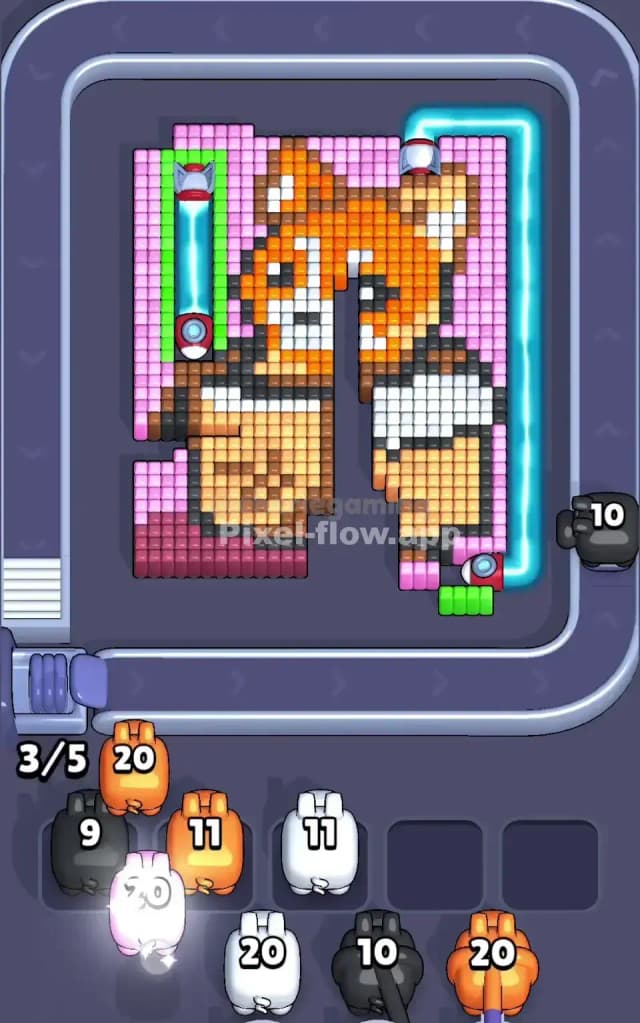
Once you have hollowed out the face (Orange/White), the picture will look half-destroyed, with just the cardboard box and the pink side columns remaining. This is the turning point.
Now, shift your focus to the Beige and Brown colors making up the box. Use the Black pigs to remove the outlines of the box and the animal.
Here is the trick for the mid-game: The laser gates often deactivate once the structural pixels connecting them to the main image are severed, or when you clear specific "anchor" blocks near the Green Sensor Pads. By clearing the Black and Beige pixels at the bottom center, you are effectively dismantling the base of the structure.
Do not panic if the Pink pixels on the sides are still shielded. Keep working on the Box (Beige) and the dark outlines (Black/Brown). You must have faith that clearing the central mass is the trigger that eventually lowers the defenses on the wings.
Last Details You Clean Up in Pixel Flow Level 503
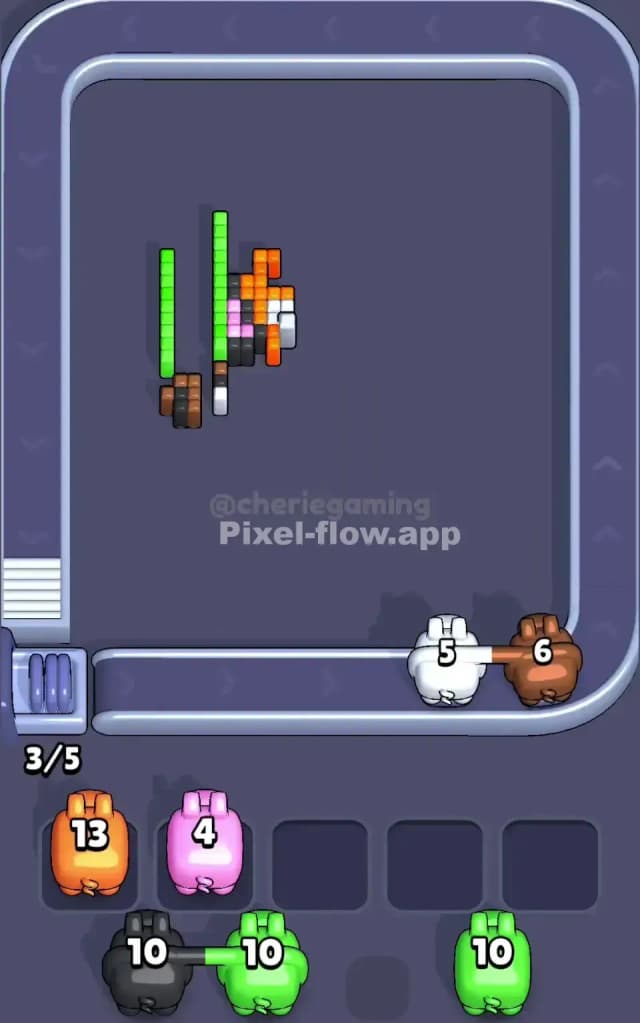
By the time you reach the final phase, the central fox and box should be gone. The Blue Laser Gates will have deactivated (or you will have found the specific angle to bypass them), finally leaving the Pink background pixels vulnerable.
This is where you use that stack of Pink pigs you’ve been saving. Since the center is empty, you have clean, direct lines of fire to the far left and right columns. Rapid-fire your Pink ammo to wipe out the remaining background. The last few cubes are usually hiding in the bottom corners of the pink zones—make sure you don't leave a single stray pixel, or you'll be stuck with a pig and no target!