Pixel Flow Level 533 Solution Walkthrough | Pixel Flow 533

How to solve Pixel Flow level 533? Get instant solution for Pixel Flow 533 with our step by step solution & video walkthrough.

Share Pixel Flow Level 533 Guide:
Pixel Flow Level 533 Gameplay
Pixel Flow Level 533 Solution 1
Pixel Flow Level 533 Solution 2
Pixel Flow Level 533 Solution 3

Pixel Flow Level 533 Overview

Understanding the Board Layout and Colors

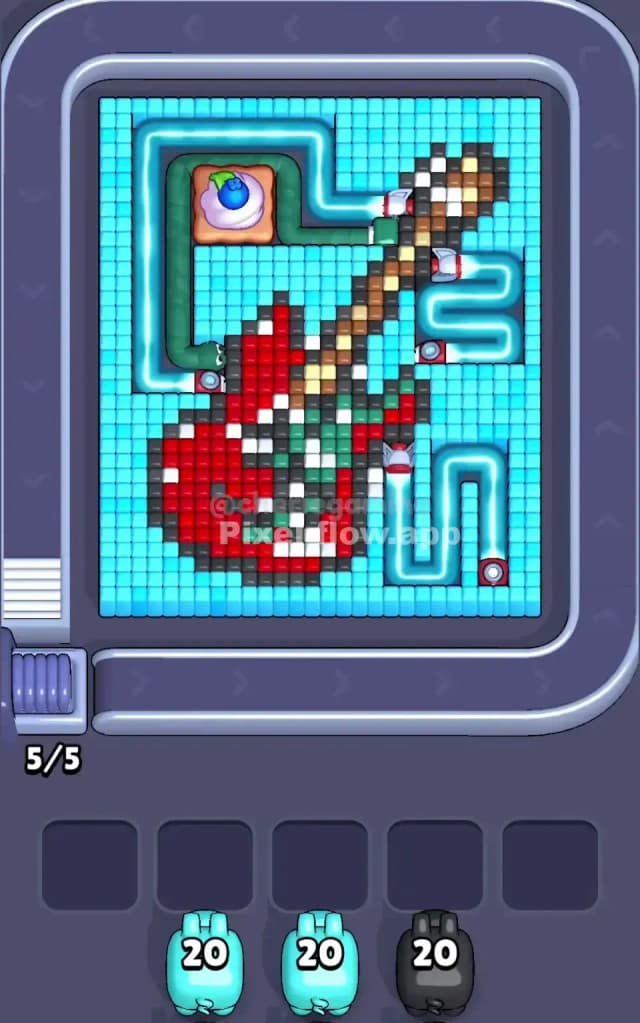
Pixel Flow Level 533 presents a stylized fantasy creature—what looks like a dragon or fierce beast rendered in voxels across multiple color layers. The dominant color is a rich red that forms the bulk of the creature's body, particularly the lower torso and tail region. Complementing this is a substantial brown and tan layer that creates the creature's wings, head, and upper contours. The cyan background tiles fill the negative space and frame the entire composition. What makes Pixel Flow Level 533 visually dense is how these colors interlock; the red and brown aren't cleanly separated but instead overlap and weave together, creating natural choke points where you'll need precise sequencing to expose deeper layers.

The board's architecture features several waiting slots at the bottom—your safety buffer for pigs that run out of ammo or don't have valid targets. At the start of Pixel Flow Level 533, you're looking at a conveyor queue featuring multiple cyan pigs (each with 20 ammo), a brown pig (with 20 ammo), and a red pig (with 10 ammo). The cyan background dominates spatially, so those pigs with 20 shots each will be your workhorses. However, the real puzzle lies in orchestrating the brown and red sequences without flooding your waiting slots and creating an unwinnable jam.

The Win Condition and Deterministic Nature

Your objective in Pixel Flow Level 533 is straightforward: eliminate every single voxel cube on the board. Each pig shoots only its matching color, and every successful hit consumes one ammo point. The clever part—and what makes Pixel Flow Level 533 rewarding once you master it—is that every pig's ammo count is fixed and fully deterministic. You can't change how many shots each pig has, but you can absolutely control the order in which they deploy and the sequence in which they eliminate cubes. This means there's always a winning path; you just need to find the rhythm that prevents your waiting slots from clogging up with stranded, ammo-rich pigs.

Why Pixel Flow Level 533 Feels So Tricky

The Red Bottleneck Problem

The single biggest threat to a smooth run of Pixel Flow Level 533 is the red pig's limited ammo. With only 10 shots, that red pig must make every bullet count, and yet there are significantly more than 10 red cubes scattered across the board. This immediately tells you that red cubes are hidden in layers—some are buried under brown or cyan, and you won't be able to shoot them until earlier colors are cleared away. If you deploy the red pig too early and it expends its 10 ammo on exposed reds, you'll be left with deep red cubes that remain untouchable, and the red pig will eventually drop into your waiting slots as a dead weight. That's when Pixel Flow Level 533 becomes a puzzle of catastrophic proportions because now you're forced to clear every other color perfectly, or you'll run out of buffer space.

Awkward Color Pockets and Hidden Layers

Within Pixel Flow Level 533, the brown cubes don't form a single coherent region. Instead, they're scattered across the upper-left wing area and interspersed with red cubes in the middle. This means your first brown pig might clear its visible targets quickly, then stall when it can't find more brown cubes—not because they don't exist, but because they're tucked behind red or cyan. Similarly, cyan tiles blanket the background, but some cyan cubes are embedded deep within the creature's silhouette, hiding under red or brown layers. If you send cyan pigs in the wrong sequence, you risk clearing the "easy" cyan cubes and then facing a desert of untouchable cyan pigs waiting helplessly in your buffer.

The Personal Reality Check

I'll be honest: Pixel Flow Level 533 stumped me for a frustrating number of attempts. I kept treating it like a straightforward color-by-color puzzle—"clear all red, then all brown, then all cyan"—and it never worked. Every run ended with two or three pigs sitting idle in the waiting slots, their ammo bars glowing mockingly while I stared at unreachable cubes of their color. The breakthrough came when I stopped thinking about colors and started thinking about layers. Once I understood that Pixel Flow Level 533 demanded me to carefully uncover nested colors—cyan first to expose brown, brown to expose red, red to expose cyan underneath—the level clicked into place. That mental shift from "color cleanup" to "strategic excavation" transformed the puzzle from frustrating to genuinely elegant.

Step-by-Step Strategy to Clear Pixel Flow Level 533

Opening: Prioritize Cyan and Create Breathing Room

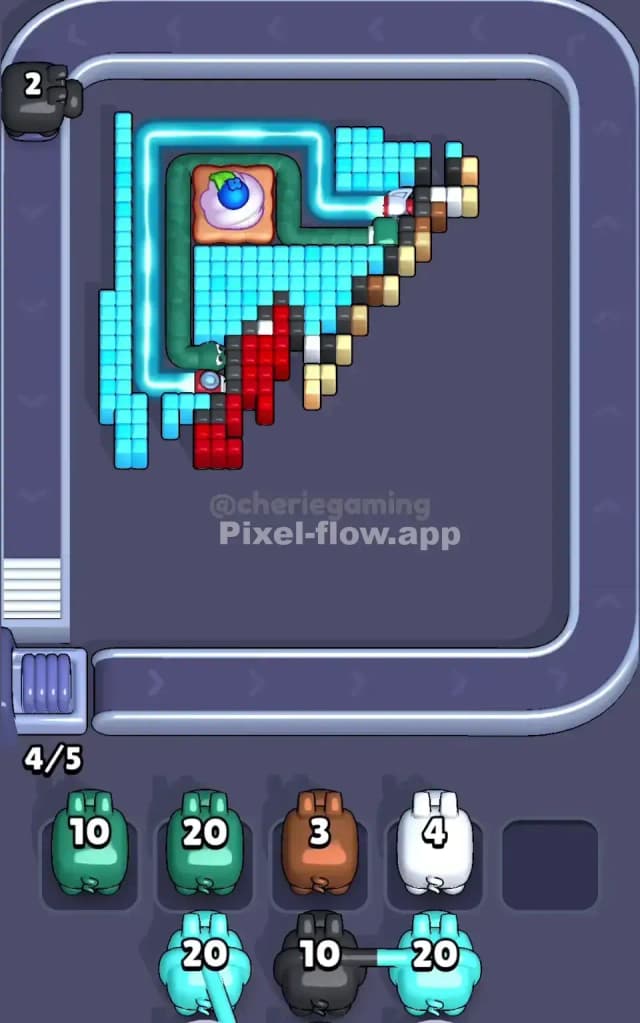
Launch Pixel Flow Level 533 by deploying your first cyan pig immediately. This 20-ammo workhorse will demolish a significant chunk of the cyan background, instantly clearing visual clutter and exposing the brown and red layers beneath. Your goal in the opening phase isn't to finish cyan entirely—it's to break through the surface and create decision points. As the cyan pig shoots, monitor your waiting slots. You want to keep at least 2–3 empty at all times. If the cyan pig runs out of ammo before clearing all visible cyan cubes, that's actually fine; let it drop into a waiting slot. The key is that you've now exposed enough of the board to see which brown cubes are accessible and which ones are still locked behind red.

Before you queue up your second pig, take a breath and count. How many brown cubes can you see? If there are fewer than 20, your brown pig will clear them and then idle—so plan to park it in a waiting slot after it's exhausted its ammo on brown targets. If cyan cubes still litter the board after your first cyan pig finishes, don't panic; you have a second cyan pig with another 20 shots waiting in the queue.

Mid-Game: Weaving Brown and Red With Precision

Once you've created some board clarity with cyan, deploy your brown pig. In Pixel Flow Level 533, the brown pig's 20 ammo should be enough to clear most exposed brown cubes, but the trick is sequencing. If you push brown too aggressively, you'll remove the barrier protecting the deepest red cubes, and your red pig won't have a chance to reach them without wasting ammo on surface-level reds. Instead, let the brown pig work through its ammo, then pause and assess. Count the remaining red cubes: how many are now exposed? How many are still buried under brown? If the red pig still can't see enough targets, drop the brown pig into the buffer and send a second cyan pig to remove cyan cubes that might be blocking access to deep reds.

This is where Pixel Flow Level 533 separates casual players from strategists. You're essentially doing a three-dimensional puzzle in your head, predicting which colors will unlock which other colors. As you clear brown cubes, you're dynamically revealing red cubes hidden beneath. The red pig with its meager 10 ammo must save its shots for red targets that only it can reach. Assign every one of its bullets intentionally. If the red pig depletes ammo before all reds are gone, you'll have deep red cubes locked forever, and Pixel Flow Level 533 becomes unwinnable. So work backwards: if you see 15 red cubes total but only 10 are currently exposed, you must clear 5 more brown cubes to unlock the remaining reds before you send the red pig out.

End-Game: Cleanly Emptying the Buffer

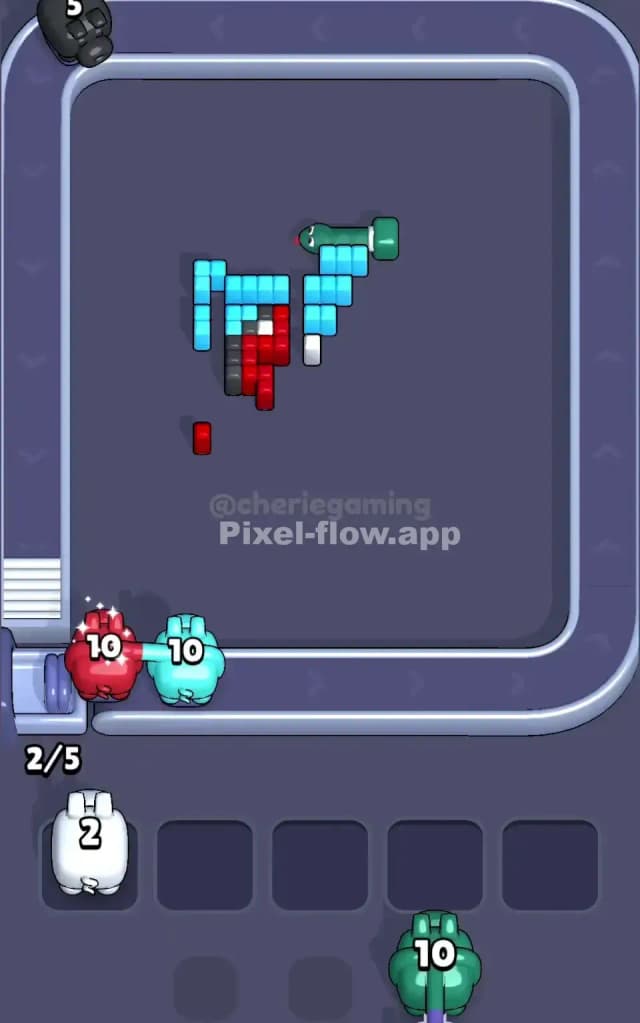
As you near the final stages of Pixel Flow Level 533, you'll likely have 1–2 pigs in your waiting slots. The endgame is about sequencing your remaining pigs so they finish the board and don't trigger a jam. If you still have a second cyan pig in the queue, deploy it to finish off any lingering cyan cubes. Then assess the waiting slots: if a brown or red pig is parked there with ammo remaining, you need to expose more of their color before deploying another pig, or you'll force a stalled pig into the buffer with nowhere to go. This is the moment when Pixel Flow Level 533 either feels triumphant or tragic—one slip in counting ammo against remaining cubes, and you're locked out of victory. Finish deliberately. Queue up your final pigs in an order that guarantees every shot lands. Watch as the last cubes vanish. Victory.

The Logic Behind This Pixel Flow Level 533 Plan

Exploiting Determinism and Waiting Slots Strategically

The beauty of Pixel Flow Level 533 is that every pig's ammo is fixed; you're not gambling, you're planning. This guide's strategy exploits that determinism by having you think three pigs ahead. You're not reacting to each pig as it depletes ammo; you're predicting which pigs will deplete ammo first and where you'll park them safely so that subsequent pigs have targets waiting. Your five waiting slots are a resource to be managed like ammo itself. By intentionally parking a cyan pig in the buffer after it's done with easy surface cyan, you free up conveyor space for the brown pig to deploy, and now the brown pig can work on exposing deep reds without competing for attention with another cyan pig that's running out of targets.

Staying Calm and Counting Ahead

Playing Pixel Flow Level 533 requires a meditative approach. Before each pig deploys, count its ammo and count the visible targets of its color. If ammo exceeds targets, you know that pig will eventually idle—so decide now where it'll park and what you'll do next. Watch the queue behind the active pig; know which color is coming next. The rhythm becomes clear: "cyan clears surface, brown exposes depth, red finishes, cyan moops up the remnants." Pixel Flow Level 533 isn't about reflexes or twitch gameplay; it's about calm, methodical foresight. Every decision you make is reversible in your mind before the pig ever fires a shot. Play through Pixel Flow Level 533 mentally first, then execute with confidence. You've got this.