Pixel Flow Level 535 Solution | Pixel Flow 535 Walkthrough
How to beat Pixel Flow Level 535: Video solution & walkthrough. The fastest way to pass Pixel Flow 535.
Is this the wrong level layout?🤔
Pixel Flow randomizes levels for different players. Don't worry, just upload a screenshot of your board, and our AI will find the correct video instantly.

Pixel Flow Level 535 Walkthrough
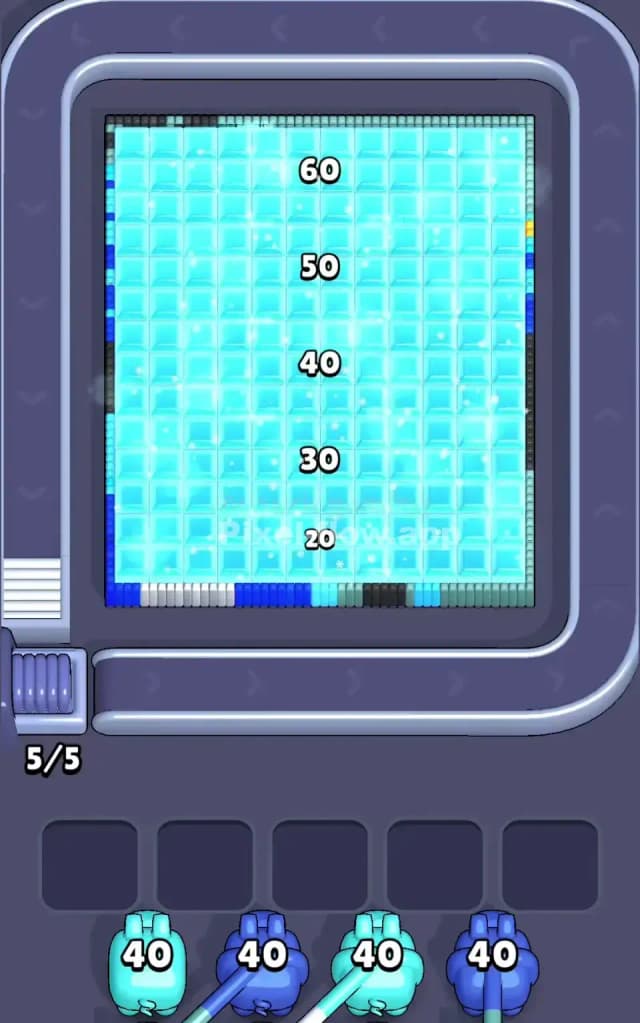
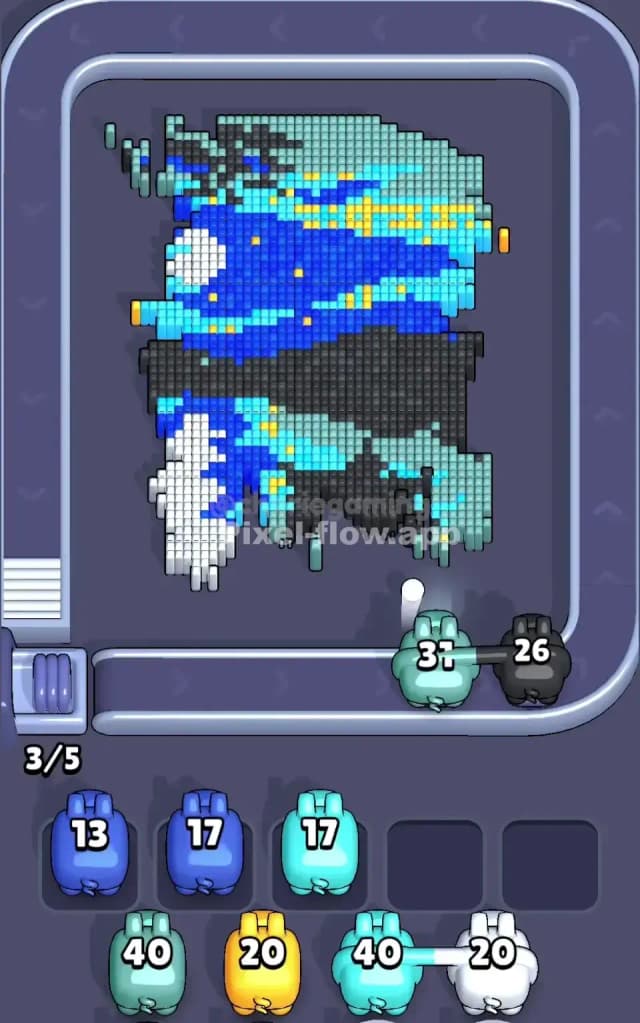
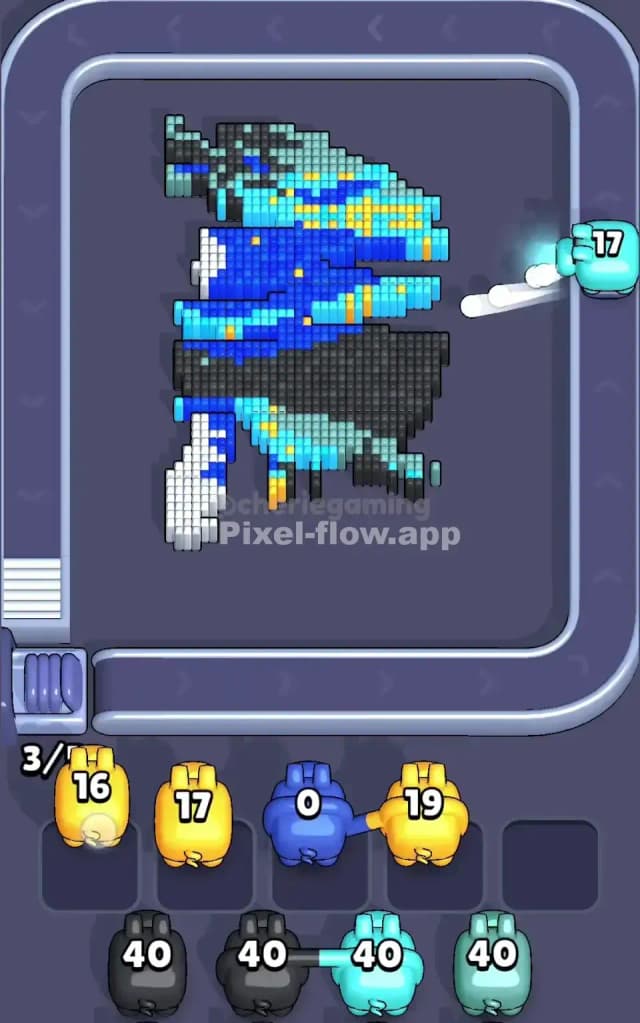
Pixel Flow Level 535 is a classic "excavation" level. You aren't just clearing a picture; you are breaking into a vault. The board starts completely encased in a massive, solid block of light cyan "ice." You cannot see the true subject until you chip away this outer shell. Underneath hides a complex, cybernetic-looking character clad in dark blue armor with yellow neon accents and a black cape.
The rules here are strict about layering. You must clear the top "ice" layer before the game lets you target the actual colors of the pixel art beneath. Because the ice covers 100% of the board initially, your slot management is critical. If you pull a pig that doesn't match the exposed ice (which shouldn't happen early on, but can happen mid-excavation), you jam a slot. Is this a very hard level? No. It is a patience test, not a skill check. As long as you don't panic during the "thaw" phase, you will be fine.
Pixel Flow Level 535 Overview
Think of this level as an archaeological dig in a sci-fi setting. The "Ice Block" is the main antagonist for the first half of the game. It is a uniform, monolithic wall of Light Cyan voxels. It has no shape, no personality. It’s just a barrier.
Once you break through, the vibe changes instantly. You reveal a jagged, asymmetric warrior figure.
- The Center: Dominated by Dark Blue armor plating. This is the bulk of the hidden image.
- The Right & Bottom: A heavy mass of Black voxels creates a shadow or a cape flowing behind the character.
- The Accents: Bright Yellow strips run through the blue armor like circuitry or gold trim.
- The Left: There is a patch of White, perhaps a weapon or a robotic limb, sticking out distinctively against the blue.
The visual contrast is sharp. You go from a boring, flat wall of ice to a high-contrast, dark and neon character. The difficulty spike happens right at that transition point.
Step by step solution walkthrough for Pixel Flow Level 535
First Color Zone to Erase in Pixel Flow Level 535
You have zero choice here: Light Cyan (Ice).
Normally, I’d tell you to pick a specific corner, but in Pixel Flow 535, the ice layer is uniform. Your first few pigs will likely be Light Cyan. Use them to strip away the center columns first. Why the center? Because the hidden character is densest in the middle. By clearing the center ice, you expose the Dark Blue and Black layers underneath quickly. If you clear the edges first, you might expose empty space (the gray background mat), which doesn't help you progress. You need to expose targetable blocks to keep your ammo flowing.
How to pass Pixel Flow Level 535 without power ups or boosters
The most dangerous moment in this level is the "Half-Thawed" stage. This is when 50% of the board is still ice, and 50% is the Dark Blue/Black character.
- Prioritize the Ice: If you have a Light Cyan pig, use it immediately. Even if there are only a few ice blocks left in the corners, kill them. You want that color totally off the board so the game stops sending you Light Cyan pigs.
- Target Dark Blue Next: Once the ice is gone (or mostly gone), the Dark Blue armor is the biggest target. It connects everything. Clearing the Dark Blue opens up the "deep" layers where the Yellow and White details hide.
- Watch the Black Void: The black section on the right is thick. It looks like background noise, but it acts as a structural support for the yellow pixels above it. Don't let Black pigs sit in your waiting slots. If you see a Black pig coming down the belt, make sure you have exposed enough of the black cape to drain its ammo fully.
- Ignore the Yellow Early On: The yellow pixels are scattered and thin. If you try to snipe them too early, you'll waste time. Let the heavy colors (Blue/Black) do the work of clearing space first.
Last Details You Clean Up in Pixel Flow Level 535
The end game is usually a cleanup of the Yellow highlights and the White limb on the left.
By the time the heavy blue armor and black cape are gone, the picture looks like a floating wireframe of neon yellow. These blocks are often disconnected, meaning a pig might shoot one block, find nothing else nearby, and drop into a slot. Be careful. ensure you have a clear line of sight to multiple yellow blocks before committing a pig. The final move is often clearing that lone White patch on the bottom left, which tends to be buried deep under the initial ice and armor layers.