Pixel Flow Level 554 Solution | Pixel Flow 554 Walkthrough
How to beat Pixel Flow Level 554: Video solution & walkthrough. The fastest way to pass Pixel Flow 554.
Is this the wrong level layout?🤔
Pixel Flow randomizes levels for different players. Don't worry, just upload a screenshot of your board, and our AI will find the correct video instantly.

Pixel Flow Level 554 Walkthrough
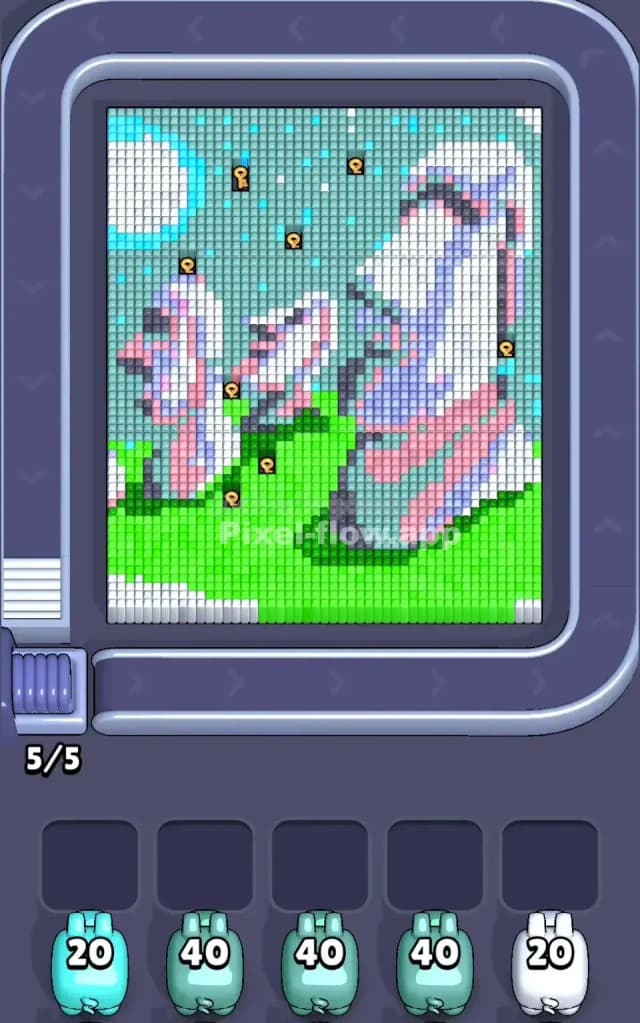
This level features a scenic pixel art rendition of the famous Easter Island Moai statues. You have two large stone heads dominating the foreground and middle ground, resting on a wide, solid base of bright green grass. The sky behind them is a mix of light cyan and darker teal. The difficulty here lies in the sheer volume of "filler" blocks—specifically the massive green lawn and the sky—which can easily clog your waiting slots if you don't prioritize correctly. While it looks peaceful, the ammo management makes this a very hard level if you get distracted by the statues too early.
Pixel Flow Level 554 Overview
The scene is surprisingly detailed. On the right, a massive Moai head stands tall, colored in shades of grey, white, and pinkish-purple highlights. To its left, a smaller, slightly more crumbled statue sits further back. Beneath them lies a huge, continuous field of bright green grass that stretches across the entire bottom third of the screen.
The sky is the other major component. It’s not just one color; it’s a gradient of light cyan clouds and darker teal space, speckled with white stars or clouds.
What makes this tricky is the asymmetry. The right side is heavy with the complex statue pixels (pinks, purples, greys), while the bottom is heavy with simple green. The top is heavy with cyan and teal. You will see keys scattered across the image—specifically near the top sky and around the base of the smaller statue. These keys lock away deeper layers, so you often have to clear specific colors just to reach a key that unlocks the next section of the board.
Step by step solution walkthrough for Pixel Flow Level 554
First Color Zone to Erase in Pixel Flow Level 554
Target the Bright Green Grass immediately.
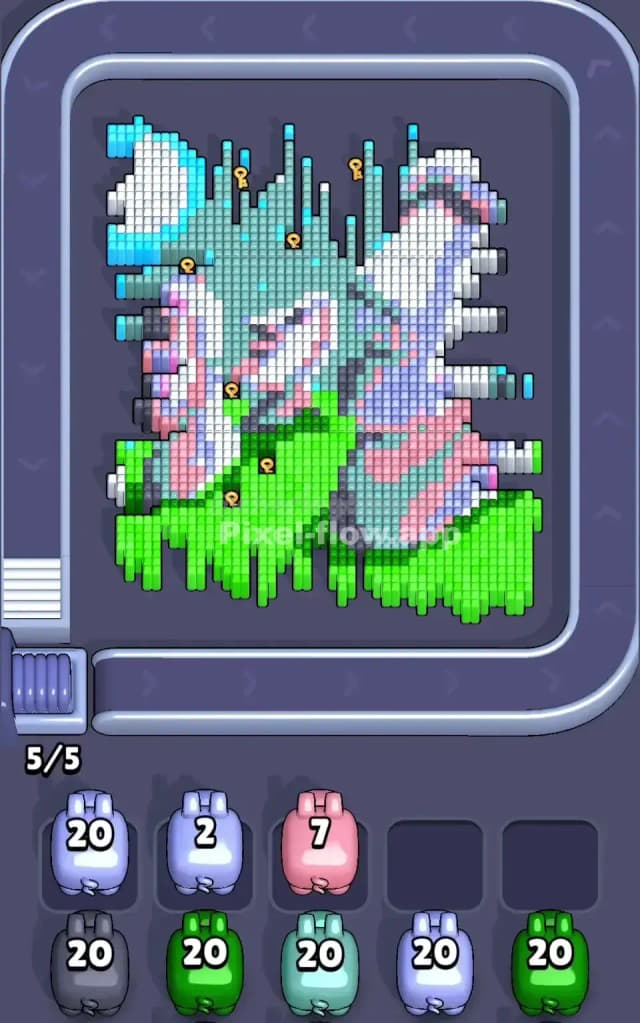
I start by shaving off the grass under the statues because it is the largest, most "boring" block of color on the board. Look at the bottom of the screen. It is a solid wall of green. If you let Green Pigs sit in your waiting slots while you mess around with the sky, they will choke your board.
Narratively, you are "mowing the lawn" to clear the foundation. Logically, the Green Pigs usually come with high ammo counts (often 40+). Because the grass is on the outer layer and spans the entire width, you can empty a Green Pig very quickly. This keeps your slots open for the trickier, low-ammo colors like the pinks and purples that make up the statue faces.
How to pass Pixel Flow Level 554 without power ups or boosters
Once the green grass is mostly gone, the picture looks like floating stone heads in a blue void. This is the danger zone. You will now have access to the "Sky" colors (Cyan and Teal) and the "Statue" colors (White, Grey, Pink).
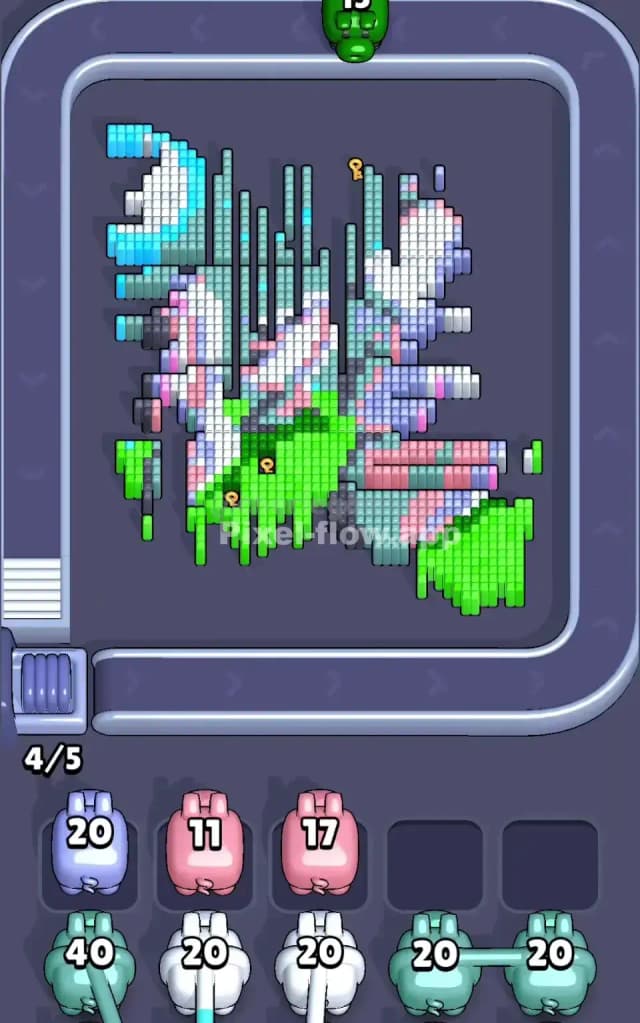
The Pivot: At this mid-stage, you must switch your focus to the Cyan and Teal sky. Do not try to finish the statues yet. The sky blocks are often covering the keys needed to unlock the deeper layers of the statues.
- Prioritize the Sky: Use your Cyan/Teal pigs to eat away the top left and top right corners. This exposes the hidden layers behind the statue heads.
- Watch the Keys: You will see keys floating near the statue's ears or top of the head. These keys are usually blocked by sky pixels. Prioritizing the sky colors naturally clears the path to these keys.
- Ignore the Pink/Purple detailing: These colors are often deep inside the statue. If a Pink pig drops into your slot, use it if you can, but don't hunt for pink pixels. Let them come to you.
- The White Pixel Trap: There are white pixels in the clouds (top left) and white pixels on the statue's forehead (right). Be careful. A White Pig might target the clouds first, leaving the statue untouched. This is fine, but be aware that "White" is split between two different zones.
Last Details You Clean Up in Pixel Flow Level 554
The end game usually involves the crumbled remains of the statue faces. You will likely have cleared all the green grass and the blue sky. All that remains are the vertical columns of the Moai heads.
The final moves are almost always Grey, Pink, and Dark Purple. These are the shading colors used for the statue's nose, eyes, and shadows. Because the statues are vertical structures, the last cubes are often stacked in narrow columns. Make sure you don't accidentally clog your slots with a color you can't reach yet (like a deep shadow grey) while a lighter grey is still blocking it. Keep your waiting slots as empty as possible so you can cycle through the final specific colors needed to finish the stone faces.