Pixel Flow Level 60 Solution | Pixel Flow 60 Walkthrough
How to beat Pixel Flow Level 60: Video solution & walkthrough. The fastest way to pass Pixel Flow 60.
Is this the wrong level layout?🤔
Pixel Flow randomizes levels for different players. Don't worry, just upload a screenshot of your board, and our AI will find the correct video instantly.
Pixel Flow Level 60 Walkthrough
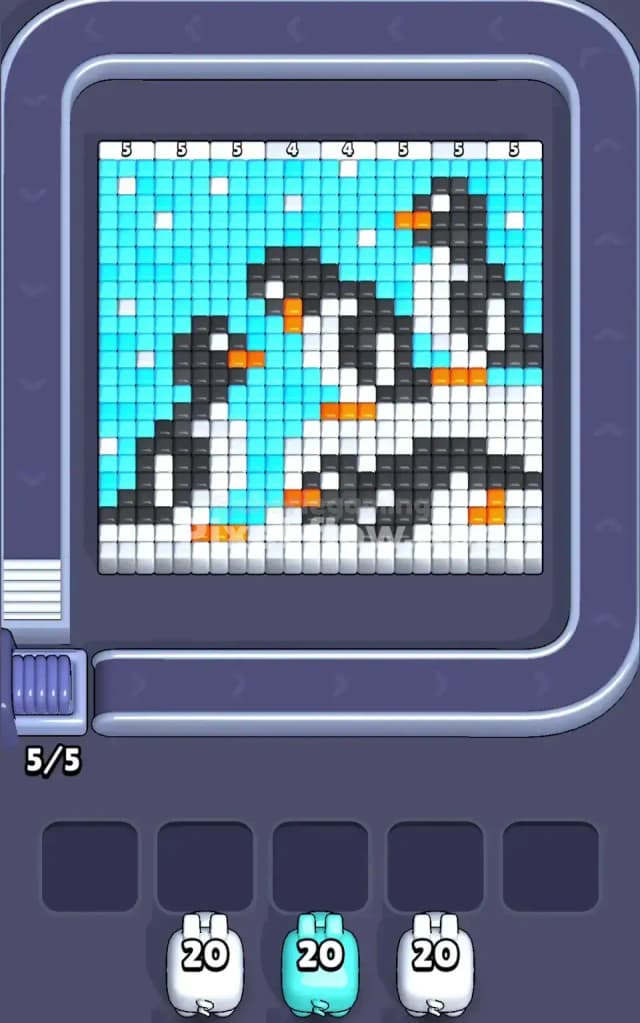
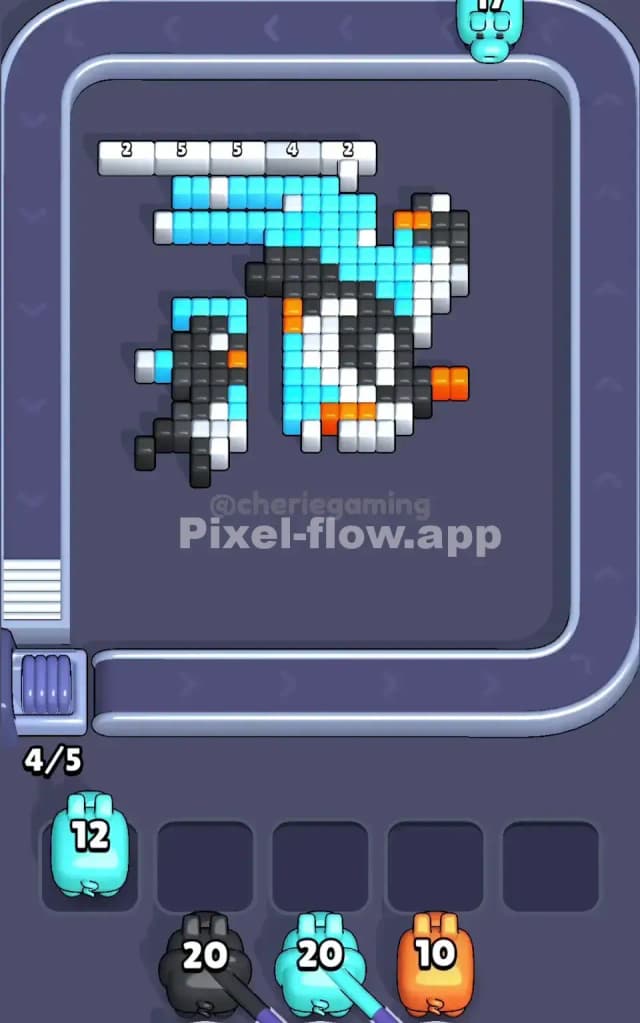
This level features a frosty scene of three penguins against a light blue sky. The colors are split distinctly: the background is almost entirely Light Blue, while the foreground is a mix of White snow, Black penguin bodies, and tiny Orange beaks/feet.
The rule to beat Pixel Flow Level 60 is strictly about layer management. The Light Blue background and the White snow form the "crust" of the image. If you don't peel these back early, you will never expose the Black and Orange pixels underneath, which leads to clogged waiting slots. Is it a very hard level? No, but it is deceptively tricky because the White and Blue areas are so massive that it's easy to waste pigs on the wrong sections.
Pixel Flow Level 60 Overview
The artwork depicts a family of three penguins in a winter setting.
- Left Side: A small, standing penguin looking right.
- Center: A penguin that appears to be sliding on its belly or crouching.
- Right Side: A taller standing penguin.
- Background: A solid field of Cyan/Light Blue representing the cold sky, dotted with a few floating white snowflakes.
The image is heavily asymmetrical regarding color density. The bottom third of the board is almost a solid block of White pixels (the snow), while the top two-thirds are dominated by Cyan (sky). The Black pixels (the penguins themselves) are sandwiched between these two massive zones. This means your primary danger is getting stuck with Black or Orange pigs when you only have White or Cyan accessible on the surface.
Step by step solution walkthrough for Pixel Flow Level 60
First Color Zone to Erase in Pixel Flow Level 60
Start with Light Blue (Cyan).
You might be tempted to clear the White snow at the bottom first because it looks like an easy, solid block. Resist that urge. The Cyan background covers significantly more surface area on the top layers, especially around the heads of the penguins.
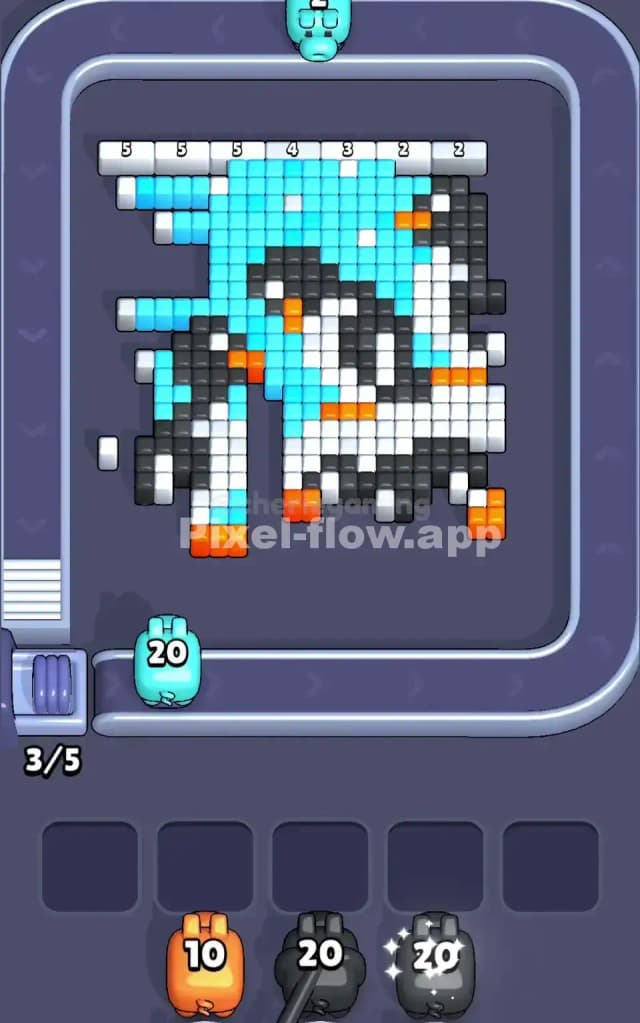
By targeting the Cyan first, you expose the outlines of the penguins' heads and backs. Narrative-wise, you are clearing the sky to reveal the characters. Logically, clearing the Cyan opens up "access tunnels" to the Black pixels on the penguins' backs. If you clear the White snow first, you just hit the bottom of the penguins' feet, which doesn't help you access the complicated mix of colors in their bodies as quickly.
Key Move: Prioritize Cyan pigs until the upper background is gone. If a White pig comes down the belt and you have a clear shot at the bottom snow, take it, but do not let Cyan pigs clog your slots while you focus on snow.
How to pass Pixel Flow Level 60 without power ups or boosters
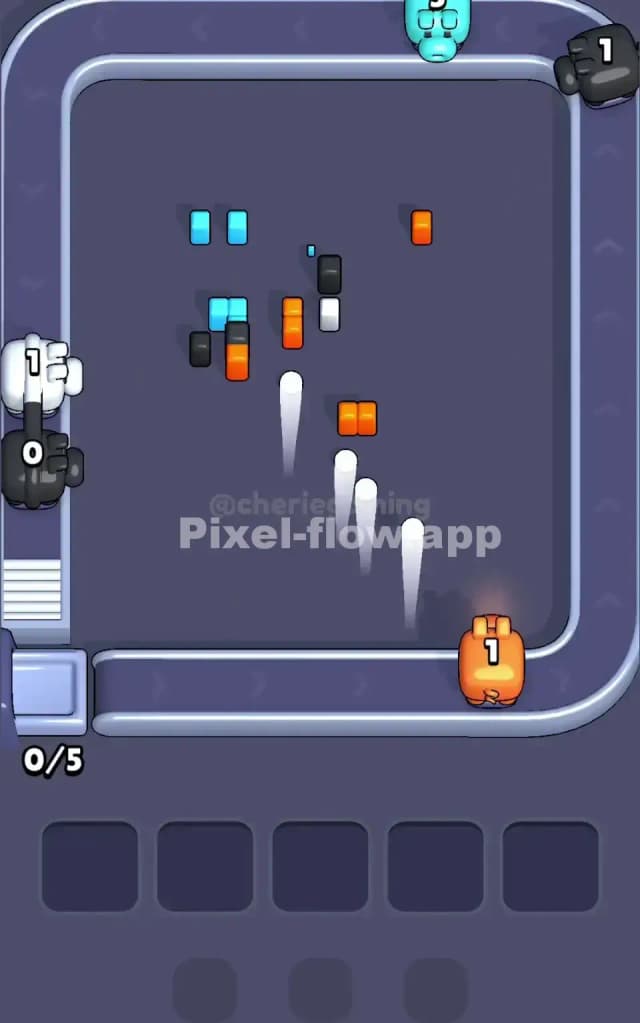
Around the mid-point of the level, the board will look messy. The clean sky will be gone, leaving jagged chunks of floating White pixels (clouds/snowflakes) and the half-exposed bodies of the penguins.
At this stage, White becomes your biggest liability.
You will likely have cleared most of the Cyan. Now you are staring at a lot of Black pixels mixed with White bellies. However, the game will likely throw Orange and Black pigs at you.
- The Trap: The Orange beaks and feet are often buried under White belly pixels or adjacent to Black body pixels.
- The Fix: You must aggressively clear White now. Even single white pixels floating in the "sky" area must go.
- Slot Management: If you see an Orange pig but no exposed Orange blocks (beaks/feet are usually 1-2 blocks deep), do not pick it up unless you have a free slot and a plan to clear the covering color immediately. Let it pass. It is better to skip a turn than to fill a slot with a useless Orange pig.
Focus on clearing the White "belly" patches. This is the only way to fully expose the internal Orange pixels and the remaining deep Black pixels.
Last Details You Clean Up in Pixel Flow Level 60
As you near the end, you will be left with the "guts" of the penguins.
- The Beaks and Feet: These are Orange. They are tiny targets, often just 2 or 3 pixels wide. Be careful—miss one, and that Orange pig sits in your tray forever.
- The Final Black Layer: The darkest parts of the penguins (usually the center of their bodies) are often on the deepest layer. You might think you are done with Black, but a patch will suddenly reveal itself once a final White belly pixel is removed.
Save your Orange pigs for the very end. Do not hoard them early. The Orange pixels are the deepest layer in this specific puzzle; you literally cannot hit most of them until the White and Black layers are significantly reduced. Your final moves should be snapping up those bright orange beaks to finish the level.