Pixel Flow Level 61 Solution | Pixel Flow 61 Walkthrough
How to beat Pixel Flow Level 61: Video solution & walkthrough. The fastest way to pass Pixel Flow 61.
Is this the wrong level layout?🤔
Pixel Flow randomizes levels for different players. Don't worry, just upload a screenshot of your board, and our AI will find the correct video instantly.

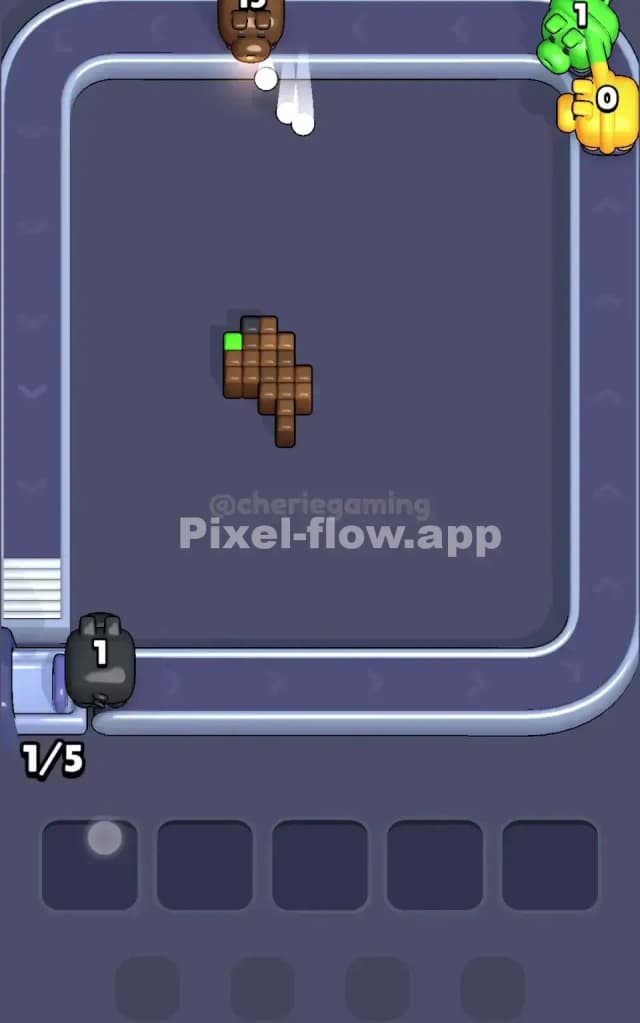
Pixel Flow Level 61 Walkthrough
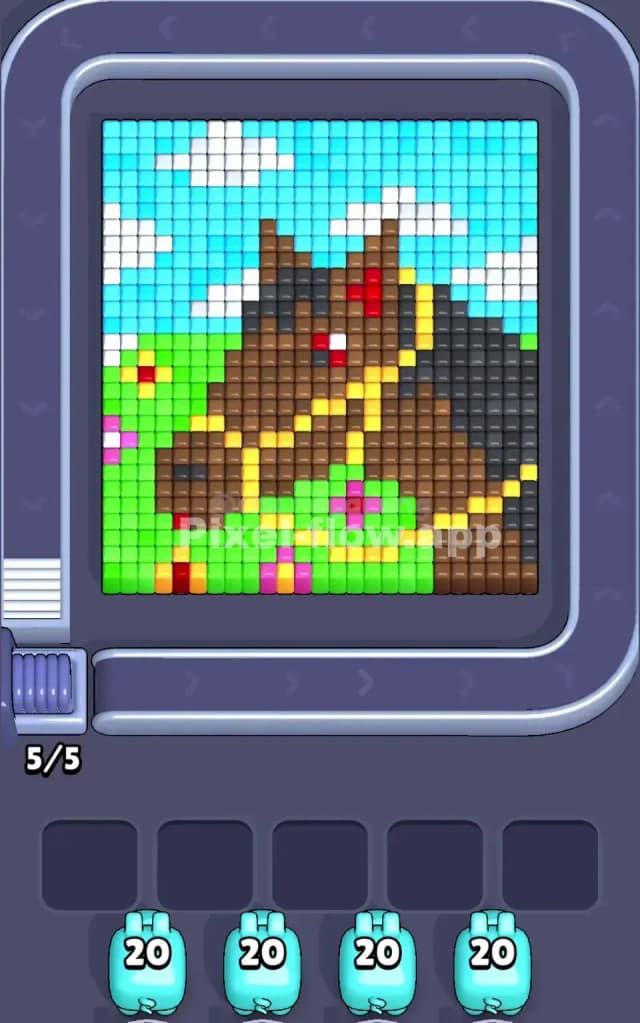
Pixel Flow Level 61 presents a large, detailed portrait of a horse set against a bright outdoor backdrop. You are looking at three distinct horizontal bands: a blue sky with white clouds at the top, a brown and black horse head dominating the center right, and a green grassy field with pink and yellow flowers at the bottom.
The rule to beat Pixel Flow Level 61 is strictly about layer management. The horse’s head is a massive, thick object that sits in front of the background. If you try to clear the background colors that are physically blocked by the horse's neck or snout, your pigs will clog the slots. Is Pixel Flow Level 61 a very hard level? Not if you pay attention to depth. It looks intimidating because of the pixel density on the animal, but the color separation is clean enough that you shouldn't panic.
Pixel Flow Level 61 Overview
Think of this artwork as a snapshot from a farm. The main character is a brown horse with a dark black mane, facing toward the left side of the screen. It isn't just a flat brown shape; it has "accessories" that complicate your shots. There is a yellow bridle strapping across the nose and forehead, and a distinct red eye that stands out against the brown fur.
The background sets the mood but also dictates your early game. The upper half is almost entirely Cyan (sky) populated with patchy White blocks (clouds). The lower section is a solid block of bright Green (grass) sprinkled with Pink and Yellow spots (flowers).
The asymmetry here is dangerous. The horse is heavy on the right side of the board. The left side is mostly open sky and grass. This means your pigs on the left side of the conveyor belt have a clear shot at the background, but pigs on the right will immediately hit the horse's black mane or brown neck. You must account for this physical blockage. A blue pig on the far right is useless until the horse is significantly thinner.
Step by step solution walkthrough for Pixel Flow Level 61
First Color Zone to Erase in Pixel Flow Level 61
You need to attack the Cyan Sky first.
Looking at the queue, you will often see a squad of Cyan pigs carrying 20 ammo each early on. This is your cue. The sky is the topmost layer on the z-axis for the upper half of the board. There are no hidden blocks floating in front of the sky. By clearing the blue first, you remove nearly 40% of the visible pixels immediately.
Start with the sky pixels on the far left. They are unobstructed. As the sky vanishes, you expose the top edges of the horse's ears and mane. Do not try to clear the Green grass yet if you have a choice. The grass contains small Pink and Yellow flower pixels that can act as "stoppers." If you send a Green pig and it hits a Pink flower that you haven't cleared, that pig sits in your slot and waits. The Sky is safer. It’s a pure block of color with only White clouds as minor obstacles.
How to pass Pixel Flow Level 61 without power ups or boosters
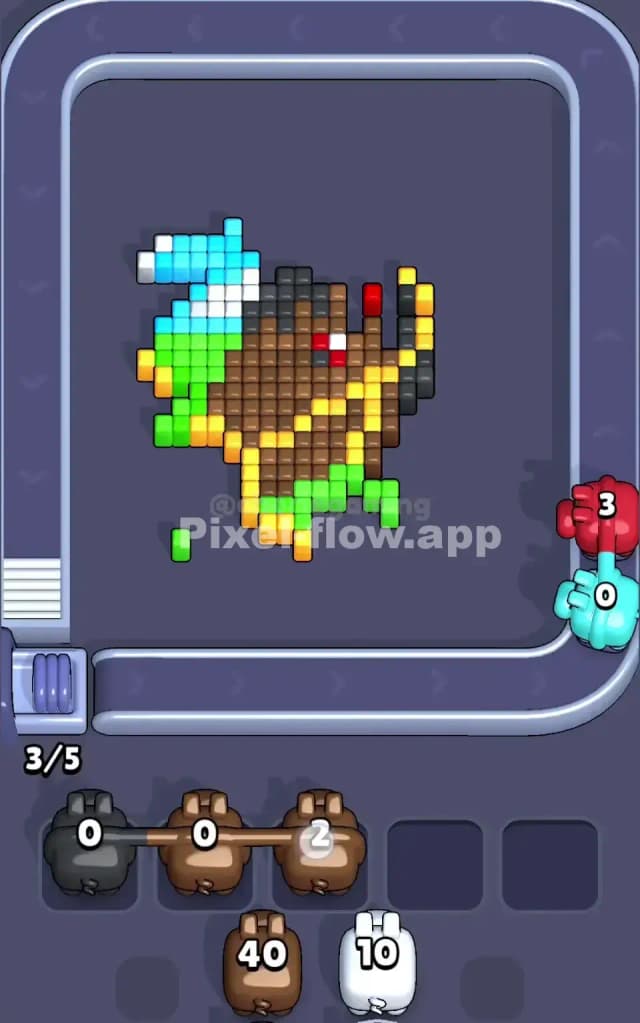
Once the sky is gone, you hit the "mid-level crunch." The board usually looks messy here. The top is empty, the horse is floating in a void, but the bottom Green grass is still thick.
At this stage, you must pivot your strategy to the Yellow Bridle and Black Mane.
This is where players lose. They see the massive amount of Brown pixels on the horse and try to spam Brown pigs. Don't do it. The Brown pixels are the "meat" of the horse, but they are covered by the Yellow straps of the bridle and the Black blocks of the mane.
If you have a Brown pig with 40 ammo (like the one shown in mid-game states) and you drop it while the Yellow bridle is still intact, that pig will shoot a few exposed brown spots and then get stuck because a single Yellow pixel is blocking the rest of the brown neck.
Your priority list without power-ups:
- Clear the Yellow Bridle: These thin yellow lines act as a cage. Break them so the underlying brown layer is exposed.
- Shave the Black Mane: The dark grey/black pixels on the right edge often sit on top of the brown neck. Clear them to open up the right side.
- The Red Eye: It's small, but it blocks the face. Get rid of it as soon as a Red pig appears.
Only after you have stripped the "accessories" (Yellow, Black, Red) should you deploy the heavy Brown pigs. They need a clear target to unload that massive 40-ammo clip effectively.
Last Details You Clean Up in Pixel Flow Level 61
The end of Pixel Flow Level 61 is usually a cleanup of the White and Green layers.
Once the massive brown horse head is erased, you will likely find stubborn voxels hiding behind where the neck used to be. Usually, there are patches of Green grass or stray White cloud blocks that were physically behind the horse’s head.
Keep an eye on the waiting slots. You might have a White pig stuck there from earlier because it couldn't hit a cloud blocked by the horse's ear. Now that the ear is gone, that pig will auto-fire. The final move is almost always clearing the deepest layer of the grass—the dark green blocks that form the shadow of the horse on the ground. Watch for those single dark green pixels; they blend in with the background mat and are easy to miss.