Pixel Flow Level 711 Solution | Pixel Flow 711 Walkthrough
How to beat Pixel Flow Level 711: Video solution & walkthrough. The fastest way to pass Pixel Flow 711.
Is this the wrong level layout?🤔
Pixel Flow randomizes levels for different players. Don't worry, just upload a screenshot of your board, and our AI will find the correct video instantly.
Pixel Flow Level 711 Walkthrough
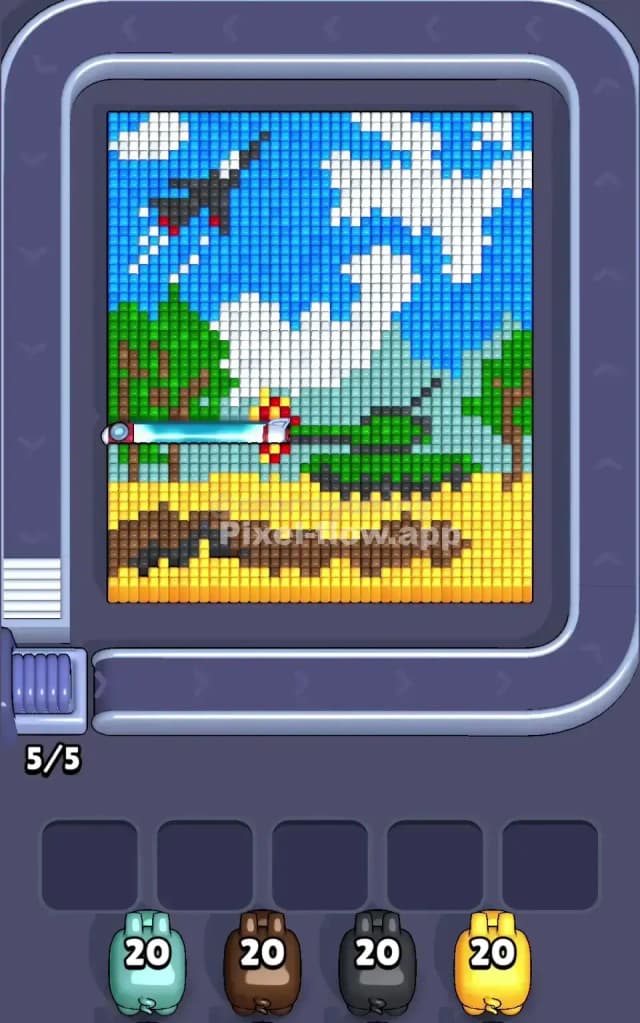
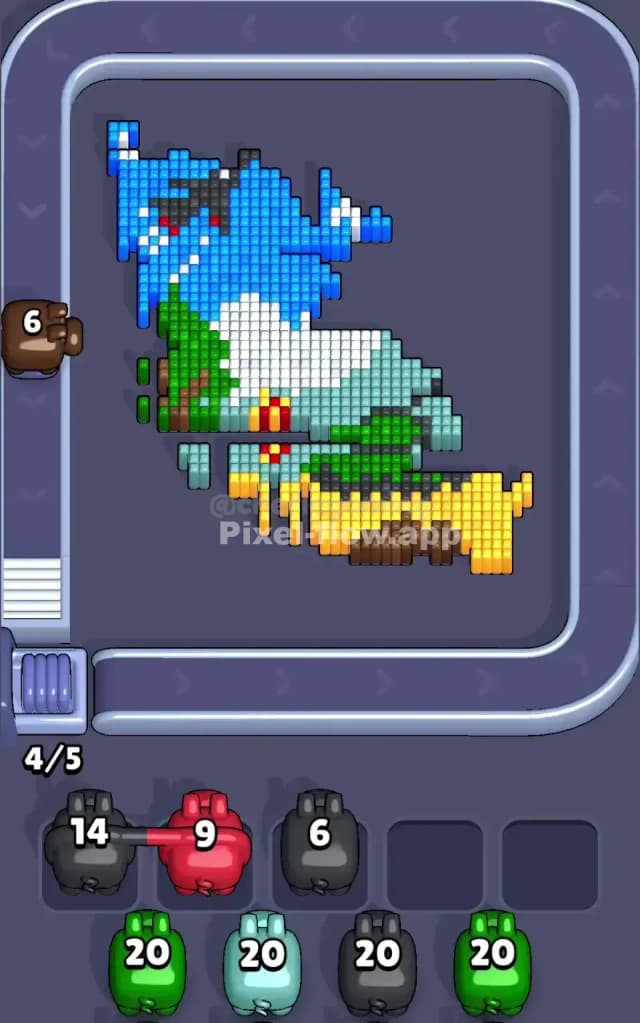
You are looking at a chaotic battlefield scene for Level 711. The board is split horizontally: the bottom third is a bright yellow field (likely a desert or wheat field), and the top two-thirds is a bright blue sky. Dominating the right side is a massive green tank with a long barrel pointing left. In the top left corner, a black fighter jet streaks through the sky, leaving white pixel trails.
This is a classic "foreground vs. background" puzzle. The tank and trees sit on top of the sky layer, but the yellow ground sits in front of everything. Because of the scattered details—like the red exhaust on the jet and the complex mix of green and brown in the trees—this is a very hard level. One wrong pig selection will jam your slots instantly.
Pixel Flow Level 711 Overview
Think of this artwork as three distinct bands of conflict.
The Ground Floor: The bottom is a solid slab of yellow voxels representing the terrain. It’s thick, wide, and hides the roots of the trees and the tank’s treads. There is a dark brown patch resembling tracks cutting through the yellow, which complicates things because you can't just spam yellow pigs blindly; you have to watch out for that brown interruption.
The Heavy Metal Mid-Range: The middle layer is where the bulk of the difficulty lies. You have a large green tank on the right and two trees (one left, one far right). These objects are not solid colors. They are mixtures of dark green (tank body), lighter green (tree leaves), and brown (trunks). To make it worse, there is a multi-colored projectile (silver, red, yellow) flying mid-air near the tank barrel.
The Sky Highs: The background is a massive wall of blue, broken up by fluffy white clouds and that sharp, angular black jet. The jet is dangerous. It’s thin, diagonal, and surrounded by blue. If you grab a black pig too early, it might not have a clear line of sight to the jet because of the blue sky blocks protecting it.
Step by step solution walkthrough for Pixel Flow Level 711
First Color Zone to Erase in Pixel Flow Level 711
I strongly recommend attacking the Yellow Ground first.
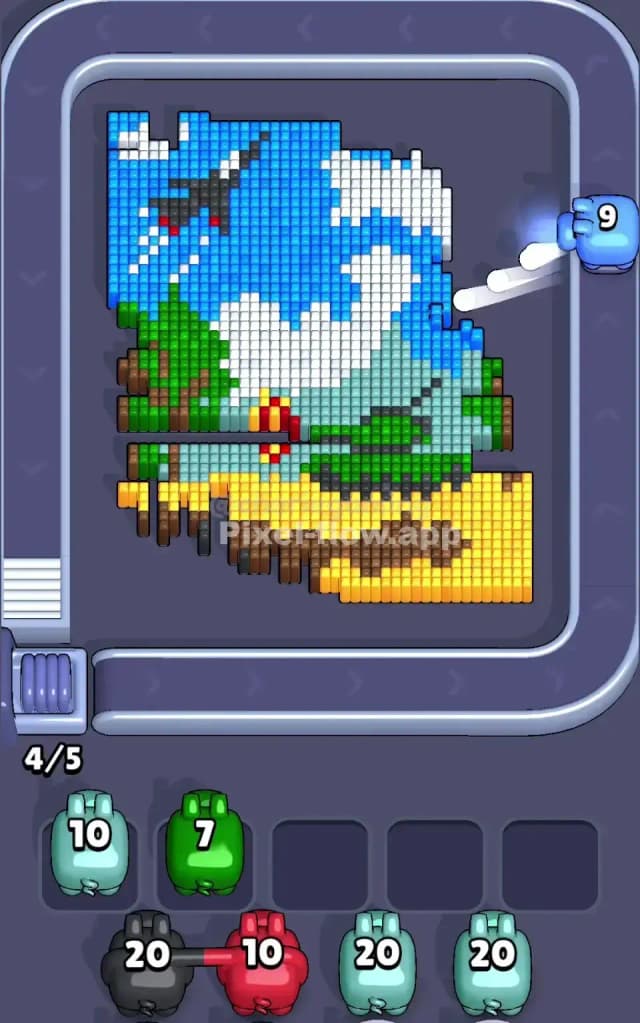
Here is the logic. The yellow zone at the bottom is the "widest" target. It spans almost the entire width of the board. When you see a yellow pig on the conveyor belt, grab it immediately. This zone acts as the foundation for the rest of the image. By clearing the yellow sand, you expose the bottom edges of the brown tree trunks and the green tank treads.
If you try to start with the blue sky, you risk trouble. The sky is broken up by white clouds and the black jet. You might think you have a clear shot at the blue, but the voxel depth can be tricky there. The yellow ground is honest work. It’s right in front. It clears space. It burns ammo efficiently without leaving you with 2 or 3 leftover shots that clog your waiting bar.
Warning: Watch the brown track marks inside the yellow field. You will likely need a brown pig earlier than you expect to clear that patch so the yellow pigs can finish the rest of the sand.
How to pass Pixel Flow Level 711 without power ups or boosters
Once the yellow floor is gone, the picture looks strange. The tank and trees are floating. Now you must switch your focus to Green.
The tank and the trees share the same green palette. This is your mid-game grinder. You will see a lot of green pigs. Take them. The green layer is thick and protects the blue sky behind it. You cannot effectively clear the sky until the tree canopies and the tank turret are shaved down.
This is the moment where the level becomes "very hard." While you are chipping away at the green tank, the conveyor belt will try to feed you specialized colors: Red (for the missile/jet lights), Silver/Grey (for the missile body), and Black (for the jet).
Do not touch the Red or Silver pigs yet.
If you grab a red pig now, it has only tiny targets: the small exhaust flame on the jet or the tip of the tank shell. These are likely blocked by green or blue blocks. If you put that red pig in your slot, it will sit there forever, blocking your ability to grab the Green or Brown pigs you actually need. Ignore the details. Focus purely on removing the heavy Green masses of the tank and trees.
Last Details You Clean Up in Pixel Flow Level 711
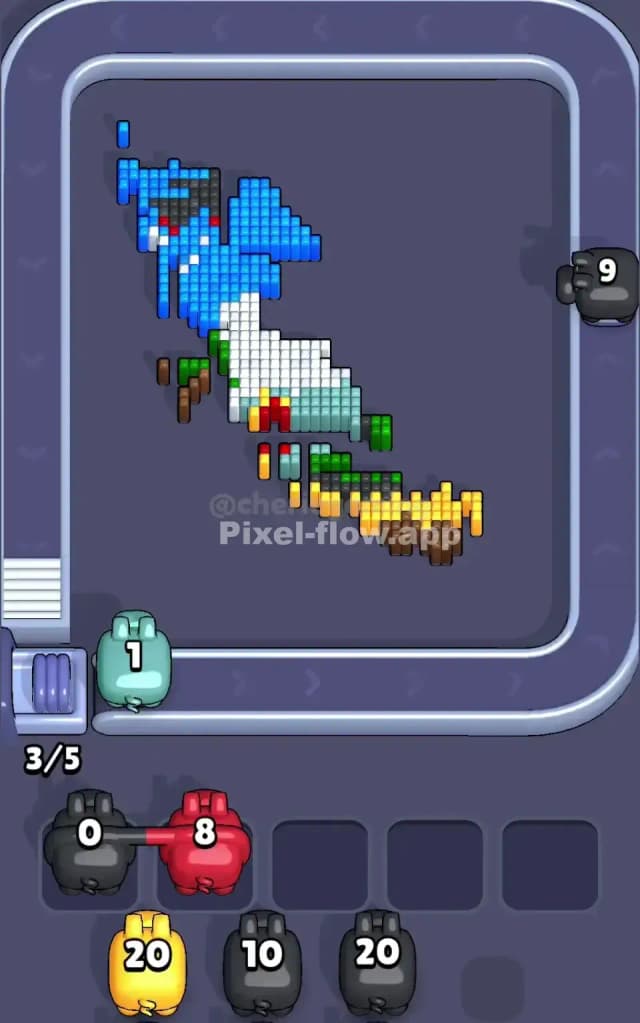
You are in the endgame when the tank is a ghost and the trees are stumps. The screen is mostly blue sky, white clouds, and the black jet.
- The Blue Sky: Now is the time to strip the background. The blue pigs will finally have clear shots because the green foreground is gone.
- The White Clouds: White usually interlocks with blue. You might need to alternate Blue and White pigs to peel back the sky layers evenly.
- The Black Jet: This is often the final piece. The jet is embedded deep in the sky. Save your black pigs for the very end.
- The Red/Silver Accents: The last cubes to pop are often the tiny red lights on the jet or the missile details. These are deep-layer details. Only grab these pigs when the specific pixel is clearly exposed and nothing else is in the way.
If you clear the big blocks (Yellow -> Green -> Blue) in that order, the tiny dangerous details (Red/Silver/Black) will naturally expose themselves without clogging your board.