Pixel Flow Level 712 Solution | Pixel Flow 712 Walkthrough
How to beat Pixel Flow Level 712: Video solution & walkthrough. The fastest way to pass Pixel Flow 712.
Is this the wrong level layout?🤔
Pixel Flow randomizes levels for different players. Don't worry, just upload a screenshot of your board, and our AI will find the correct video instantly.
Pixel Flow Level 712 Walkthrough
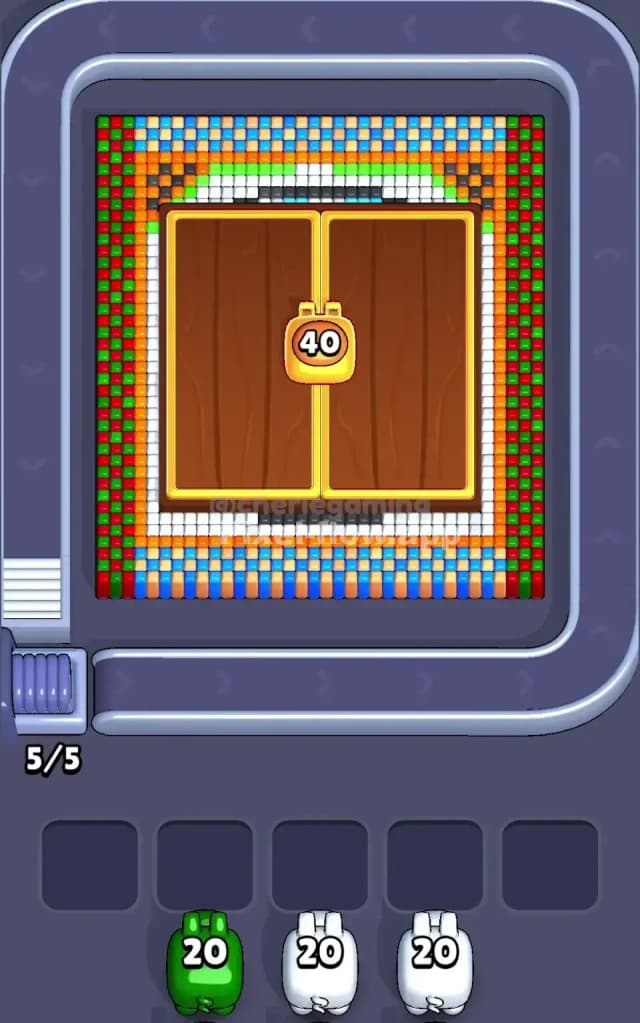
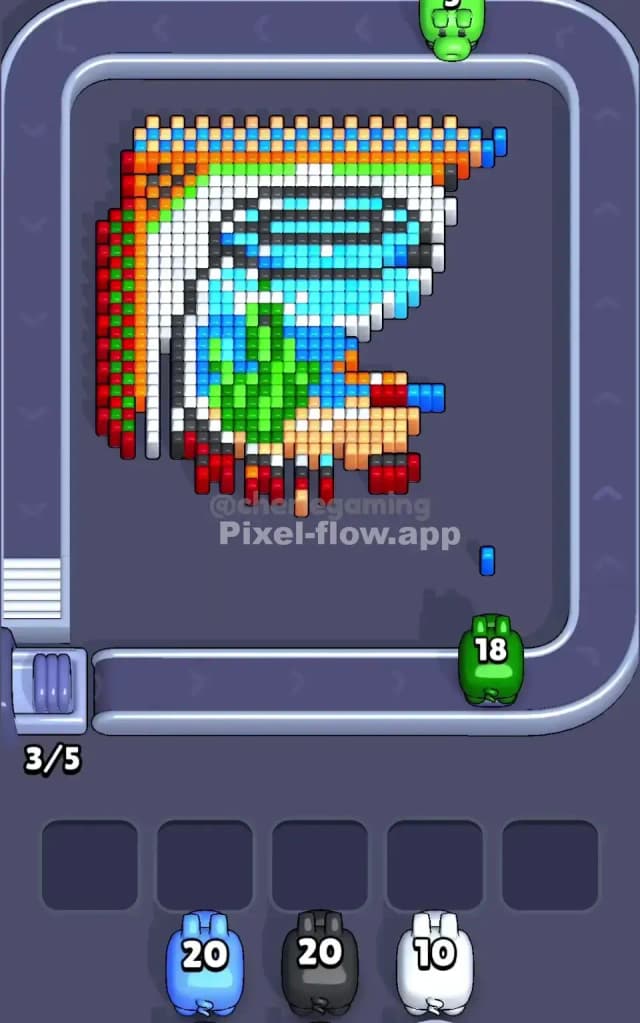
This level looks like a fortress gate that refuses to open. You are staring at a massive set of double wooden doors locked by a golden padlock labeled "40," framed by a headache-inducing border of checkerboard colors. The primary challenge here is the dense, alternating patterns on the outer edges. You cannot just spray and pray; you have to pick apart the red and green vertical columns pixel by pixel.
Is this a hard level? Yes. I would judge it as very hard. The alternating colors on the sides and the mixed mosaic on the top and bottom mean you will frequently draw pigs that have no large blocks to clear, forcing you to clog your waiting slots early.
Pixel Flow Level 712 Overview
Imagine you are standing outside a pixelated temple. The center is dominated by brown wood, but you can't touch that yet. The "40" on the gold lock means you have a barrier to break before the core image reveals itself. Surrounding this gate is a strict geometric frame.
The sides are tall columns of alternating Red and Green voxels. The header and footer are even messier: a mix of Blue, Light Blue, Orange, and White pixels scattered in a weave pattern. It feels rigid and claustrophobic.
Once you crack that outer shell and the doors dissolve, the vibe shifts completely. The hidden image inside is organic and curved—it looks like a stylized landscape or perhaps a character with a white hood and a green plant motif. The contrast between the rigid outer border and the soft inner picture is where you’ll get tripped up.
Step by step solution walkthrough for Pixel Flow Level 712
First Color Zone to Erase in Pixel Flow Level 712
I start immediately with the Green vertical columns on the far left and right.
Here is why: Look at your starting lineup. You likely have a Green pig with 20 ammo. The vertical borders are a checkerboard of Red and Green. If you ignore these, they stay in your way forever. By focusing on the Green pixels in these columns, you can rapidly deplete that Green pig’s ammo. Even though the pattern alternates, the game usually allows you to hit the "front" layer easily. Getting rid of the green checkers exposes the red ones fully, simplifying the geometry for your next Red pig.
Do not touch the top or bottom blue/orange mix yet unless you have no other choice. Those areas are too scattered and will leave your pigs with 1 or 2 ammo left, which is a death sentence for your slot management.
How to pass Pixel Flow Level 712 without power ups or boosters
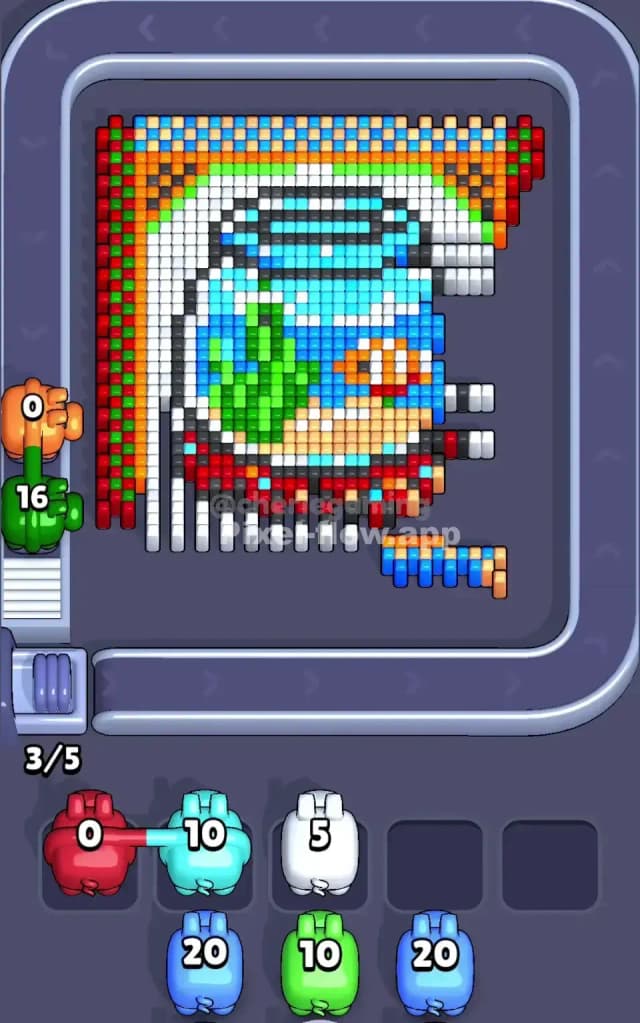
The mid-game of Pixel Flow 712 is dangerous. The wooden doors have vanished, and you are left with the "guts" of the level.
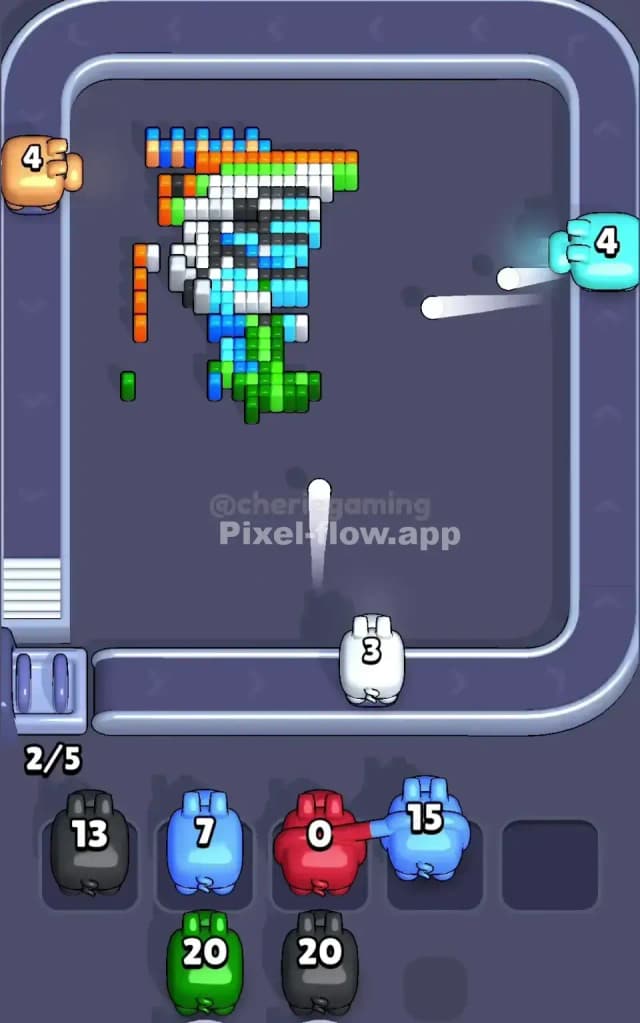
At this stage, you likely have a messy border. The top blue/orange strip is probably half-eaten, resembling jagged teeth. The inner picture—that white, blue, and green shape—is now accessible.
Without power-ups, you must pivot your strategy: Ignore the leftovers. It is tempting to try and clean up the single stray orange pixel on the top row. Don't. Instead, focus heavily on the large White zones that make up the inner frame and the background of the hidden image.
The White pigs usually carry 20 ammo. The inner white frame is a solid, continuous block. This is the safest place to dump ammo to clear your slots. If you try to act like a sniper and pick off the tiny colored details on the edge, you will clog your waiting bench. Clear the big white chunks to keep the conveyor belt moving.
Last Details You Clean Up in Pixel Flow Level 712
As you near the end of Pixel Flow Level 712, the board looks like a ruin. The majestic door is gone, and the white frame is history.
You are likely left with the "deep" layers of the inner picture. This involves a cluster of Blue and Light Blue voxels near the top center (part of the hidden character's head or sky) and a stubborn patch of Green (the plant shape) in the middle.
Watch out for the bottom corners. The "feet" of the inner drawing often have dark red or brown pixels that blend in with the shadows. Your final moves will usually be clearing these bottom-layer support blocks that were hiding behind the wooden doors initially. Double-check the bottom row; a single dark pixel often hides there, preventing the "Level Complete" screen.