Pixel Flow Level 11 Solution Walkthrough | Pixel Flow 11

How to solve Pixel Flow level 11? Get instant solution for Pixel Flow 11 with our step by step solution & video walkthrough.

Share Pixel Flow Level 11 Guide:
Pixel Flow Level 11 Gameplay
Pixel Flow Level 11 Solution 1
Pixel Flow Level 11 Solution 2
Pixel Flow Level 11 Solution 3

Pixel Flow Level 11 Overview

The Board Layout and Visual Structure

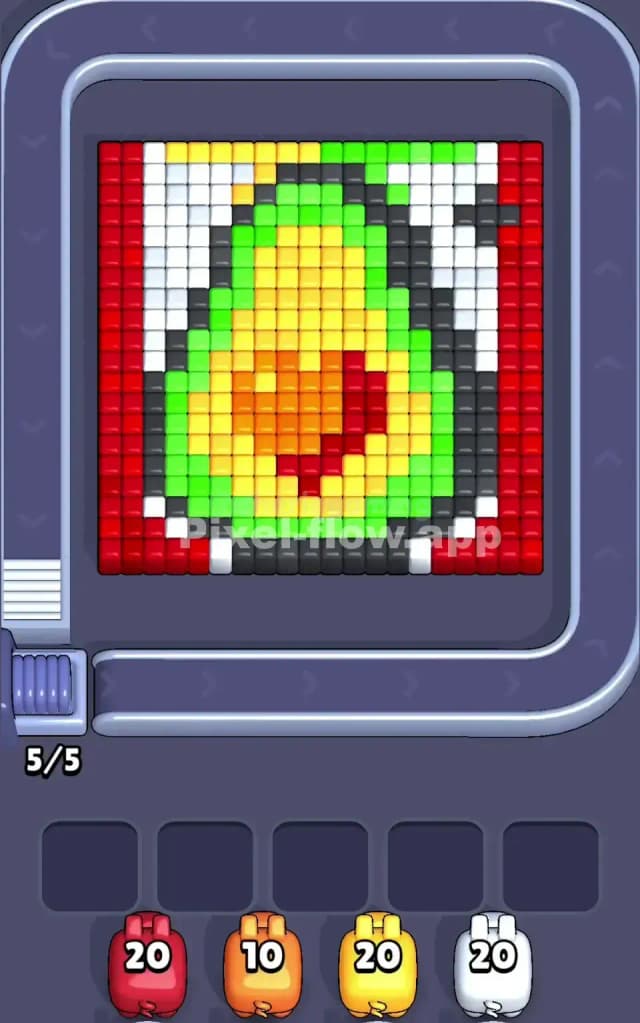
Pixel Flow Level 11 presents a layered voxel image that demands careful color management and precise sequencing. The board features a prominent gradient-based composition with red cubes forming thick vertical columns on both the left and right edges, white sections creating structural borders, and a rich interior landscape dominated by green, yellow, and orange tones. The center of the board contains a warm-colored gradient that transitions from bright yellow at the top through orange and into deeper red at the middle, surrounded by protective layers of green. This multi-layered design means you're not just clearing surface cubes—you're methodically peeling back color barriers to access and eliminate deeper voxels.

The starting configuration shows five waiting slots at the bottom, currently holding four active pigs: a red pig with 20 ammo, an orange pig with 10 ammo, a yellow pig with 20 ammo, and a white pig with 20 ammo. You'll notice immediately that the board is packed, leaving minimal room for error. The visible cubes are dominated by red (outer frame), white (structural gaps), green (mid-layer armor), yellow and orange (the core gradient region), and scattered black (interior voids). Understanding this composition tells you everything: you need to eliminate the outer red layer first, manage the green buffer strategically, and then carefully sequence the yellow and orange pigs to clean up the gradient without jamming your waiting slots.

The Win Condition and Deterministic Nature

Your goal in Pixel Flow Level 11 is straightforward on paper but complex in execution: clear every single voxel cube from the board. Each color-coded pig that rolls down the conveyor belt will automatically fire its ammo at matching cubes of the same color, consuming one shot per cube destroyed. Once a pig fires all its ammo (or has no valid targets left), it falls into one of the five waiting slots below. The challenge lies in the deterministic nature of the game—pig order, ammo counts, and cube positions never change, so every solution is mathematical rather than luck-based. This means your success depends entirely on planning ahead and understanding exactly when to trigger each pig's descent.

Why Pixel Flow Level 11 Feels So Tricky

The Waiting Slot Bottleneck

The most frustrating aspect of Pixel Flow Level 11 is managing your five waiting slots without triggering a game-over state. Picture this scenario: you've already placed four pigs below, and the fifth slot is open. If the next pig you release still has ammo remaining but finds no valid targets of its color, it drops into that final slot and gets stuck. If subsequent pigs also run out of valid targets before spending their ammo, you're locked in a failure loop—no more moves, no way to spend remaining ammo, game over. This is why rushing through the level or firing pigs randomly almost always leads to disaster. In Pixel Flow Level 11, the outer red frame is particularly dangerous because it's so visible and tempting to clear first; however, clearing all red before managing the interior can trap your orange, yellow, and white pigs with nothing to shoot at, filling your buffer and ending your run.

Awkward Color Patches and Hidden Depth

Another major headache in Pixel Flow Level 11 is the scattered white and black cubes that act as structural elements or voids. These "dead zones" block your pigs from reaching deeper layers in certain areas, forcing you to think three or four moves ahead just to expose a single patch of yellow that's crucial for your orange pig. Additionally, the green layer isn't solid—it's broken up strategically, creating pockets where your targeting lines might miss entirely. I've personally found that the yellow-orange gradient in the center can feel deceptively simple when you first look at it, but the moment you start clearing, you realize those colors are interwoven in ways that punish impatience. The red columns on the far left and right also seem straightforward until you notice that removing them too early leaves your white pig with nothing to do, forcing it into a waiting slot prematurely and blocking access for other pigs.

The "Aha" Moment

Honestly, Pixel Flow Level 11 didn't click for me until I stopped thinking about clearing colors and started thinking about exposing layers. Once I realized that white and black sections were keys to unlocking the next layer—not obstacles to ignore—everything snapped into place. The breakthrough came when I held off on firing my red pig entirely at first, instead sending yellow and white to clear the interior gradient. That forced me to rethink the entire sequence, but suddenly the geometry made sense. That's the trap Pixel Flow Level 11 lays for you: it looks like a color-matching puzzle when it's really a layer-exposure puzzle. Fight that instinct, and you'll find the solution far more elegant.

Step-by-Step Strategy to Clear Pixel Flow Level 11

Opening: Establish Control with Yellow and White

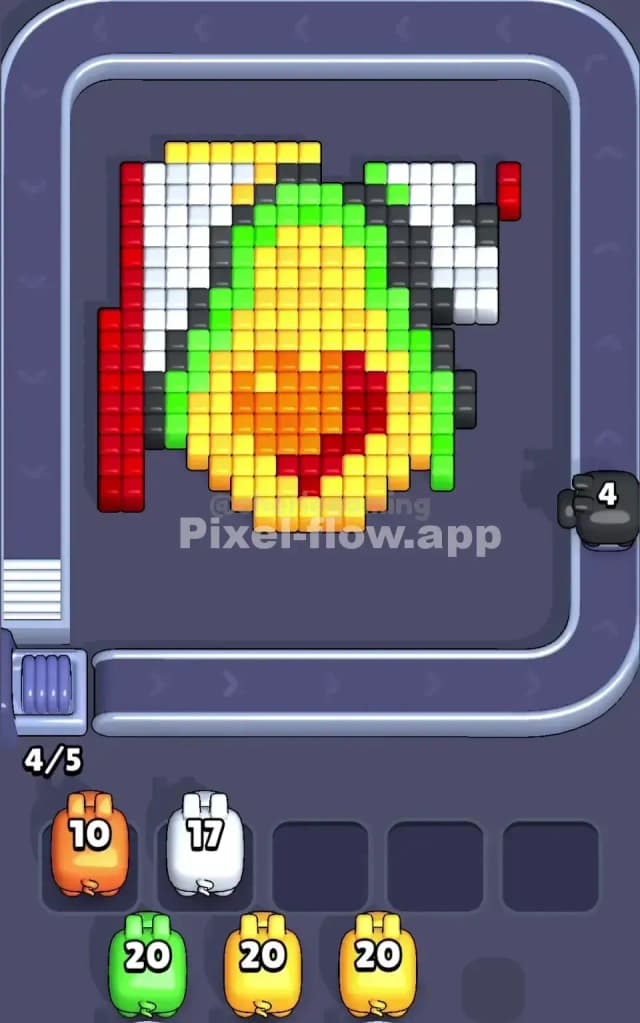
Start Pixel Flow Level 11 by deliberately bypassing the tempting red edges. Instead, send your yellow pig down first. The yellow pig's 20 ammo is more than enough to dominate the bright yellow cubes in the center-upper portion of the board, and clearing this area immediately exposes the orange gradient below and opens sightlines to hidden green sections. After yellow has fired all its ammo and settled into a waiting slot, release your white pig. White has 20 ammo and should target the white structural elements scattered throughout the board, particularly the corner pieces and edge gaps. These white cubes might seem incidental, but removing them is crucial because they're often blocking direct shots to the next layer. Keep two waiting slots free at all times during this opening phase—that's your safety margin.

Mid-Game: Sequence for Ammo Efficiency and Layer Exposure

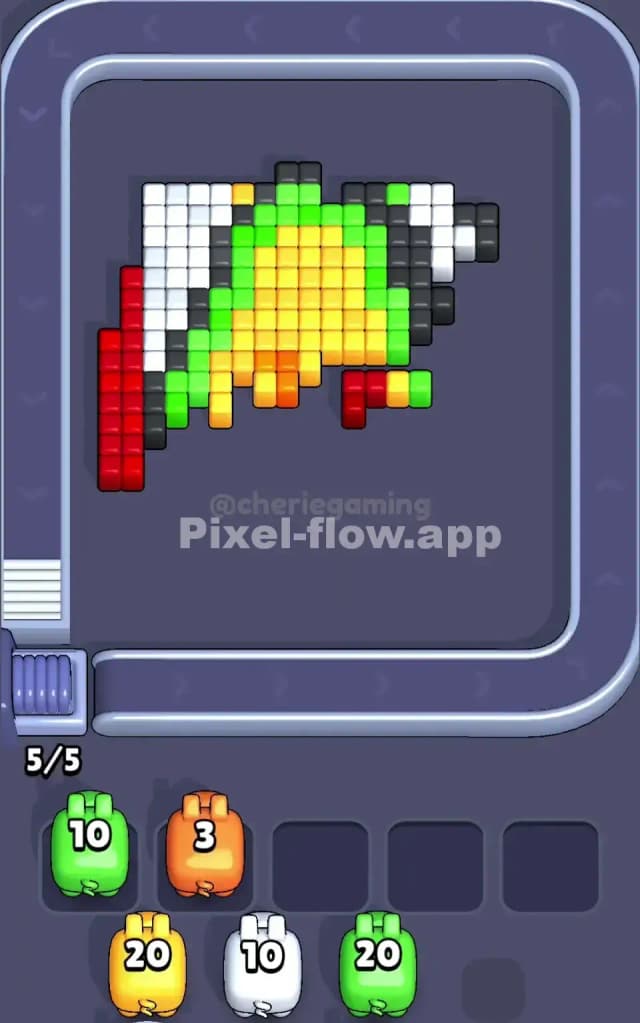
Once yellow and white are in the buffer, you're ready for Pixel Flow Level 11's critical mid-section. Release your orange pig next. The orange pig carries 10 ammo, which is precisely calibrated for the orange-red transition zone in the gradient. Don't worry about fully clearing all orange cubes in one pass; instead, target the orange blocks that form the "bridge" between the yellow core and the red outer frame. This reveals deeper red cubes underneath and ensures your red pig won't be wasted on a barren landscape. As the orange pig fires, watch carefully for the green cubes that start becoming visible around the interior. Green is a substantial layer, and you need to know its exact footprint before committing your red pig.

Now here's where Pixel Flow Level 11 tests your patience: don't send red down yet. Your red pig has 20 ammo, but much of the red on the board is actually interior red cubes hiding beneath yellow and orange. If you fire the red pig now, it'll demolish the edge frames and jam immediately because it'll have ammo left but nowhere to aim. Instead, hold the red pig in reserve and use this time to observe the board state. Count visible red cubes: roughly 40+ are probably visible, but your red pig can only fire 20 times. That's a red flag (pun intended) telling you the outer red frame isn't the priority. The interior red gradient is what matters.

End-Game: Clean the Gradient and Clear the Buffer

After orange settles, send your red pig down and target the interior red cubes in the gradient zone first. Let it fire into those center-red blocks, which are often less obvious than the edge columns. This exposes even more green and yellow, creating a secondary wave of targets. As red fires, you'll notice green cubes suddenly become more numerous and accessible. If you've played Pixel Flow Level 11 correctly so far, your waiting slots should have exactly four pigs with room for one more.

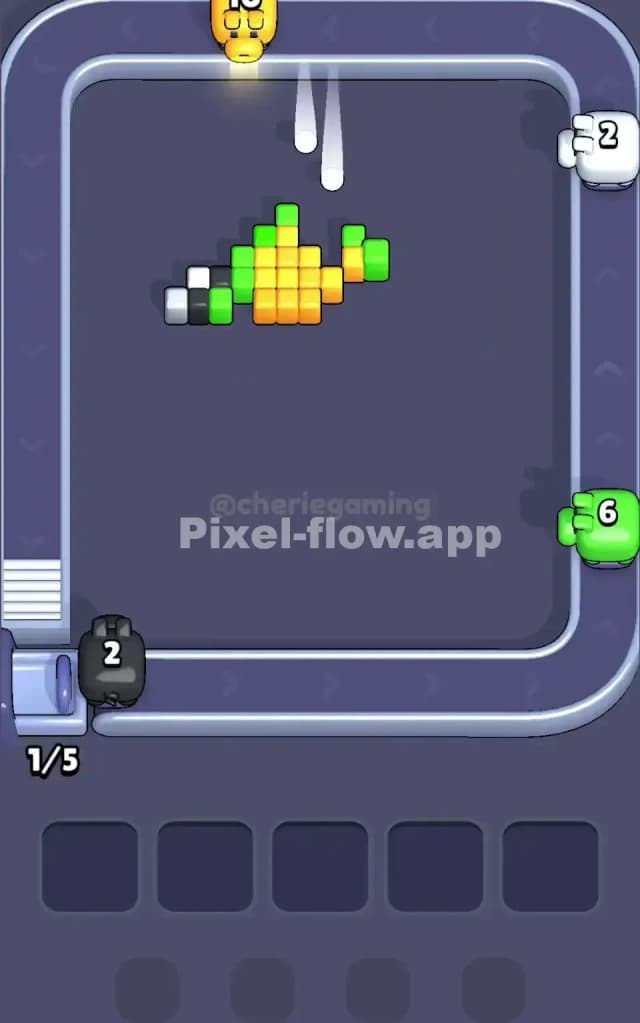
When all ammo is nearly spent, the final phase is cleanup: you're left with green cubes and possibly some stubborn white or red edge pieces. Since no new pig is queued, your four waiting pigs will collectively have limited remaining ammo (if any). Focus on removing any last patches of exposed color that match your waiting pigs' original color. This is where Pixel Flow Level 11 becomes a careful bookkeeping exercise—you must clear all 100% of cubes without any pig being left with ammo and nowhere to spend it. If you've followed this sequence correctly, the final pigs in your buffer will fire precisely as the last cubes vanish.

The Logic Behind This Pixel Flow Level 11 Plan

Exploiting Determinism and Pig Sequencing

The strategy for Pixel Flow Level 11 isn't random or improvisational—it's built on exploiting the game's deterministic rules. Every pig's ammo count is fixed, and every visible cube is permanent until fired upon. By sending yellow and white first, you're not wasting ammo; you're performing calculated demolition that directly enables your orange and red pigs to succeed. The yellow pig is positioned to crack open the top, white enables access to edges, orange forms the transition bridge, and red finishes the deep work. This isn't coincidence—it's a carefully orchestrated sequence where each pig's success depends on its predecessor's actions. Understanding this chain causality is the difference between random clicking and intelligent play in Pixel Flow Level 11.

Staying Calm and Counting Two Pigs Ahead

The psychological challenge of Pixel Flow Level 11 is resisting panic when the board looks impossibly full. The best approach is to count ammo and plan ahead: before releasing any pig, glance at your queue and ask, "After this pig finishes, which color will be next, and what will be visible then?" For example, before firing yellow, ask yourself, "After yellow clears the top gradient, will orange have a clean line of sight?" If the answer is no, reconsider. Likewise, watch your waiting slots obsessively. The moment you see three pigs waiting, your next release must be calculated to ensure it has targets and doesn't jam your buffer. This slower, more methodical approach to Pixel Flow Level 11 might feel counterintuitive compared to other levels, but it's exactly what separates success from frustration. Keep a mental tally of remaining ammo for waiting pigs, anticipate color exposure, and never, ever fill all five slots unless you're absolutely certain the remaining moves will empty them cleanly.