Pixel Flow Level 12 Solution | Pixel Flow 12 Walkthrough
How to beat Pixel Flow Level 12: Video solution & walkthrough. The fastest way to pass Pixel Flow 12.
Is this the wrong level layout?🤔
Pixel Flow randomizes levels for different players. Don't worry, just upload a screenshot of your board, and our AI will find the correct video instantly.

Pixel Flow Level 12 Walkthrough
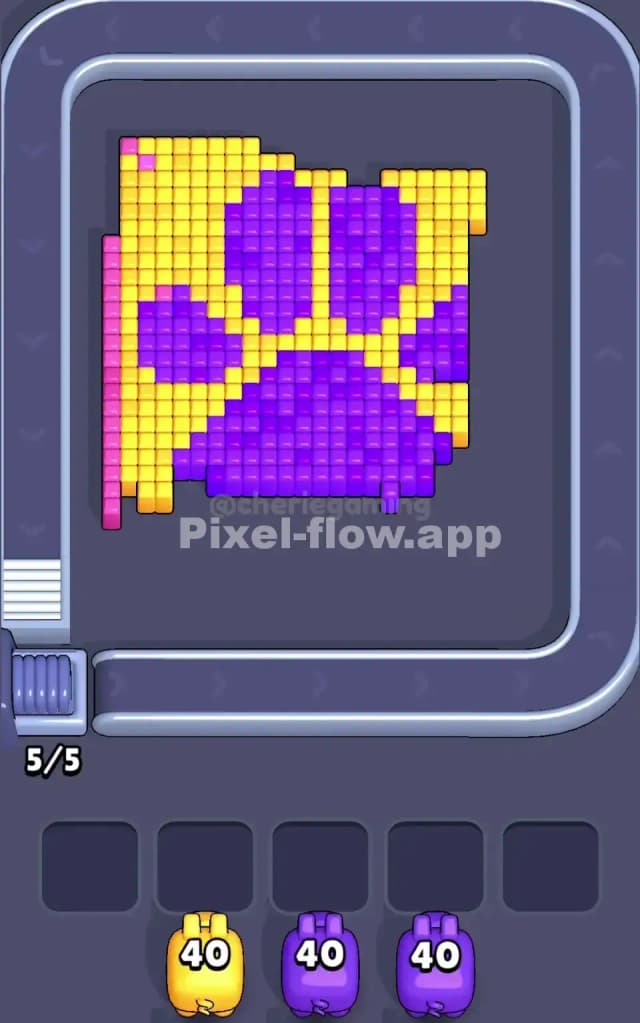
This stage features a massive, vibrant pixel art stamp of a Paw Print. You are looking at three distinct color layers: a bright Yellow background fill, a deep Purple paw shape (one large pad, four toe beans), and a Pink border frame that wraps around the entire image.
To beat Pixel Flow Level 12, you must strip away the high-volume colors in the center before dealing with the edges. The game floods you with high-ammo pigs immediately, so your biggest risk is mismanaging the waiting slots. If you pull the wrong color too early, it will sit in your slot unable to shoot, blocking progress. Is this a very hard level? No. It is not a very hard level, but it is a "stamina" level because of the high pixel count.
Pixel Flow Level 12 Overview
Imagine a square tile sitting on your conveyor belt. The image is a classic animal paw print. The Purple sections are the actual paw pads—a big central blob at the bottom and four smaller oval toes floating above it. These purple islands are drowning in a sea of Yellow pixels.
The entire scene is boxed in by a Pink perimeter. This pink layer acts like a picture frame. Visually, the yellow and purple blocks are stacked "higher" than the pink frame. This is the crucial visual clue for Pixel Flow 12: the pigs shoot the tallest blocks first. Since the pink is the "canvas" or the lowest border, your pigs will largely ignore it until the mountain of yellow and purple in the middle is demolished.
The board is symmetrical. There is no "weak side." However, the sheer volume of Yellow pixels means you need to keep your yellow pigs active constantly. If you ignore yellow, you will never expose the purple center.
Step by step solution walkthrough for Pixel Flow Level 12
First Color Zone to Erase in Pixel Flow Level 12
Your priority target is Yellow.
Look at your starting queue. You are handed a Yellow pig with 40 ammo. This is huge. Narratively, the yellow pixels are the "noise" surrounding the subject. Logically, the yellow blocks are the most accessible. They touch almost every side of the inner square.
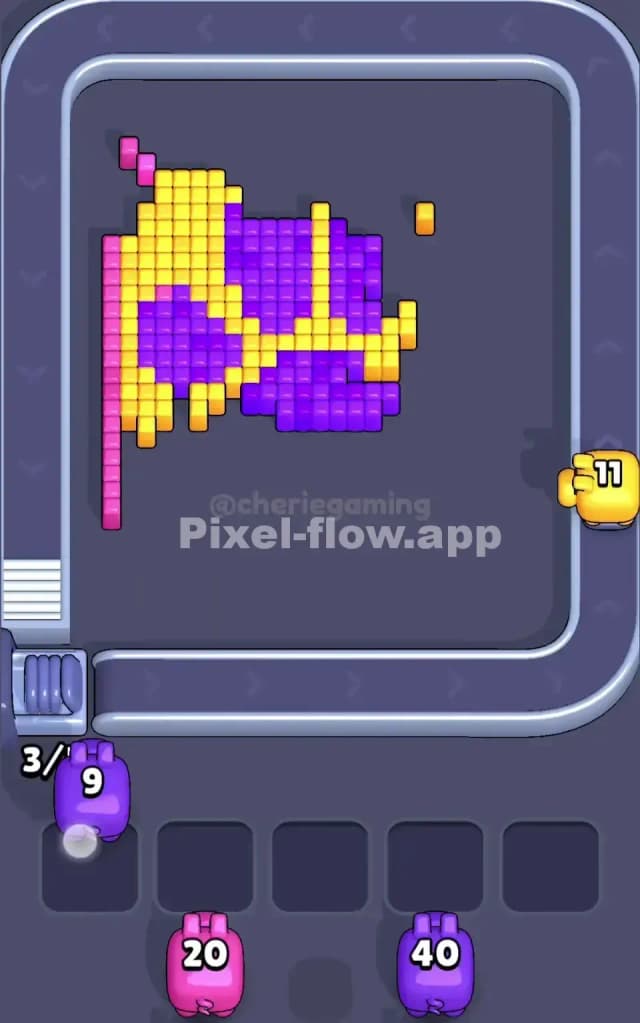
If you try to focus on Purple too early, you will struggle. The Purple pads are insulated by layers of Yellow. By clearing the Yellow first, you create "canals" or gaps between the purple toe beans. This allows future pigs to shoot deeper into the structure. Drop that first Yellow pig and let it run loops around the board. It will shred the outer coating of the paw print, exposing the purple core for the next wave.
How to pass Pixel Flow Level 12 without power ups or boosters
The mid-game of Pixel Flow Level 12 can get messy. At this point, the picture usually looks like a half-eaten sandwich. The Yellow is mostly gone, leaving behind isolated towers of Purple.
Here is the trap: you might see a Pink pig in your queue (usually with lower ammo, like 20). Do not pull the Pink pig yet.
Even though the Pink border is visible, your pigs often cannot hit it cleanly because stray Purple or Yellow blocks are still obstructing the line of sight. If you pull the Pink pig now, it will drop into a waiting slot and sit there, useless. This clogs your board.
To survive without boosters:
- Prioritize clearing the center. If you have a choice between a Purple pig and a Pink pig, take the Purple.
- Watch the ammo count. The Purple pigs in this level often have high ammo (40). Ensure there is enough purple surface area exposed to make that pig worth it. If only 3 purple pixels are visible, don't waste a 40-ammo pig; wait for the conveyor belt to rotate the board so more purple is valid.
- Clean the corners. The Yellow pixels love to hide in the corners between the Purple toe pads. These stubborn yellow blocks block your shots. Hunt them down before switching colors.
Last Details You Clean Up in Pixel Flow Level 12
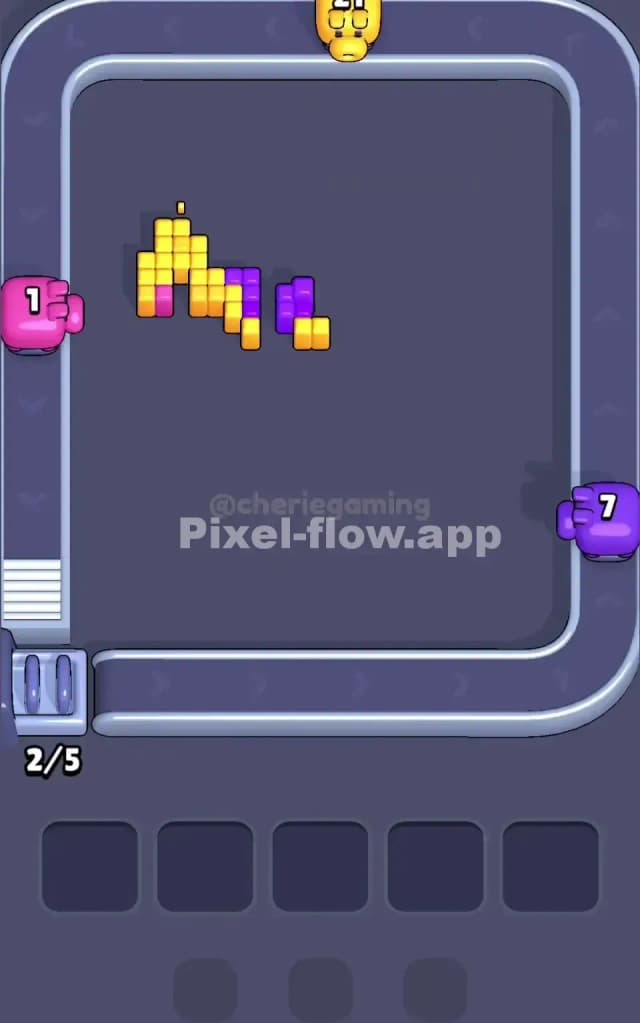
The final phase of Pixel Flow 12 is satisfyingly simple. Once the heavy Yellow fill and the chunky Purple pads are erased, you will be left with just the Pink skeleton.
This pink border is a single-pixel-wide line running around the square. Because it was the "lowest" layer, it is the last thing to die. Now is the time to unleash those Pink pigs you ignored earlier. Since the middle of the board is empty, the Pink pigs can shoot across the entire map without obstruction, cleaning up the frame in seconds.
Keep an eye out for one specific annoyance: sometimes a single Purple pixel hides right against the Pink wall. If your Pink pig stops shooting with ammo left, scan the border closely—you likely missed a tiny crumb of purple clinging to the edge.