Pixel Flow Level 111 Solution | Pixel Flow 111 Walkthrough
How to beat Pixel Flow Level 111: Video solution & walkthrough. The fastest way to pass Pixel Flow 111.
Is this the wrong level layout?🤔
Pixel Flow randomizes levels for different players. Don't worry, just upload a screenshot of your board, and our AI will find the correct video instantly.
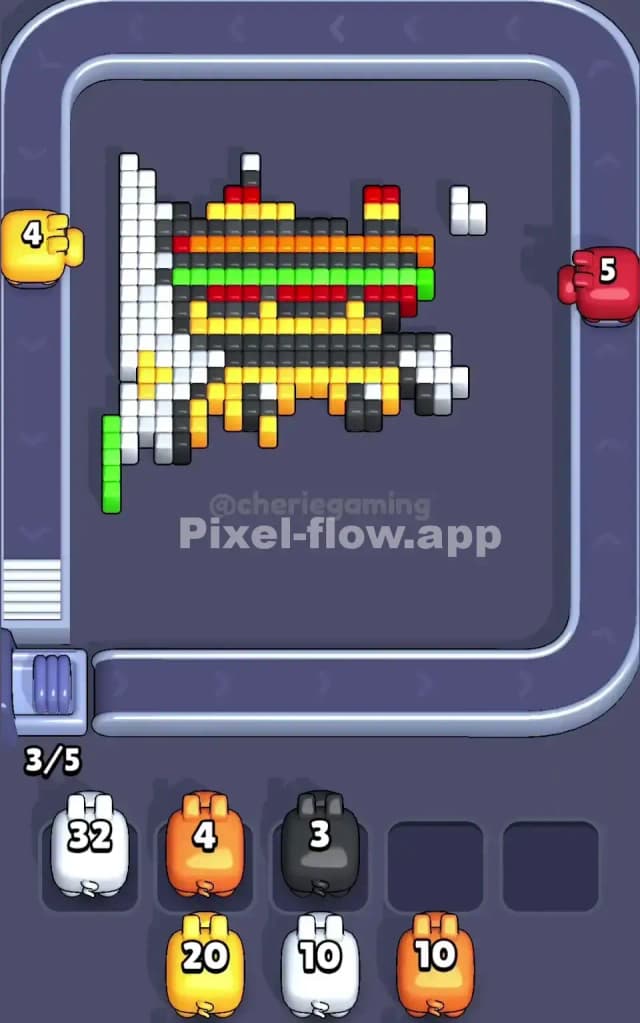
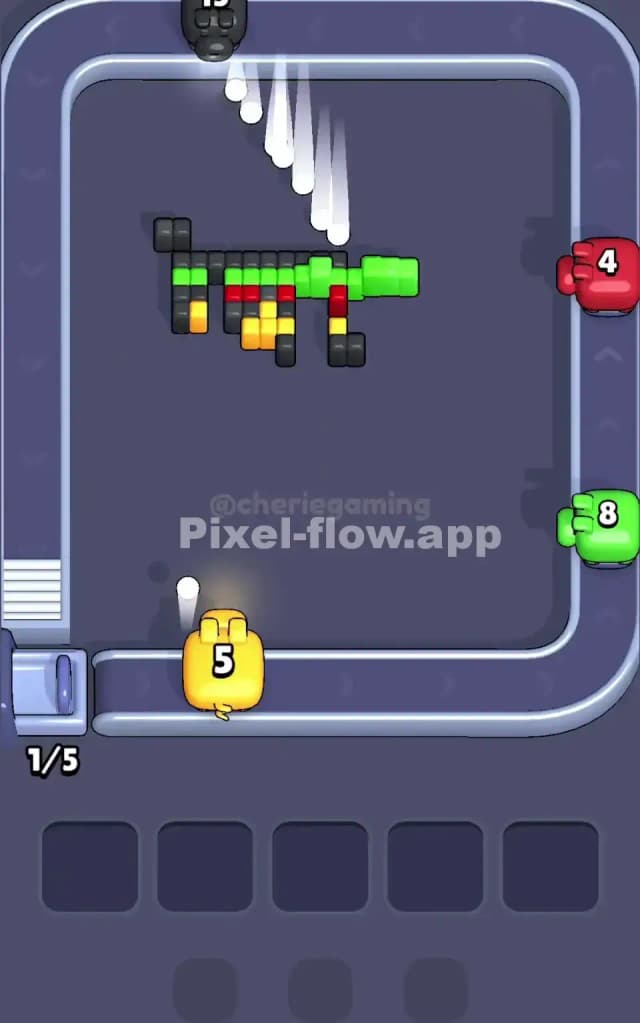
Pixel Flow Level 111 Walkthrough
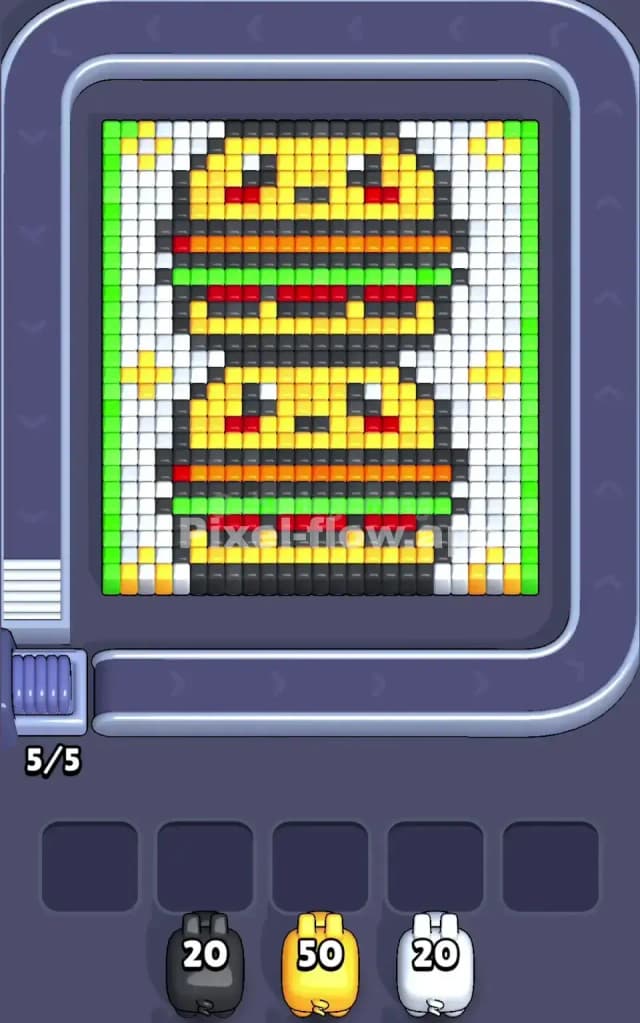
Pixel Flow Level 111 is a dense, colorful puzzle that looks deceivingly cute. You are staring at a "Double Burger Stack"—two kawaii slider burgers piled on top of each other, framed by a white background and green borders. The main colors here are Yellow (buns), White (background), Green (lettuce/border), and Dark Grey (outlines).
The rule to beat this level is strictly about volume management. You have massive blocks of color (the buns and background) protecting tiny, dangerous details (the eyes and cheeks). You must strip away the large outer layers to expose the sensitive inner cores without clogging your five slot inputs. Because of the hidden layers inside the meat patties, I judge this as a very hard level. One mistake with the Dark Grey outlines can leave you with no valid moves.
Pixel Flow Level 111 Overview
Imagine a playing card design, but instead of a King or Queen, it’s a pair of smiling cheeseburgers. The artwork features two identical burgers stacked vertically. Each has a thick Yellow bun with a cute face—two Black pixel eyes and Red blush marks on the cheeks. Separation between the bun and the toppings is handled by thick Dark Grey lines.
The background is a solid field of White, decorated with small Yellow sparkles in the corners. Flanking the entire image on the far left and right are vertical columns of Green.
The asymmetry here is subtle but important. While the burgers look identical, the way the White background interacts with the Green borders creates a "wrapper" effect. You aren't just peeling an object; you are digging it out of a box. The top corners have specific sparkle patterns that can trap stray Yellow shots if you aren't paying attention to where your pigs are aiming.
Step by step solution walkthrough for Pixel Flow Level 111
First Color Zone to Erase in Pixel Flow Level 111
Your priority target is the White background.
Logically, this is the safest play. The White pixels form a massive, continuous block surrounding the burgers. If you look at your starting pigs, you likely have a White pig with a decent ammo count (around 20-30). Use it immediately.
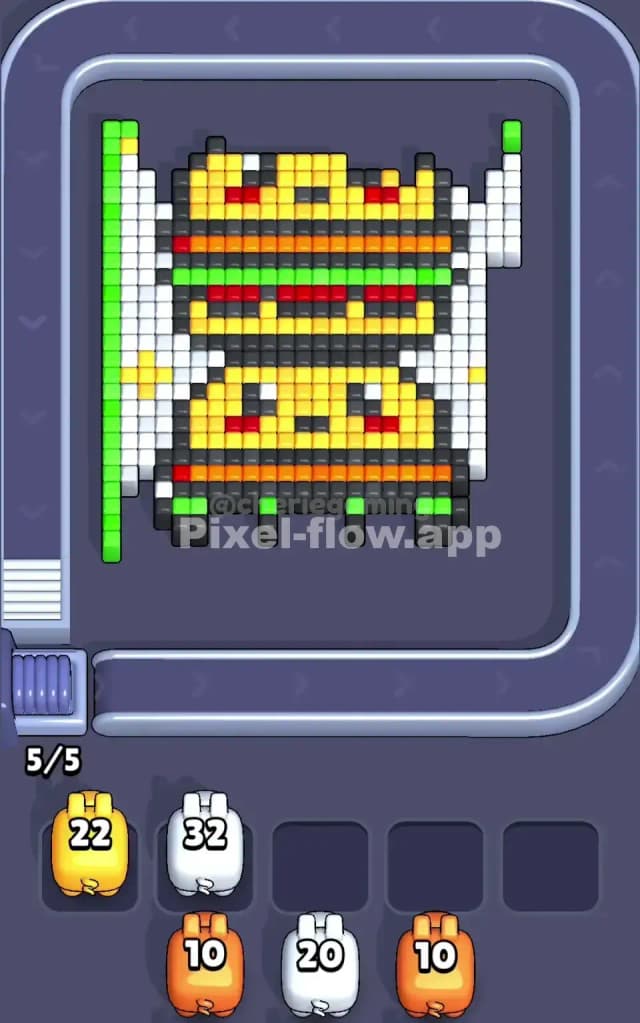
Narratively, you are "unboxing" the burgers. By clearing the White zone first, you detach the central burger stack from the edges of the board. This exposes the Dark Grey outlines and the Green vertical borders. Do not touch the Yellow buns yet. They are too thick, and if you start chipping away at them now, you’ll leave behind a jagged mess that blocks shots meant for the deeper layers. Clear the White to create shooting lanes along the sides of the stack.
How to pass Pixel Flow Level 111 without power ups or boosters
Once the white background is gone, the level looks half-destroyed, but this is the dangerous part. You are left with two floating burgers encased in Dark Grey and Green.
The strategy here shifts to "Outline Demolition." You must prioritize the Dark Grey and Green pixels.
- The Green Borders: Get rid of the vertical green strips on the far left and right. They are thin and easy to clear with a single Green pig. If you leave them, they will block diagonal shots at the burger fillings later.
- The Dark Grey Cage: The burgers are outlined in Dark Grey. This color acts as a structural cage holding the Yellow buns together. You need to focus fire on these outlines.
- The Hidden Orange Layer: This is the trap of Pixel Flow Level 111. As you peel back the front of the burgers, you will reveal that the "meat" layer isn't just dark pixels. There is a bright Orange layer hiding deep inside the patty area. You cannot see this at the start.
If you refuse to use boosters, you have to be patient with the Yellow pigs. Do not spam them. The Yellow buns are huge, but they are also your "shield." Keep the buns intact until you have cleared the Dark Grey lines separating the top burger from the bottom one. If you destroy the buns too early, the upper burger might drop (visually or logically blocking paths) before you've cleared the complex layers of the bottom burger.
Last Details You Clean Up in Pixel Flow Level 111
In the final moments of Pixel Flow Level 111, the cute faces will turn into a nightmare of scattered pixels.
You will likely be left with the Red cheeks and the Black eyes floating in empty space. The most annoying part is often the Red layer within the burger filling (the tomato slice). It sits very deep in the voxel grid.
Your board will look sparse. You might have one or two Red cubes from a cheek and a single line of Orange from the patty. The danger here is ammo waste. You might get a Red pig with 5 ammo but only 2 Red targets left on screen. Check your waiting slots. If you have open slots, let the pig drop and wait for a better angle. Don't force a shot that isn't there. The final move is usually cleaning up those hidden Orange pixels that were buried under the center of the bottom bun.