Pixel Flow Level 128 Solution Walkthrough | Pixel Flow 128

How to solve Pixel Flow level 128? Get instant solution for Pixel Flow 128 with our step by step solution & video walkthrough.

Share Pixel Flow Level 128 Guide:
Pixel Flow Level 128 Gameplay
Pixel Flow Level 128 Solution 1
Pixel Flow Level 128 Solution 2
Pixel Flow Level 128 Solution 3

Pixel Flow Level 128 Overview

The Board: A Festive Snowman in Layers

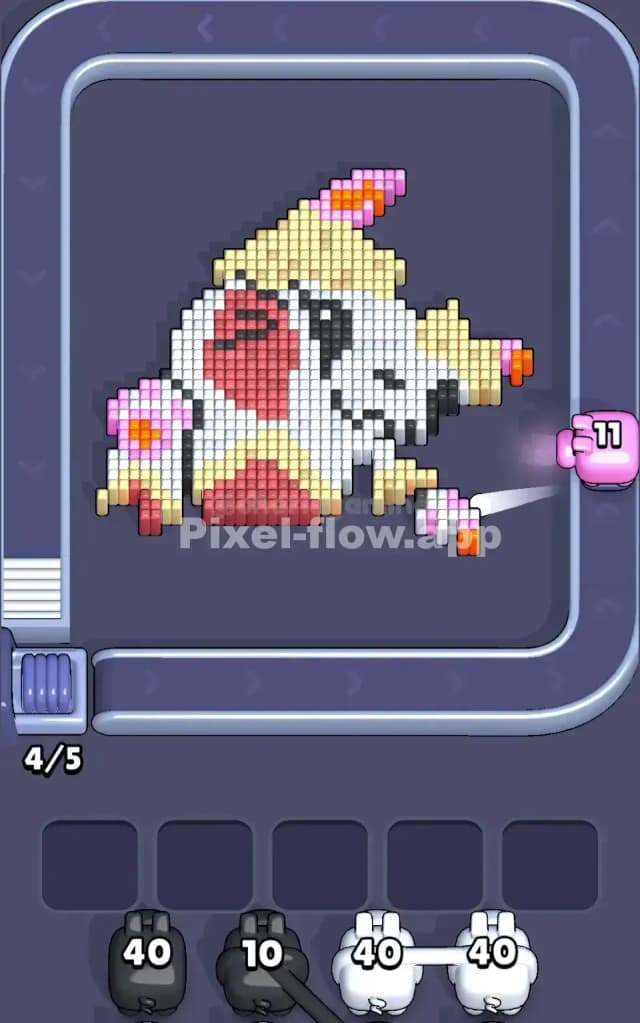
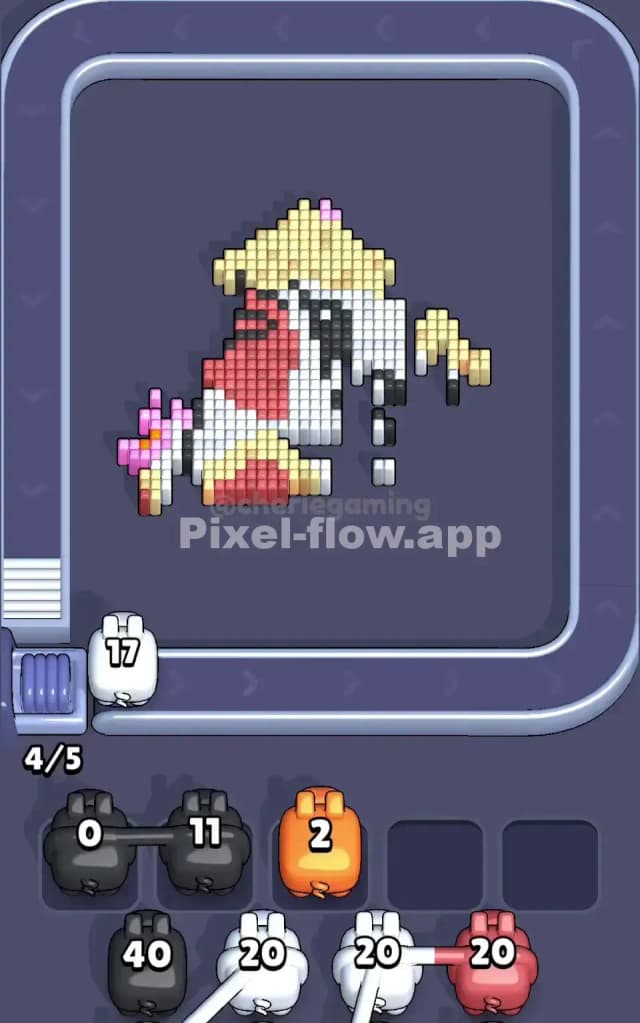
Pixel Flow Level 128 presents you with a charming pixel-art snowman—a deceptively cute challenge that demands precision and foresight. The snowman is rendered in multiple color layers: white forms the bulk of the body and face, yellow creates a warm glow around the midsection and accents, red defines the carrot nose and coal eyes, pink and magenta add festive details to the scarves and buttons, and orange highlights punctuate the scarf pattern. Black coal pieces frame the eyes and mouth, creating depth and character. The key insight here is that these colors don't just sit on top of each other—they're stacked in distinct voxel layers, meaning you'll need to systematically clear outer colors to expose the internal structure underneath. Your goal in Pixel Flow Level 128 is straightforward on the surface: eliminate every single cube on the board by dispatching color-matched pigs in the right order.

The Win Condition and Pig Mechanics

Winning Pixel Flow Level 128 requires you to clear all voxels without letting your five waiting slots fill up with "stuck" pigs—pigs that have remaining ammo but no valid targets. You start with a queue of pigs, each carrying a fixed ammo count displayed on their body. When a pig's color matches cubes on the board, you fire it, and each matching cube destroyed costs exactly one ammo. If a pig runs out of ammo, it disappears; if it still has ammo left but the board has no more cubes of its color, that pig drops into a waiting slot and occupies space. The entire puzzle is fully deterministic—pig order and ammo values never change—so there's no luck involved, only strategy and sequencing.


Why Pixel Flow Level 128 Feels So Tricky

The White Cube Bottleneck

Here's where Pixel Flow Level 128 gets brutal: white dominates the board, forming the snowman's body and taking up the vast majority of voxel real estate. You'll have white pigs in your queue with ammo counts like 40 and 40—hefty amounts—but if you're not careful about when you deploy them, you can easily expose a situation where you've got white pigs with leftover ammo but no white cubes left to hit. The white layers act as a gatekeeper; they block your view of deeper colors and must be chipped away methodically. Fire white too late, and you might trap yourself with a pig that has 10–15 ammo remaining but zero targets. Fire it too early, and you'll expose the inner layers before you're ready to handle the smaller color patches underneath, leading to the same waiting-slot jam from a different angle.

Scattered Color Patches and Ammo Misalignment

Beyond the white problem, Pixel Flow Level 128 tests your counting skills with its scattered reds, yellows, pinks, and oranges. These colors aren't always concentrated in one spot; pink appears in multiple locations (scarves, buttons), orange flecks appear alongside yellow accents, and the red carrot nose sits isolated near the coal eyes. You might have a yellow pig with 20 ammo, but if you don't expose all the yellow cubes before it fires, you'll strand it in the buffer with unused shots. Similarly, the black coal pieces require a dedicated pig, and they're small but strategically important for depth. If you miscalculate and assume you can just "wing it" with color order, you'll quickly fill your waiting slots with three or four pigs, each with 5–10 ammo sitting idle—a nightmare scenario in Pixel Flow Level 128.

When the Level Clicked for Me

I'll be honest: my first dozen attempts at Pixel Flow Level 128 felt chaotic. I'd fire pigs randomly, watch the snowman crumble, and then stare helplessly as my buffer filled with stranded pigs. The frustration peaked when I had two waiting slots left, only black and magenta pigs remaining, but no visible black or magenta cubes—turns out they were buried under white layers I'd already exhausted. The breakthrough came when I stopped reacting and started planning: I counted the total ammo needed for each color, mapped out which colors would expose which layers, and identified the exact sequence that would drain the board cleanly. Once I treated Pixel Flow Level 128 as a puzzle to be analyzed rather than a game to be played on the fly, it transformed from frustrating to satisfying.


Step-by-Step Strategy to Clear Pixel Flow Level 128

Opening: Start with Surgical White Strikes

Your first moves in Pixel Flow Level 128 are critical. Don't immediately fire your two black 40-ammo pigs at all the white cubes you see. Instead, begin with a strategic approach: identify the smaller, isolated white clusters that don't expose too many new colors at once. If you can tap a black pig for, say, 10–15 ammo to eliminate coal pieces and create some visual clarity, do that first. This accomplishes two things—it opens up your field of vision and consumes some ammo from a pig that might otherwise get stuck. Next, fire one yellow pig (with 20 ammo) at the yellow accents and glow areas. Yellow cubes aren't overwhelming in number, so a single 20-ammo yellow pig should clear them all or nearly all. The goal at this stage is to keep at least three of your five waiting slots empty as you methodically peel back layers. You're buying yourself breathing room and information; each pig you deploy should either clear its color completely or expose a new section of the board that will become a target for your next pig.

Mid-Game: Sequence Pigs to Expose Inner Layers Safely

Once you've cleared the initial yellow and some black, you'll have your first real decision point in Pixel Flow Level 128. The pink and magenta details are now more visible, scattered across the scarf and button regions. This is where pig order becomes everything. Fire a pink or magenta pig to clear as much of these accent colors as you can—likely a 20-ammo pig will handle the visible magenta/pink cubes. As you do, you're exposing the red regions underneath: the carrot nose and the coal mouth. Here's the key: don't fire a red pig yet unless you're absolutely certain you can deplete its entire ammo count on red cubes. Count them carefully. If you've got a 20-ammo red pig and only 18–19 red cubes visible, fire it confidently. If you count 35 reds and your red pig has 40, you've got a 5-ammo overhang—that pig will drop into your waiting buffer stranded. In that case, wait; expose a few more sections to verify all red cubes are visible before committing. Use your two black 40-ammo pigs strategically; they're your most powerful resource in Pixel Flow Level 128. Split their deployment: one handles the initial coal eyes and mouth, and the second cleans up stray black cubes scattered throughout the snowman's outline. By mid-game, you should have two or three waiting slots still free, with only one or two pigs parked there temporarily.

End-Game: Empty the Buffer and Avoid a Last-Second Jam

Pixel Flow Level 128's final stretch demands laser focus. At this point, you should have only the largest color remaining—likely white—with one or two black/red/yellow stragglers. Fire your second (or final) white 40-ammo pig and count obsessively. Is there a white cube you missed? A hidden layer beneath the surface? Count again. Once that white pig fires and the board is mostly clear, you'll have one or two pigs left in your queue. These final pigs must hit their targets perfectly, with no ammo waste. If a final magenta pig has 10 ammo and there are exactly 10 magenta cubes scattered across what's left, fire it with confidence. If there's any doubt, and you're down to your last two queue slots, you're already in danger; that's the moment you must plan perfectly. The final satisfaction of Pixel Flow Level 128 comes when your last pig empties its last ammo, the board clears completely, and your waiting buffer remains calm and empty.


The Logic Behind This Pixel Flow Level 128 Plan

Exploiting Pig Order and Ammo Efficiency

The strategy outlined above isn't magic—it's math and foresight. Pixel Flow Level 128 gives you a fixed sequence of pigs with fixed ammo counts; there's no randomness to blame. The "exploit" is recognizing that you're not actually choosing which pigs to fire—the queue is immutable. What you are choosing is when to fire them, and that timing determines whether their ammo lands cleanly or creates waste. By opening with small, targeted strikes (black coal, then yellow accents), you're using low-stakes pigs to gather intelligence about the board's deeper layers. You're essentially asking: "What colors are actually underneath, and how many of each exist?" Once you have that information, you can calculate whether a 40-ammo white pig will use all 40 shots, and you can time your pink, red, and magenta pigs to drain their ammo pools completely. This transforms Pixel Flow Level 128 from a guessing game into a solvable equation: ammo count = cube count for every color, with no remainder.

Staying Calm and Counting Two Pigs Ahead

The pressure in Pixel Flow Level 128 comes from limited waiting slots and the fear of a lockout. The remedy is simple but requires discipline: before you fire any pig, look at the next pig in your queue. Ask yourself, "If I fire this pig now, will the next pig have targets when it arrives?" This two-pig lookahead prevents panic and keeps you proactive rather than reactive. Watch the queue constantly; count the voxels of each color on screen; tally your ammo mentally. If you're ever unsure, wait one turn—let a pig sit in a waiting slot for a moment while you reassess the board. Yes, you're using a buffer slot, but you still have five of them; using one or two to buy planning time is far better than rushing a fire and stranding three pigs at once. The mental discipline required for Pixel Flow Level 128 mirrors real strategy games: observe, count, plan, commit. Once you embrace that rhythm, the level stops feeling chaotic and starts feeling like a satisfying puzzle you're actually solving. That's when Pixel Flow Level 128 transforms from a wall of frustration into one of the most rewarding challenges the game has to offer.