Pixel Flow Level 131 Solution | Pixel Flow 131 Walkthrough
How to beat Pixel Flow Level 131: Video solution & walkthrough. The fastest way to pass Pixel Flow 131.
Is this the wrong level layout?🤔
Pixel Flow randomizes levels for different players. Don't worry, just upload a screenshot of your board, and our AI will find the correct video instantly.
Pixel Flow Level 131 Walkthrough
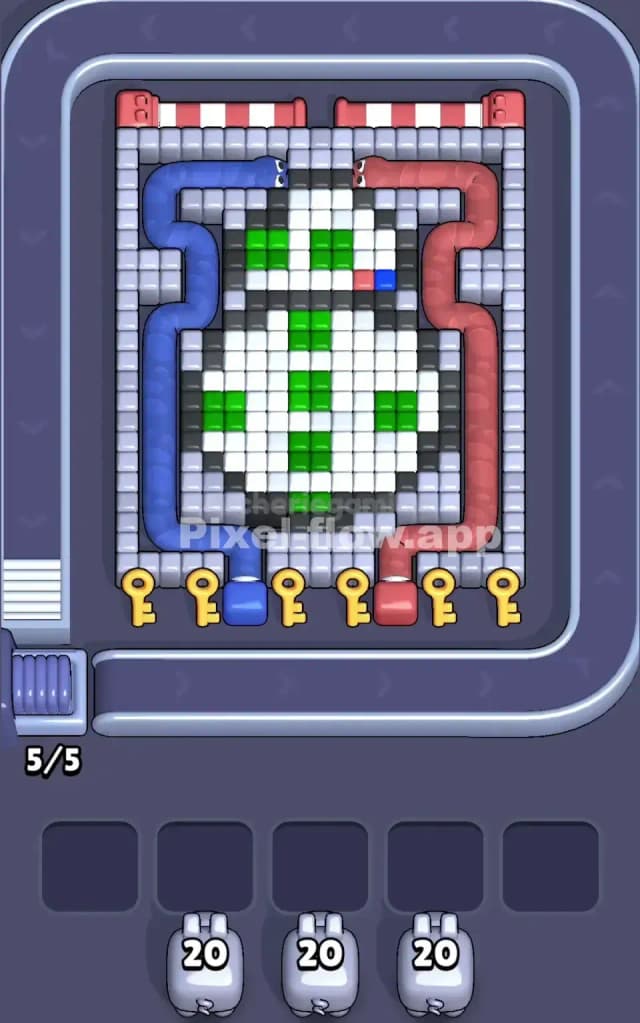
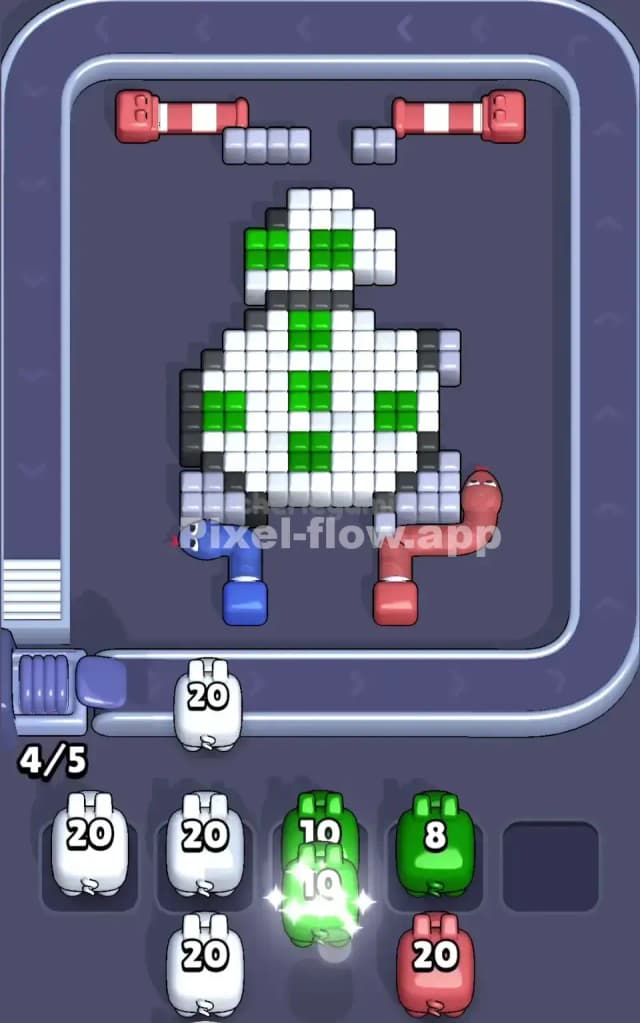
Level 131 presents you with a familiar spherical droid friend, clearly inspired by BB-8 from Star Wars. The main subject is white with black outlines, green circular accents, and grey mechanical details. The tricky part here isn't just the droid itself, but the massive light grey "cage" surrounding the entire figure. This outer frame blocks almost all shots to the core. To beat Pixel Flow Level 131, you must peel away this protective grey border first to expose the white body underneath. Due to the high volume of blocking grey pixels, I judge this to be a very hard level.
Pixel Flow Level 131 Overview
The scene is dominated by a white droid figure centered on the board. It has a round body and a half-dome head, decorated with vibrant green panels. A tiny splash of red and blue sits on the right side of its head, likely a sensor or light.
Surrounding this droid is a thick, rectangular frame made of light grey blocks. This frame is the primary antagonist of the level. It also contains two massive "snakes" of color—a Blue zone on the left and a Red zone on the right—that weave through the grey frame.
The asymmetry here is subtle but important. The Red zone on the right curves slightly differently than the Blue on the left, and the droid's head tilts, meaning the pixel density isn't perfectly mirrored. You have five key slots at the bottom, obstructed by literal Keys in the early stage. You must clear the path to these keys to open up your shooting lanes.
Step by step solution walkthrough for Pixel Flow Level 131
First Color Zone to Erase in Pixel Flow Level 131
Your first target must be the Grey Frame, specifically the bottom corners near the keys.
Narratively, you are breaking the lock to get inside. Logically, the game forces this move. You cannot shoot the white body or the green panels because they are buried behind the grey wall and the blue/red snake zones. If you try to target White or Green early, your pigs will just drop into the waiting slots and clog your board, leading to an instant "No Moves" fail state.
- Focus on Grey Pigs: Watch the conveyor belt. When grey pigs appear, place them immediately to chip away at the bottom row of the frame.
- Unlock the Keys: Destroying the grey blocks directly above the yellow keys is priority one. Once those blocks vanish, the keys become accessible targets for the next color match (or disappear if they are just visual blockers for the lane—in this specific mechanic, usually clearing the block above allows access to deeper layers).
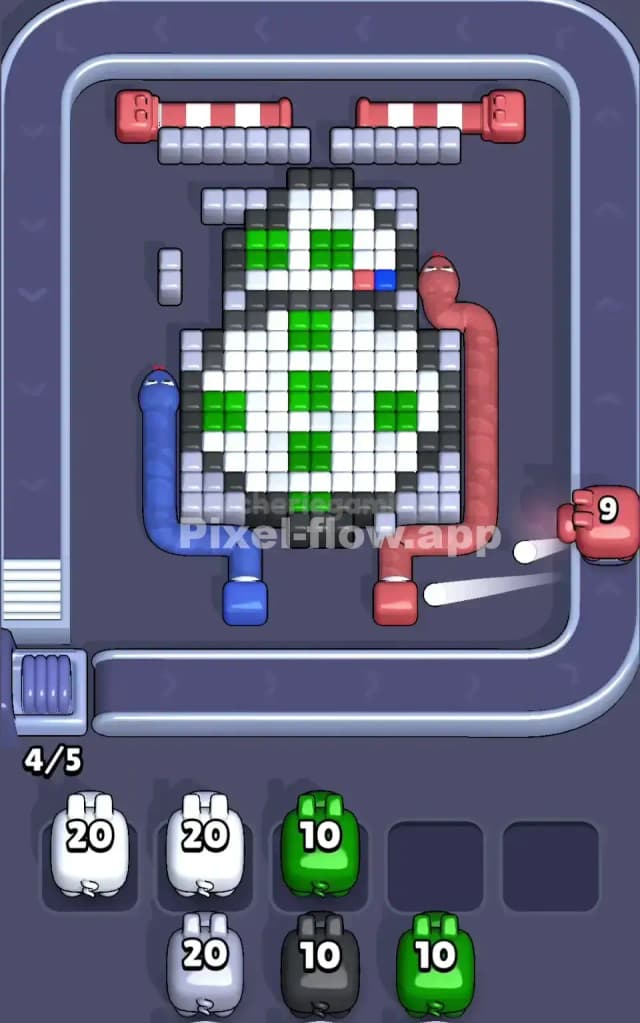
- Blue and Red next: Once the grey frame is compromised, the Blue (left) and Red (right) zones are your next shield. Clear them to expose the white body.
How to pass Pixel Flow Level 131 without power ups or boosters
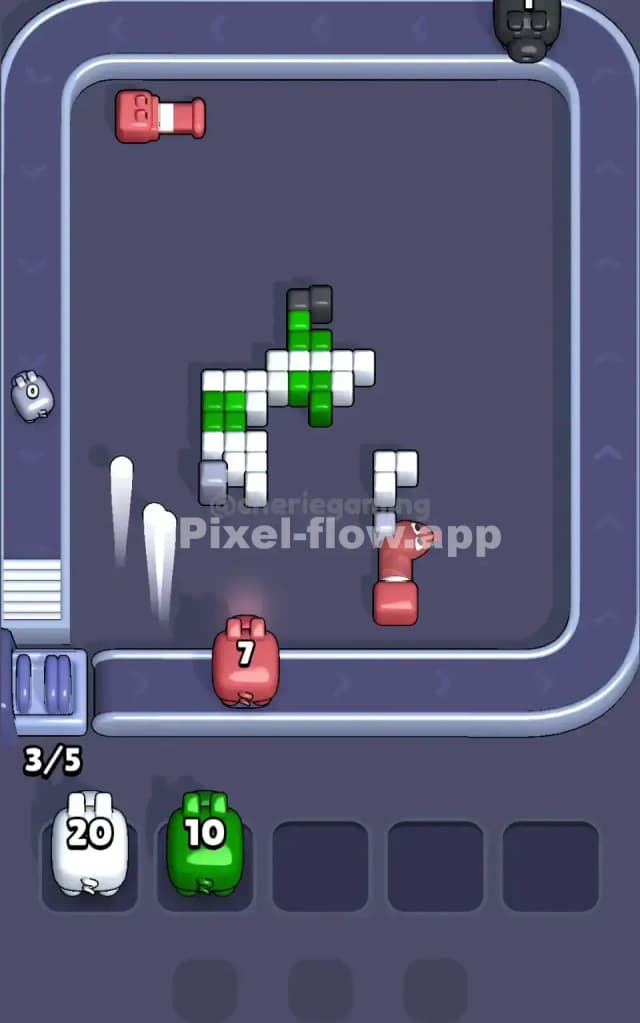
At the mid-level point, the board looks like a half-eaten sandwich. The grey frame should be mostly gone, and the blue/red snakes dissolved. You are now staring at the white droid body.
Here is the danger: The White Zone is huge. It consumes a lot of ammo.
- Ammo Management: You will see a lot of White pigs with "20" ammo. Do not spam them. Look at the board. Is the black outline blocking the white pixels? Usually, in Pixel Flow, you must peel layers. If the black outline is the top layer, you need Black pigs. If the White is the top layer, use White pigs.
- The Green Trap: The green pixels are "inset" into the white body. Do not place Green pigs until you have cleared the white pixels covering them. If you place a Green pig while the white layer is still solid, that pig sits in your slot doing nothing. If you fill all 5 slots with useless Green or Black pigs while White is still blocking the way, you lose.
- The Black Outline: Often, the black pixels act as a retaining wall. Clear the White bulk first, then use Black pigs to clean up the edges.
Last Details You Clean Up in Pixel Flow Level 131
The endgame is usually the droid's internal details.
- The Green Panels: These are the last big clusters. Once the white body is stripped away, the green cross/circle pattern becomes the top layer. Now is the time to unleash those Green pigs you skipped earlier.
- The Red/Blue Sensor: There is a tiny detail on the head with Red and Blue pixels. It’s easy to miss. Save a small amount of ammo or wait for a specific pig for these tiny dots.
- Final Grey Cleanup: Sometimes a stray grey block remains from the initial frame, usually in a top corner. Don't let it sit there; if a grey pig comes by, clear it so the game registers the level as complete.
Stay disciplined with your layer peeling, and the droid is yours.