Pixel Flow Level 132 Solution Walkthrough | Pixel Flow 132
How to solve Pixel Flow level 132? Get instant solution for Pixel Flow 132 with our step by step solution & video walkthrough.


Pixel Flow Level 132 Overview
The Starting Board and Its Layers
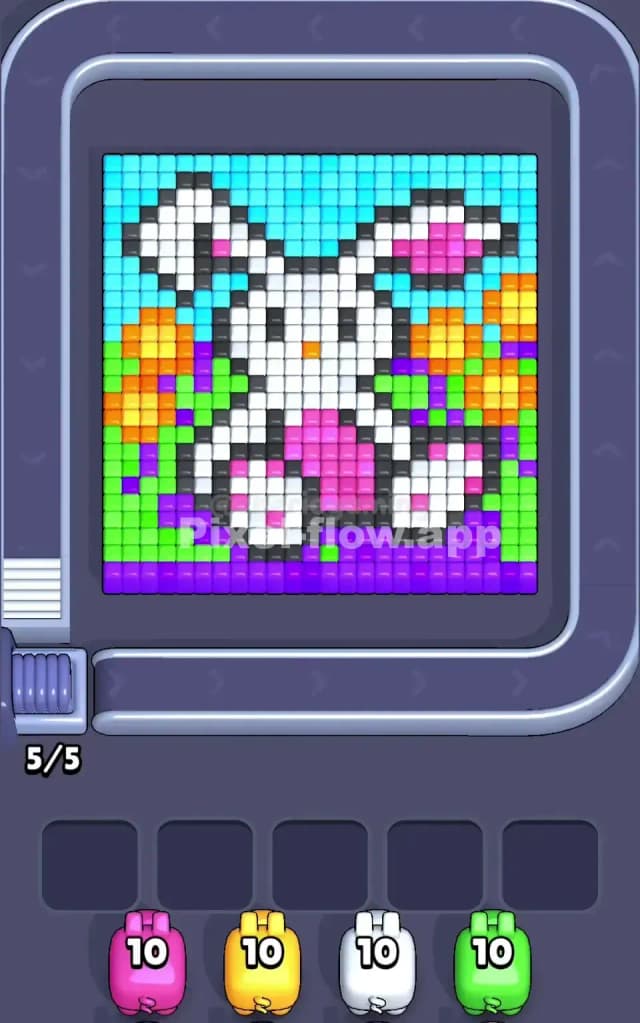
Pixel Flow Level 132 is a beautifully intricate pixel-art puzzle that features a stylized animal portrait (resembling a llama or alpaca) rendered in multiple color layers. The board is dominated by cyan forming the background and ears, white and dark gray creating the animal's facial features and outline, and vibrant accent colors—magenta, orange, yellow, green, and purple—layered throughout to add depth and character to the image. The puzzle board is densely packed with voxel cubes, meaning you're working with a full canvas that demands careful sequencing to expose each layer without getting stuck.
What makes Pixel Flow 132 particularly tricky is that you'll notice whole regions of the same color are interspersed with other colors, creating visual "noise" that can make it hard to plan which pig to fire next. The purple forms a solid base at the bottom of the board, while the middle and upper sections are a rich tapestry of overlapping colors. You're given five pigs with ten ammo each: one magenta, one yellow, one white, and one green pig visible at the start (with a fifth waiting in queue). Your goal is straightforward but demanding: clear every single cube on the board by strategically firing pigs and depleting each one's ammo reserve.
Win Condition and Deterministic Order
In Pixel Flow 132, you win by reducing the board to nothing—every cube must vanish. The critical insight is that your pig queue and ammo counts are entirely deterministic and never randomized. You always know exactly which pig is coming next and how many shots it has left. This means there's a "correct" sequence waiting to be discovered, and once you find it, the puzzle becomes a matter of execution rather than luck. The challenge lies in identifying that sequence before your waiting slots fill with stuck pigs whose ammo can't be spent.
Why Pixel Flow Level 132 Feels So Tricky
The Waiting Slot Bottleneck
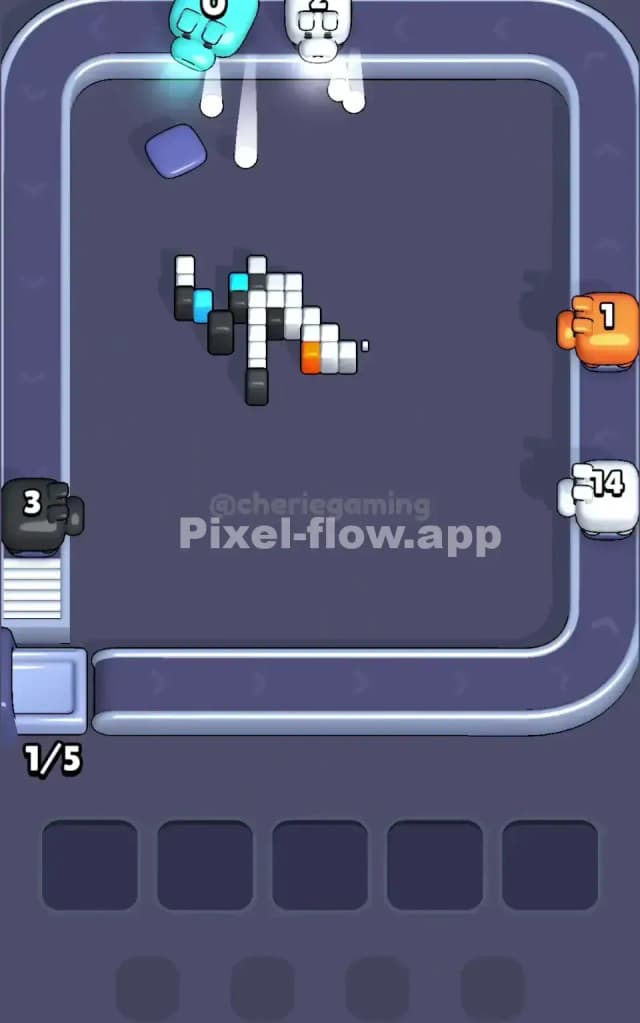
The primary threat in Pixel Flow 132 is the waiting-slot jam. You have exactly five waiting slots at the bottom of the screen, and once all five are filled with pigs that have no valid targets, you're locked into failure. In this level, certain color clusters are buried deep within the board, meaning you can't target them until upper layers are cleared. If you fire pigs in the wrong order, you'll end up with, say, a magenta pig and a yellow pig sitting idle in your buffer while the white pig still has six ammo left but no white cubes visible. This scenario is where Pixel Flow 132 punishes impatience and poor planning.
Subtle Problem Spots and Color Patches
The middle section of Pixel Flow 132 contains several awkward pockets where colors are fragmented or hidden behind overlapping shades. For instance, you might see only three or four magenta cubes on the surface, but the pig has ten ammo—meaning the remaining seven magenta cubes are buried deeper. If you fire magenta too early, you'll expose layers that demand other colors first, and you'll burn through other pigs' ammo without clearing a path forward. Additionally, the orange and yellow clusters are tightly woven together; firing yellow before you've strategically weakened orange can leave you with pockets of isolated orange that become unreachable, effectively trapping that yellow pig in your waiting slots with unused ammo.
Another subtle pitfall is the dark gray outline. It's tempting to think gray is purely cosmetic, but in Pixel Flow 132, those gray cubes are structural. They're part of the layering system, and depending on your sequence, you might need to clear them in a specific order to expose the right colored cubes for your incoming pigs. Firing a gray pig at the wrong moment can collapse sections of the board in unexpected ways, leaving you scrambling to find valid targets for the next three pigs in queue.
When It Clicks—A Personal Moment
Honestly, the first ten attempts at Pixel Flow 132 felt like I was playing whack-a-mole. I'd fire magenta, hope for the best, and then watch two more pigs drop into the waiting slots with nowhere to go. The frustration spiked when I realized I'd wasted five moves just pushing pigs into the buffer. But then it clicked: I stopped looking at the board as a single image and started thinking of it as a stack of transparent layers. Once I accepted that some pigs have to sit in the buffer temporarily (as long as I wasn't filling all five slots), and that the level was forcing me to be methodical about which pig I'd use to expose the next color, the path became clear. Pixel Flow 132 isn't random—it's a logic puzzle wearing a pretty pixel-art costume.
Step-by-Step Strategy to Clear Pixel Flow Level 132
Opening: Clearing the Top and Maintaining Breathing Room
Your first move in Pixel Flow 132 should target the cyan pig, as cyan dominates the upper background and ears. Fire cyan early and aggressively; you have ten ammo, and cyan cubes are plentiful and visible. This opens up sightlines to the white and gray clusters beneath. As you deplete cyan, watch your waiting slots—after firing cyan, you'll have at most one or two pigs in the buffer. Don't let it exceed two at this stage.
Next, fire the white pig. White is the primary structural color in Pixel Flow 132, forming the animal's face and body. You'll notice white cubes scattered throughout, and they're almost never the final layer; firing white will expose magenta, orange, yellow, and green beneath it. Again, use all ten ammo if you can, but be strategic: if you see white cubes sitting on top of other colors that your current pig queue can't target yet, hold back one or two shots and let white drop into a waiting slot. This keeps your flexibility. After white has cycled through (or is parked in a waiting slot with a shot or two remaining), you should have at least three waiting slots still free.
Mid-Game: Sequencing, Ammo Counting, and Exposing Layers
Once cyan and white are partially or fully spent, Pixel Flow 132 demands that you count carefully. Look at your pig queue and ask yourself: what color am I seeing most on the exposed board right now? In the middle phase, you'll likely see magenta, yellow, orange, and green. The trick is to fire them in an order that steadily reduces the visible board without isolating any color.
Here's the key insight for Pixel Flow 132: purple sits at the bottom of the board as a final layer, so you want to save your purple pig (if available) or be prepared to cycle it multiple times. Before you get too deep into the level, observe whether the purple visible now is the full purple inventory or if more will be exposed as you clear the upper colors. If it's just scattered purple with more hidden, you can afford to leave the purple pig in the waiting slots for now.
Focus on magenta next. You'll see it clustered around the animal's face and in scattered patches. Fire about five to seven ammo at magenta, then stop. Let it drop into a waiting slot. This prevents you from over-committing to a single color. Immediately after, fire your yellow pig. Yellow sits predominantly in the middle-right and lower sections of Pixel Flow 132. Burn about seven to eight ammo here, clearing as many yellow cubes as you can see. If you've cleared white and cyan well, yellow cubes should become increasingly visible, and you'll feel the board "breathing"—space is opening up.
Orange is where Pixel Flow 132 tends to tangle with green. Fire orange cautiously, aiming for the blocks that are clearly visible on the surface. You might get four or five shots before the remaining orange becomes unreachable. Park the orange pig and move to green. Green is plentiful in Pixel Flow 132, forming much of the lower foliage and background, so you can confidently spend seven to eight ammo here. After this sequence, your waiting slots should have three to four pigs, all with one or two ammo left or completely spent.
End-Game: Cleaning Up and Avoiding the Final Jam
As you enter the final stages of Pixel Flow 132, you'll have a partially cleared board with scattered pockets of each color. Your waiting buffer is probably full or nearly full, but here's the critical move: fire one parked pig (say, magenta with two ammo left) and watch what it exposes. If it reveals a new cluster of a color that your incoming pig can target, great—you've freed a slot and set up the next pig for success. If it doesn't help, that's okay too; you're simply cycling pigs and creating room.
The last few moves in Pixel Flow 132 are about methodical cleanup. You'll likely have one or two pigs with substantial ammo remaining (usually white or cyan, if you parked them early). Bring them back into the main queue strategically, targeting any stray clusters of their color. Then finish with purple, gray, and any remaining colors. The final handful of cubes will almost always be a scattered mix; let your last pig shoot until empty, and Pixel Flow 132 is solved.
The Logic Behind This Pixel Flow Level 132 Plan
Exploiting Pig Order, Ammo Counts, and Buffer Management
The strategy above works because it respects the core mechanic of Pixel Flow 132: pigs arrive in a fixed order with fixed ammo, and you control when they fire. By not forcing every pig to empty its entire ammo in one go, you create flexibility. Parking a pig with ammo remaining is not a waste—it's a strategic pause that lets you expose new layers and plan the next sequence. The waiting slots are your ally if you use them wisely; they're only your enemy if you fill all five slots with stuck pigs simultaneously.
The logic of firing dominant colors first (cyan, white) is that these colors occupy large portions of Pixel Flow 132 and are mostly surface-level. Clearing them efficiently opens the board without creating isolated color pockets. Magenta, yellow, orange, and green are more scattered, so you fire them semi-aggressively but with pauses, parking them when you sense diminishing returns. Purple, often the final layer, is reserved for cleanup. This order is nearly universal for Pixel Flow 132, because the pixel art is structured this way by design.
Staying Calm Under Pressure: Watching, Counting, and Planning Ahead
The psychological side of Pixel Flow 132 is just as important as the tactical side. When you see your waiting slots filling up, it's tempting to panic and fire the next pig in your queue blindly. Don't. Instead, pause. Look at the next pig coming in—is it a color you can see on the board? If yes, fire it confidently. If no, take a shot with an already-parked pig before pulling in the next one. By planning two or three pigs ahead, you'll rarely paint yourself into a corner.
Finally, remember that Pixel Flow 132 is deterministic. If you fail, it's not because the game cheated you; it's because the sequence you attempted didn't match the level's hidden logic. Your next attempt isn't a gamble—it's a chance to test a refined hypothesis. Keep notes on which pigs seemed to stall, which colors were hard to find, and which exposures opened new pathways. With this mindset, Pixel Flow 132 transforms from a frustrating puzzle into a solvable challenge, and that first clear will feel genuinely earned.