Pixel Flow Level 140 Solution Walkthrough | Pixel Flow 140
How to solve Pixel Flow level 140? Get instant solution for Pixel Flow 140 with our step by step solution & video walkthrough.


Pixel Flow Level 140 Overview
The Board Layout and Pixel Art Subject
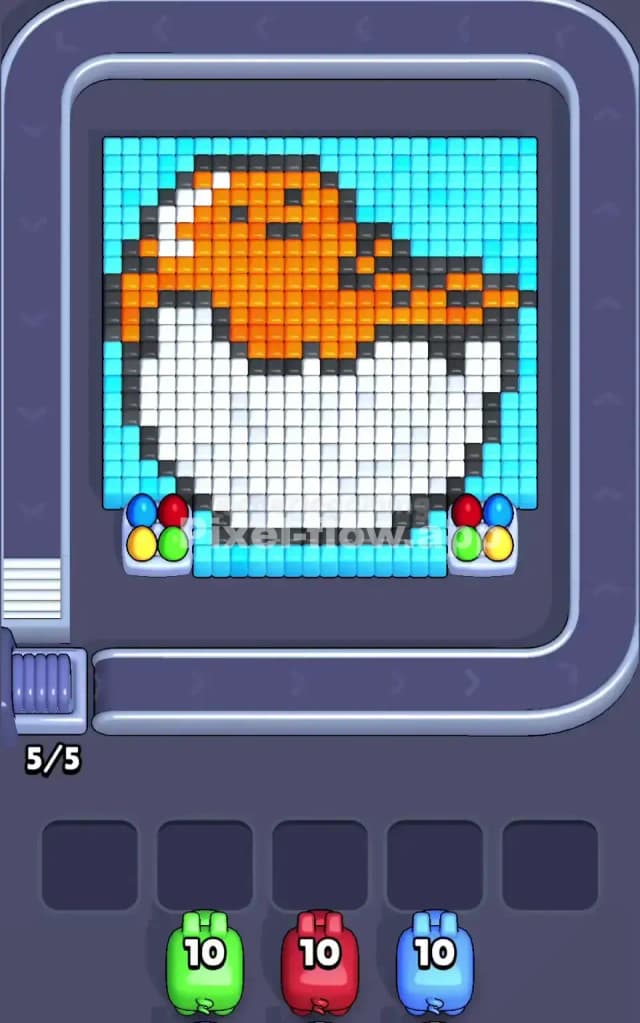
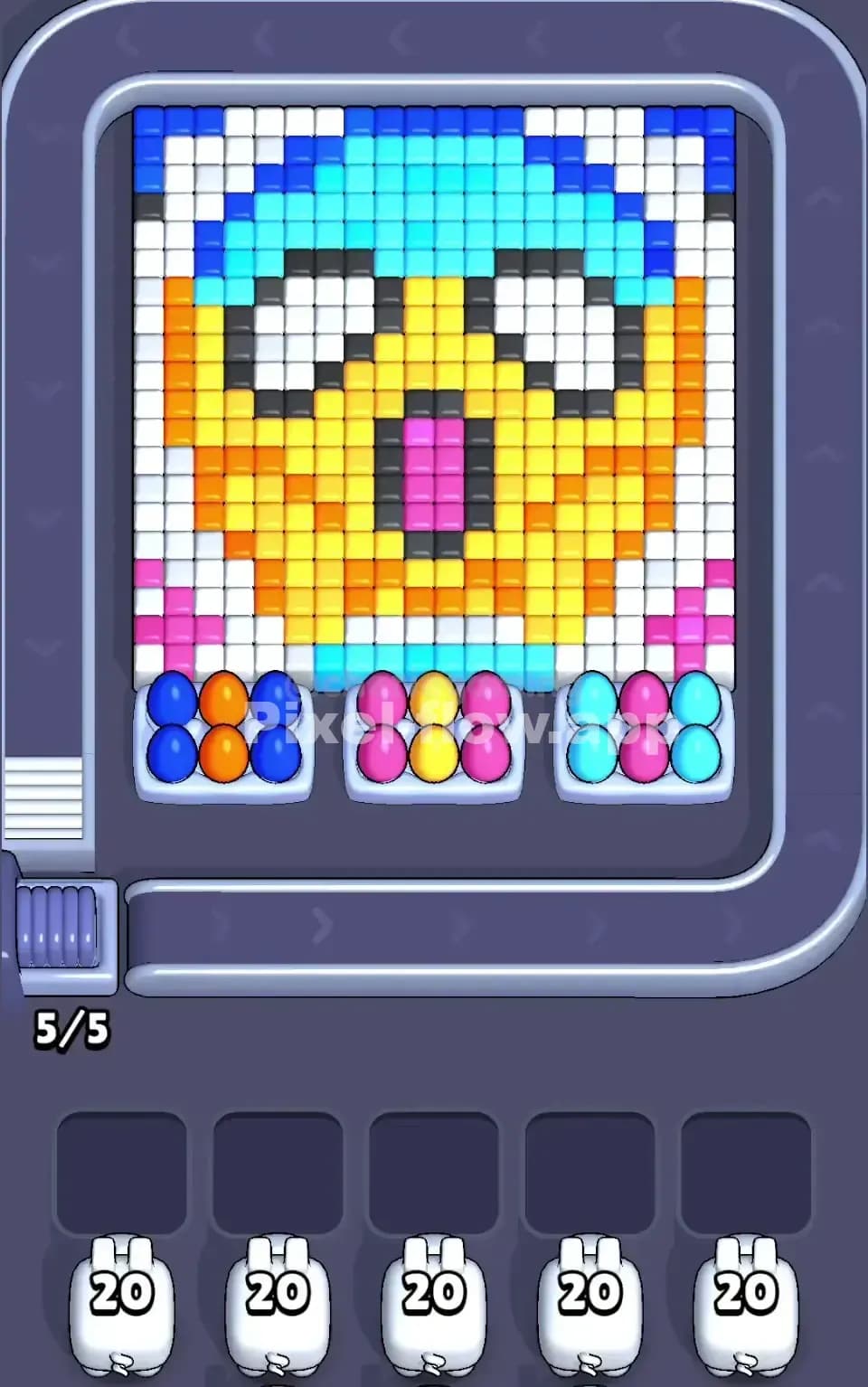
Pixel Flow Level 140 presents you with a charming pixel-art rooster as the main subject, rendered in warm orange and creamy white tones against a cyan background. The rooster's head is crowned with orange plumage, its body is predominantly white, and darker shades of gray and black outline its form for definition. What makes Pixel Flow 140 visually striking is how the colors are layered—the cyan backdrop wraps around the entire composition, while the white body mass occupies the center and lower portion of the board. The orange head and darker outline elements sit on top, creating natural visual depth that hints at the layered voxel structure you'll be working with.
Win Condition and Deterministic Nature
To clear Pixel Flow Level 140, you must systematically destroy all voxel cubes on the board by matching pig colors to cube colors. You'll have three pigs entering the conveyor: a green pig, a red pig, and a blue pig, each carrying 10 ammo shots. The beauty of Pixel Flow 140 is that the pig order and ammo counts are entirely deterministic—there's no randomness. This means you can plan your sequence with confidence, knowing exactly which pigs arrive and how much firepower they bring. Your goal is to orchestrate these three pigs so their combined 30 shots destroy every cube while keeping your waiting slots from filling up and jamming the level.
Why Pixel Flow Level 140 Feels So Tricky
The Cyan Color Bottleneck
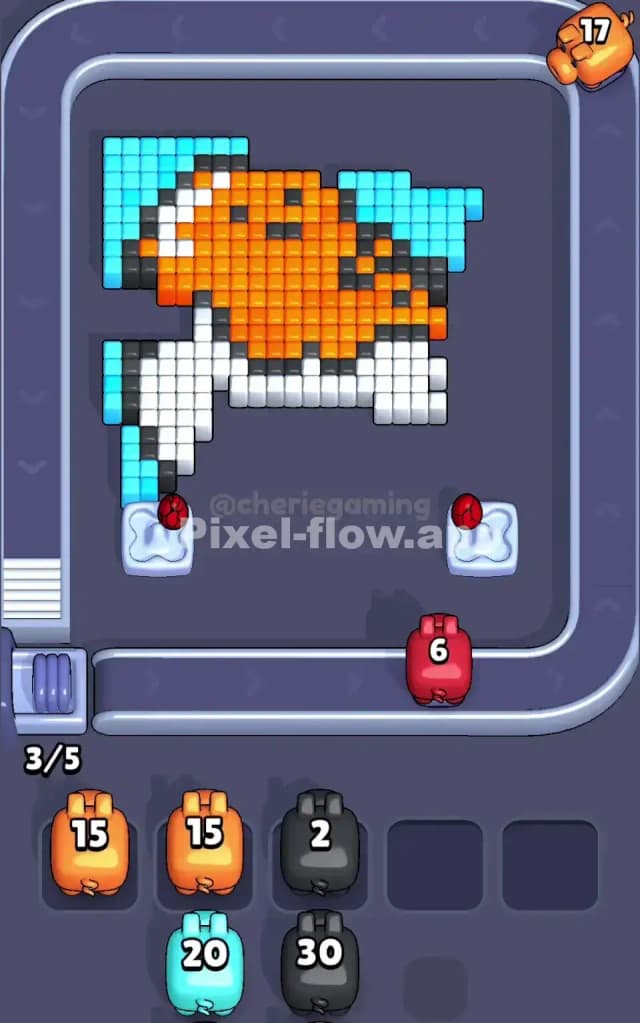
The biggest threat in Pixel Flow Level 140 is the sheer volume of cyan cubes blanketing the outer layers. Cyan dominates the background, and it sits on top of or beside other colors, meaning you must clear cyan early to expose the orange, white, and black elements underneath. However, you don't have a cyan pig—the game only gives you green, red, and blue pigs. This forces you to think creatively: you'll need to sequence your other pigs in a way that either exposes inner layers naturally or parks some pigs strategically while you wait for the next color to become relevant.
Awkward Color Patches and Ammo Mismatches
Pixel Flow Level 140 has several color pockets that don't align neatly with your pig roster. The orange rooster head is substantial, but you have no orange pig to shoot it directly. Instead, orange cubes will only disappear once you've cleared overlying layers or when matching pigs destroy neighboring cubes that shift the board state. The white body is equally chunky, yet again—no white pig to target it. Meanwhile, the gray and black outlines are minimal, scattered, and easy to miss when planning your ammo budget. These mismatches mean that roughly half your shots will be spent on cyan, leaving your actual subject colors (orange and white) dependent on layer exposure rather than direct firepower.
The Personal Friction Point
I'll be honest: when I first tackled Pixel Flow Level 140, I felt the frustration creep in around move four or five. I'd burned through a pig or two and suddenly realized that my waiting slots were starting to fill with pigs that had nowhere productive to aim. The level doesn't punish you instantly—it's a slow squeeze. The "click" moment came when I stopped thinking about clearing the pretty rooster and instead focused on managing the cyan perimeter first. Once I accepted that the cyan layer was a barrier to remove, not an obstacle to bypass, the level unfolded beautifully.
Step-by-Step Strategy to Clear Pixel Flow Level 140
Opening: Establishing Your Cyan Perimeter Strategy
Begin Pixel Flow Level 140 by deploying your green pig first. Green has no direct cyan targets on the opening board, so green will drop into a waiting slot—and that's okay. Don't panic; this is part of the plan. Now send your red pig to the conveyor. Red also won't find cyan cubes to destroy (cyan is green, not red), so red will follow green into the waiting slots. Finally, deploy your blue pig. Here's where the breakthrough happens: blue can destroy cyan cubes. Start firing your blue pig methodically at the cyan background, clearing the upper-left and upper-right corners of Pixel Flow Level 140. Aim to use approximately 5–6 of your 10 blue ammo on cyan, leaving 4–5 shots in reserve. This initial cyan clearance opens sightlines and prevents early waiting-slot congestion.
Mid-Game: Exposing Layers and Sequencing Safely
With blue ammo depleted (or nearly so), blue will join your waiting slots, which now contains green, red, and blue—you're at maximum capacity. Here's the crucial moment: watch the board state. Clearing cyan has likely exposed gray and black outline cubes. Now pull green from the waiting slots. Green won't match gray or black directly, so green will drop into a slot again—rotation continues. Pull red next. Red won't match gray or black either. But when red fires, it may destroy red-adjacent cubes (if any red ammo remains), or red will also park in a waiting slot. The trick is to keep cycling pigs so that new color layers gradually reveal themselves through the natural progression of the queue.
Once you've cycled through your first pass, take a breath and examine Pixel Flow Level 140's current state. You should see more of the orange and white interior. At this stage, deploy your remaining blue ammo (if any remains) to finish cyan in the bottom-right or any lingering corners. Then recycle blue into the waiting slots. The board is now primed: orange, white, gray, and black are more visible. Pull green again. If green still has ammo, hunt for any green cubes that may have appeared or been exposed on the inner layers. Park green if necessary. Repeat the cycle with red, aiming for any red cubes or using red's remaining ammo strategically to clear boundary blocks between color regions. By mid-Pixel Flow Level 140, your waiting slots will be full, but you're cycling pigs efficiently, and your ammo is spending down in a controlled rhythm.
End-Game: The Final Color Push and Clean Buffer Exit
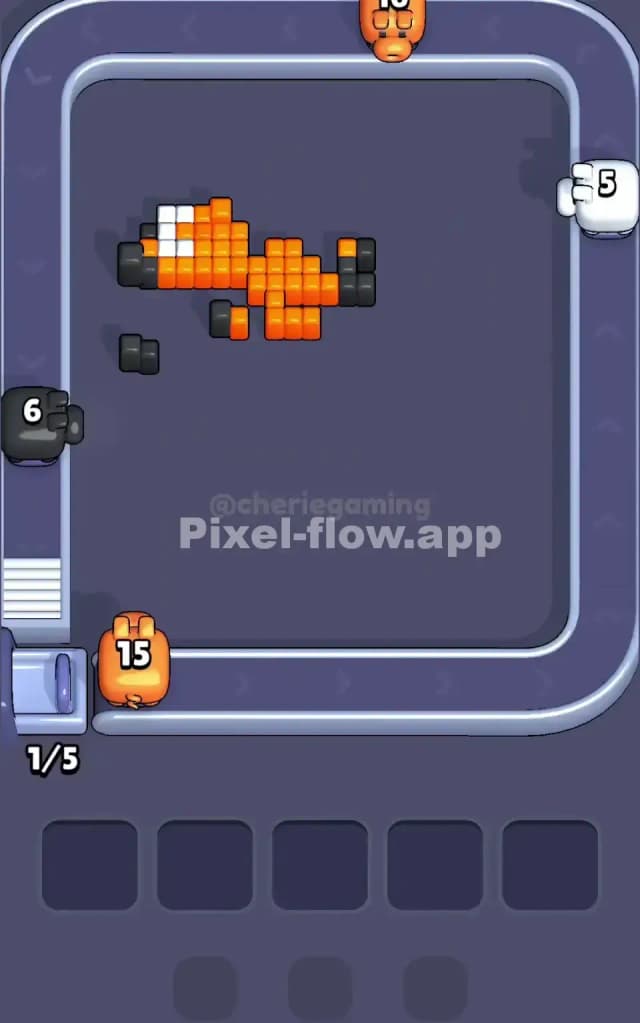
As you approach the end of Pixel Flow Level 140, your board should be mostly orange, white, and scattered dark cubes. At this point, you're operating on fumes—your pigs have 1–2 ammo shots each on average. The critical play is to use your final shots wisely. If orange cubes are still present, neither green nor red will destroy them (they're not the right color). This is where patience matters: keep cycling pigs, letting them drop into waiting slots even if they can't shoot, because eventually, you'll expose a layer that reveals differently colored cubes beneath. In the final turns of Pixel Flow Level 140, you might find that a white region opens up, allowing red to shoot white cubes (red and white are not the same, but the game board dynamics might have shifted). More likely, you'll rely on the few remaining blue ammo to mop up any stragglers.
The final move should empty your waiting slots entirely. Your last pig should fire its last ammo shot, the board should clear, and you'll see no cubes left. If you reach a state where your waiting slots are full and no pig has a valid target, you've hit a dead end—reload and adjust your mid-game sequencing.
The Logic Behind This Pixel Flow Level 140 Plan
Exploiting Pig Order and Ammo Determinism
The strategy outlined above works because Pixel Flow Level 140 reveals its complete solution once you understand the ammo-to-target relationship. Green, red, and blue pigs are deterministic; they arrive in a fixed order with fixed ammo. By deliberately cycling pigs through waiting slots early, you're not wasting moves—you're orchestrating a wave of color removal that exposes new targets. When blue hits cyan first, you're removing a visual barrier and creating space for deeper colors to become relevant. The waiting slots aren't a trap; they're a queuing system that lets you repeat pigs as necessary. Since Pixel Flow Level 140's pig order is locked, you can plan two or three pigs ahead with confidence.
Staying Calm and Counting Ammo Under Pressure
The psychological game in Pixel Flow Level 140 is resisting panic when your waiting slots fill. It feels like failure, but it's often progress. Keep a mental tally: count how much green ammo remains, how much red, how much blue. Watch the board state closely after each volley. If a pig can't shoot, that's information—it tells you which colors are currently absent or fully cleared. Use that intel to decide whether the next pig in the queue will find targets or drop into a waiting slot. The level "clicks" when you trust that the next cycle will expose new colors. By the end of Pixel Flow Level 140, you'll have cycled your pigs multiple times, and that repetition is the design. Stay calm, count your shots, and keep your waiting-slot management deliberate rather than reactive. Pixel Flow Level 140 rewards planning and patience far more than it rewards speed.