Pixel Flow Level 144 Solution Walkthrough | Pixel Flow 144

How to solve Pixel Flow level 144? Get instant solution for Pixel Flow 144 with our step by step solution & video walkthrough.

Share Pixel Flow Level 144 Guide:
Pixel Flow Level 144 Gameplay
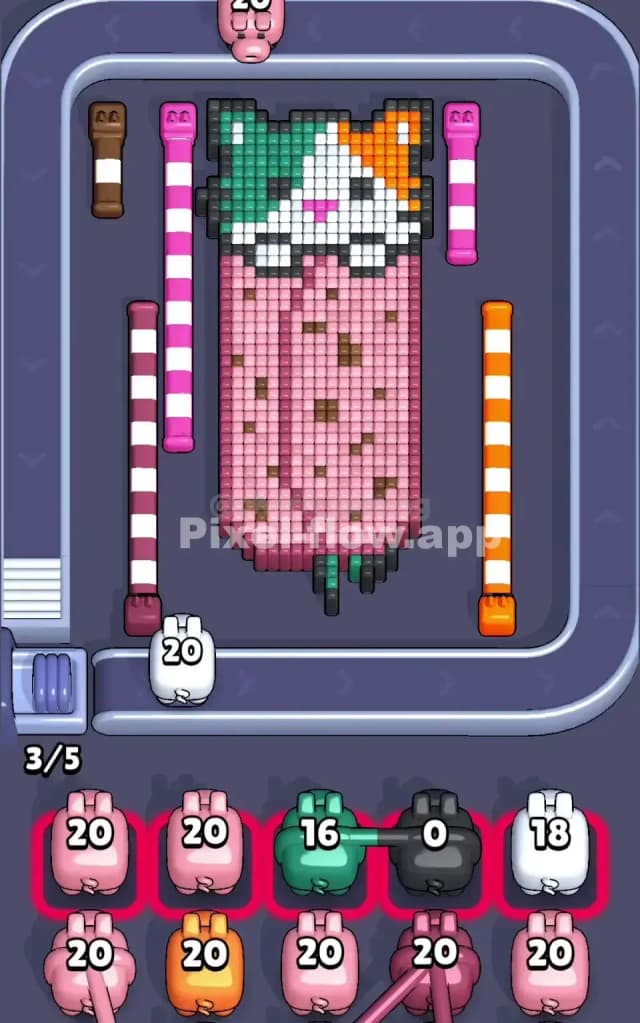
Pixel Flow Level 144 Solution 1
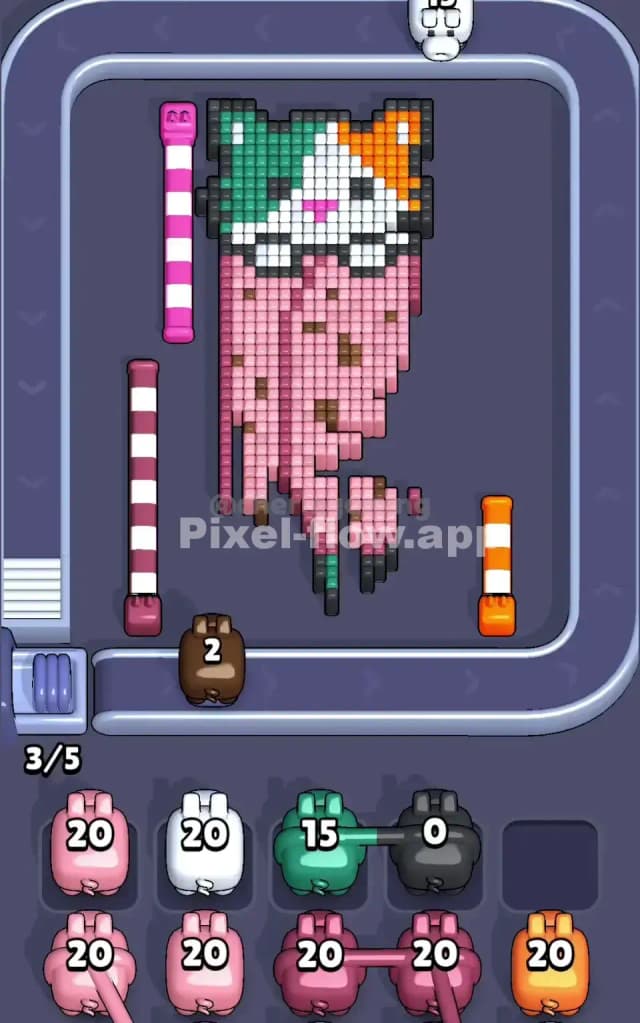
Pixel Flow Level 144 Solution 2
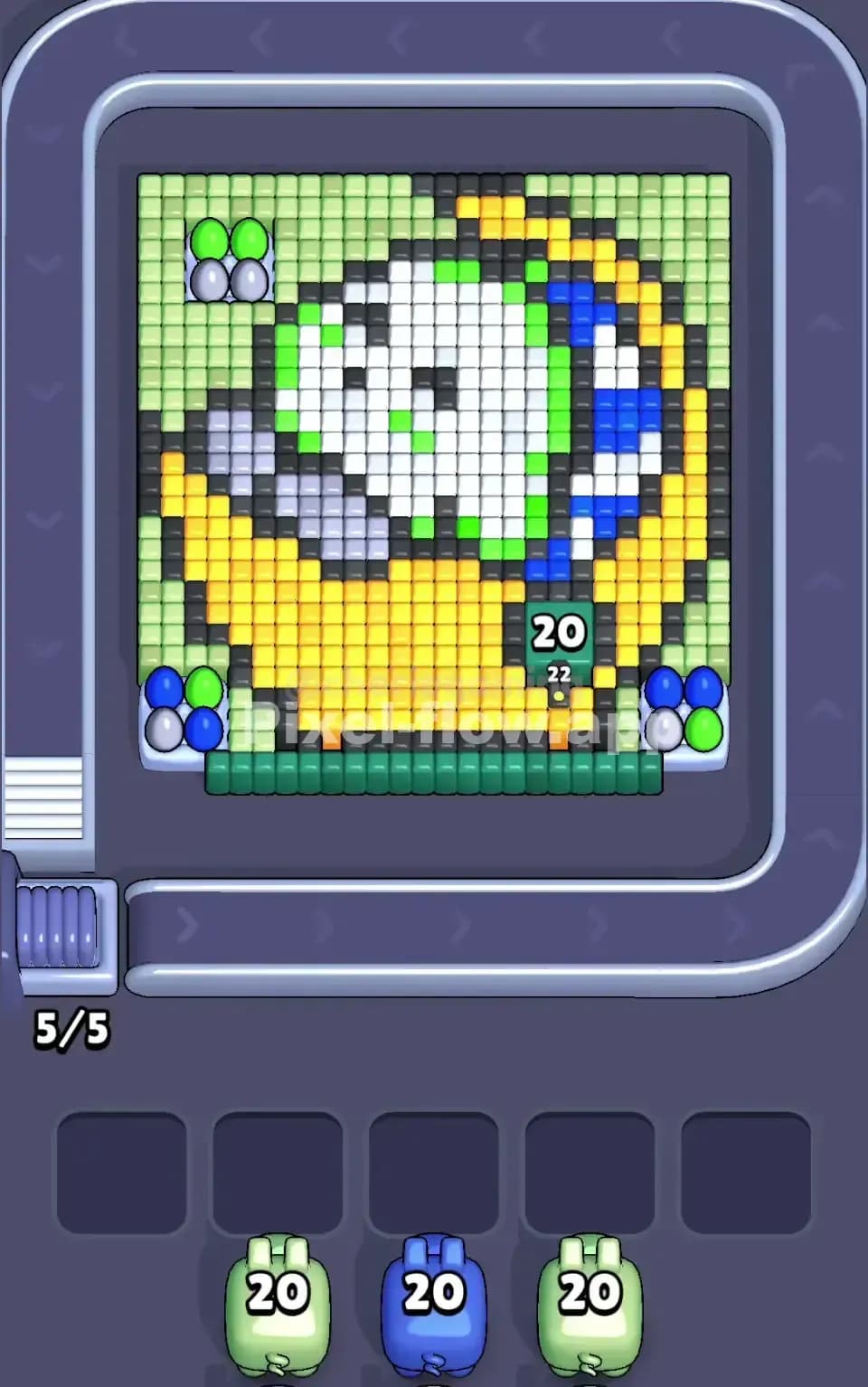
Pixel Flow Level 144 Solution 3

Pixel Flow Level 144 Overview

The Board Layout and Pixel Art Subject

Pixel Flow Level 144 presents you with a charming strawberry character rendered in detailed voxel layers. The strawberry's face sits at the top with white and green pixels forming the eyes and leaves, while a warm orange nose and pink mouth give it personality. Below the face, a massive pink body dominates the board, peppered with brown seed details that create visual complexity. The board is framed by colored stripes on both sides—brown and white on the left, magenta and white in the center-left, magenta and orange on the center-right, and green and white on the right. This isn't just decoration; those side columns are packed with voxels that you'll need to clear systematically. The green base at the bottom anchors the entire composition and serves as your deepest layer.

Win Condition and the Deterministic Nature

Your goal in Pixel Flow Level 144 is straightforward: clear every single cube on the board until nothing remains. The five pigs waiting in your queue—each carrying exactly 20 ammo of their respective colors—will shoot cubes in a completely predictable sequence. Pink, white, brown, magenta, and pink again make up your firing order. Since every pig's ammo count and every cube's position are fixed from the start, Pixel Flow Level 144 becomes a puzzle of perfect sequencing rather than luck. If you plan correctly, you'll use every last shot efficiently and watch the final cube dissolve as your fifth pig empties its magazine.


Why Pixel Flow Level 144 Feels So Tricky

The Pink Bottleneck

Here's where Pixel Flow Level 144 can trip you up: pink dominates this level, and you've got two pink pigs in your queue (the first and the fifth). The central body of the strawberry is almost entirely pink, and those brown seeds scattered throughout create the illusion of blocking your progress. Your first pink pig needs to spend its 20 ammo wisely on the visible pink cubes, but if you're not careful about which pinks you target first, you'll expose brown seeds that your brown pig will need to remove. The real danger is having your first pink pig finish before you've properly set up the board for the brown pig—or worse, leaving enough pink cubes for your second pink pig but no way for the intervening colors to spend their ammo. That's when your waiting slots jam up and the level crumbles.

The Scattered Brown Seeds and Hidden Layers

The brown seeds dotting the strawberry body seem random, but they're actually a strategic puzzle. They're not surface decorations; many are embedded within the pink structure, meaning you can't always hit them directly. Your brown pig comes third in the sequence, and it has exactly 20 ammo to hunt down every brown voxel. If your first pink pig doesn't expose the right browns, your brown pig will find itself with 15 or more ammo remaining and nowhere to spend it. Then it drops into a waiting slot, potentially blocking future pigs. The trickiest part is that some brown cubes only become visible after you've removed pink cubes above or beside them. You're essentially playing a three-dimensional puzzle where patience and planning matter far more than reflexes.

The Magenta and White Edges

Your magenta and white pigs bracket the level's start and middle respectively. The colorful side stripes of Pixel Flow Level 144 mean that magenta and white appear both in the central image and along the perimeter. White in particular is tricky because it serves as both a structural element (holding up the strawberry's face) and filler (occupying space in the pink body). Your white pig is your second shooter, and its 20 ammo needs to be spent on white cubes that matter, not wasted on white voxels that would've been exposed anyway by your first pink pig. The magenta pig comes fourth, after the brown pig, and by that point, you need the board to be structurally sound enough that magenta cubes are still accessible and not buried under layers you haven't cleared yet.

The Personal Breakthrough

I'll be honest—Pixel Flow Level 144 frustrated me for a solid ten attempts. I kept watching my third or fourth pig get stuck with 10+ ammo remaining, dropping into the waiting slots and causing a cascade failure. The moment everything clicked was when I stopped trying to clear colors "efficiently" and instead started planning backwards from the final pig. I asked myself: "What does the board need to look like when pink pig number five arrives?" Then I worked backward through the magenta, brown, white, and first pink pigs. Suddenly, Pixel Flow Level 144 transformed from chaotic to methodical. Every shot had a purpose.


Step-by-Step Strategy to Clear Pixel Flow Level 144

Opening: Targeting the First Pink Pig's Priority Zones

Your first pig on the conveyor belt is pink, and it carries 20 ammo. Don't spray all 20 shots at the obvious pink body—that's a trap. Instead, prioritize the pink cubes that are blocking access to colors you'll need later. Start by clearing the outer pink layers of the strawberry body, particularly those on the left and right sides where the colored stripe columns begin. This opens up sightlines for your brown and magenta pigs to find their targets later. Aim for the pink voxels around the brown seeds first; when you remove the pink surrounding a brown seed, your brown pig (who comes later) will have a clear shot at it. Leave the deepest interior pink cubes untouched for now—your second pink pig, the fifth in the queue, will handle those. Your goal with Pixel Flow Level 144's first pink pig is to expose about 30 percent of the brown seeds and to ensure the white facial features (eyes, nose, mouth) remain structurally intact for your white pig to clear cleanly. Aim to end this phase with at least 3–4 ammo remaining and definitely with all five waiting slots still empty.

Mid-Game: Sequencing White, Brown, and Magenta Precisely

Your second pig is white, and it arrives with the board already partially exposed. The white cubes in the strawberry's face—the eyes and highlights—should be your primary targets. White also appears within the pink body as filler, but resist the urge to clear interior white voxels yet; save those for later phases when they'll actually unblock something important. Spend about 12–15 of your white pig's ammo on facial white, and let the remaining 5–8 shots sit unused. Your white pig will drop into a waiting slot with some ammo left, and that's okay—it's actually part of the plan.

Your brown pig (third in the sequence) now faces a partially cleared board. The brown seeds should be more visible than they were at the start, thanks to your first pink pig's work. Methodically target every brown voxel you can see, working systematically from the top of the strawberry downward. If your brown pig still has 3–5 ammo left after clearing all visible browns, it'll drop into another waiting slot. That's manageable so long as you've kept at least one waiting slot free.

Your magenta pig (fourth) is where things get delicate in Pixel Flow Level 144. Magenta appears in the side stripes and sporadically in the body. By now, your first three pigs have carved out a complex landscape of exposed and hidden voxels. Target all visible magenta cubes first, prioritizing those on the side stripes. If you still have ammo after clearing magenta, use the remaining shots to expose white or pink cubes that your second pink pig will need. Keep your magenta pig from dropping into a waiting slot if possible by spending all or nearly all of its 20 ammo.

End-Game: The Second Pink Pig and the Final Cleanup

Your fifth and final pig is pink again, and by this point, Pixel Flow Level 144's board should be mostly open with pockets of pink remaining throughout. These are primarily the interior pink cubes you deliberately saved earlier, plus any new pink voxels exposed by the magenta pig's ammo spill. Your second pink pig should find abundant targets and should burn through all 20 ammo without needing to drop into a waiting slot. If you've played the first four pigs correctly, the second pink pig will be the one that finally clears the level, dissolving the last strawberry voxel as it fires its final shot. The key to this phase is ensuring no other pig is stuck in a waiting slot with unspent ammo; if they are, they'll block your second pink pig from shooting, and you'll lock up with cubes still on the board.


The Logic Behind This Pixel Flow Level 144 Plan

Exploiting Determinism and Queue Order

Pixel Flow Level 144 isn't about reacting—it's about predicting. Every pig fires in the same order, with the same ammo count, every single time. This means you can theoretically calculate the perfect solution before you fire a single shot. The strategy above works because it respects the queue order and uses each pig's strengths. Pink pigs should expose structure and interior cubes. White should clean up the face. Brown should hunt seeds. Magenta should finish the edges. By assigning each pig a role and respecting the order you're given, you turn Pixel Flow Level 144 from a puzzle with infinite possibilities into one with a clear, logical solution.

The waiting slots are your safety buffer, not your enemy. Allowing pigs to drop into waiting slots is often the right call, provided you manage the total count. As long as no more than two pigs drop before your heavy hitters (the second pink pig) arrive, you'll maintain the flexibility to finish the level.

The Calm, Methodical Approach

Playing Pixel Flow Level 144 successfully means watching the queue and counting ammo in your head. Before you fire your white pig, glance at the board and estimate: "I see about 15 white cubes. I have 20 ammo. I'll spend 12 shots on the face, leave 8, and let my pig drop." Similarly, before your brown pig fires, count the visible brown seeds and plan whether your 20 ammo will cover them all or whether some will remain. This forward-thinking approach removes panic and guesswork. You're not reacting to what appears on the board; you're executing a pre-calculated plan that accounts for every pig and every layer of Pixel Flow Level 144.

Stay calm under pressure. The first few times you play Pixel Flow Level 144, you might feel rushed, especially when you see a pig about to drop into a waiting slot. But that feeling is often a sign you need to slow down, not speed up. Take a breath, count the remaining ammo, and trust your plan. Pixel Flow Level 144 rewards patience and loses to panic.