Pixel Flow Level 16 Solution | Pixel Flow 16 Walkthrough
How to beat Pixel Flow Level 16: Video solution & walkthrough. The fastest way to pass Pixel Flow 16.
Is this the wrong level layout?🤔
Pixel Flow randomizes levels for different players. Don't worry, just upload a screenshot of your board, and our AI will find the correct video instantly.


Pixel Flow Level 16 Walkthrough
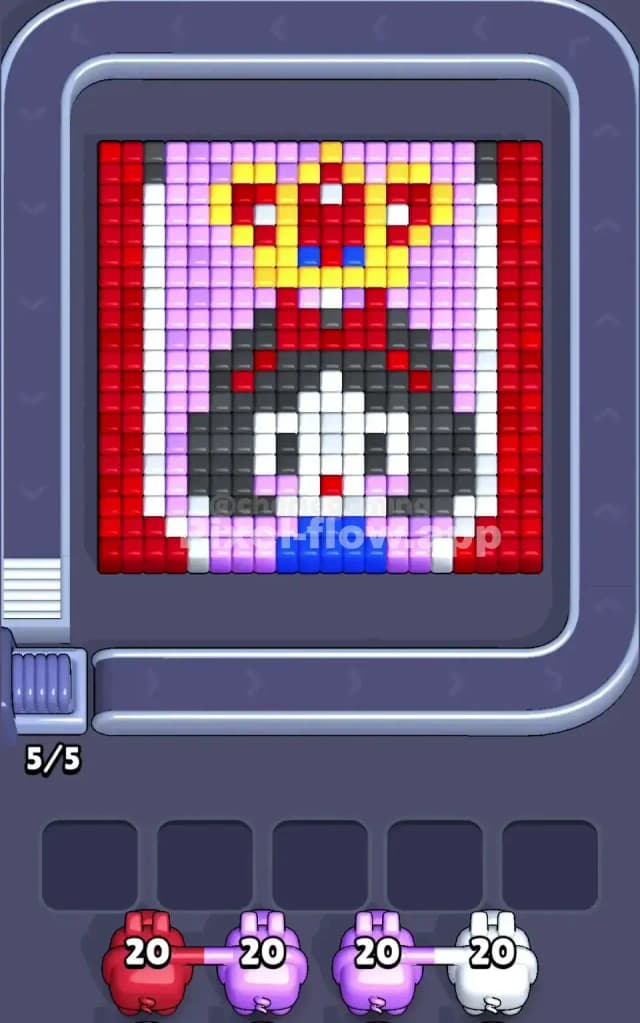
This level is a beast. You are looking at a pixel art rendition of a playing card—specifically a Queen. She’s framed by thick red borders, has a massive block of black hair, and wears a complex yellow crown. The goal is straightforward: match the colored pigs to the voxels. If a pig runs out of targets but has ammo left, it sits in your waiting slots. Fill all five slots with useless pigs? Game over.
Is this level hard? Absolutely. I would classify Pixel Flow Level 16 as very hard. The layering here is deceptive. You have vertical strips on the outside that act as walls, protecting the inner details. If you pull the wrong color pig too early, you will choke your waiting slots immediately.
Pixel Flow Level 16 Overview
This board is symmetric, which usually makes things easier, but here it just means you have double the trouble on the edges. The artwork is a Queen of Hearts style card.
The most dominating feature is the frame. On the far left and far right, you have thick, solid vertical columns of Red. Inside those red columns are thinner vertical strips of White. These frames box in the main character.
In the center sits the Queen. She has a huge, helmet-like block of Dark Grey/Black hair that takes up most of the middle board. Her face is a smaller patch of White in the center of the hair. Above her head is a Yellow crown studded with Red and Blue gems. The background behind her head is a soft Purple/Pink.
The logic trap here is the verticality. The Red and White borders run from top to bottom. Until you shave those off, the pigs have a hard time hitting the Purple background pixels or the side of the hair. The image is dense. There are very few "easy" gaps until you break that outer shell.
Step by step solution walkthrough for Pixel Flow Level 16
First Color Zone to Erase in Pixel Flow Level 16
You must start with Red.
Look at the board layout. The Red columns on the far left and right are the "skin" of this apple. They are the outermost layer. In your starting queue, you will likely see a Red pig with 20 ammo. Grab it immediately.
There is zero narrative reason to start anywhere else. If you try to pull a Purple pig to hit the background, you might hit a few pixels at the top or bottom, but the Red walls physically block the shots from reaching the sides of the purple zone effectively. By clearing the Red first, you expose the White inner border.
Once the Red is gone, do not get distracted by the crown. Your next target is the White border. Use a White pig to peel off those inner vertical strips. This is crucial because it opens up the entire width of the board. If you leave the white strips, your pigs will waste shots hitting the strips instead of the valuable inner blocks like the face or the background.
Essentially: Peel the Red skin, then peel the White skin. Do not touch the center until the frame is gone.
How to pass Pixel Flow Level 16 without power ups or boosters
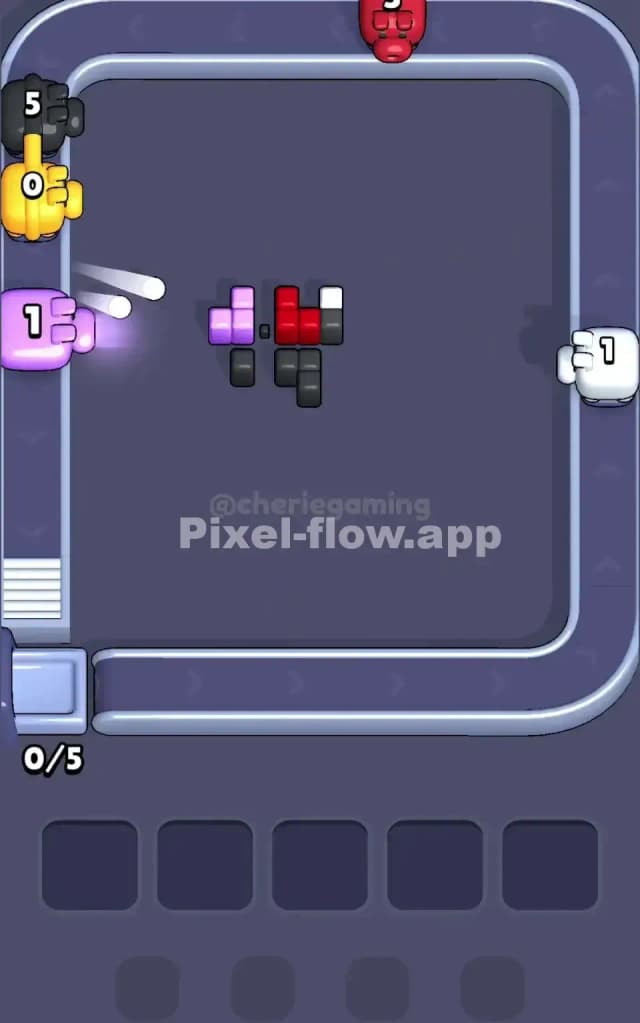
The mid-game of Pixel Flow Level 16 is where most runs die. You've cleared the frames. Now you have a messy, floating shape of a head and crown. The picture looks half-destroyed, likely resembling a floating skull with a hat.
At this stage, you will see a lot of Purple background and Dark Grey hair. You need to be disciplined. You might see a Blue pig appear in the queue. Do not touch it.
Here is the trap: The Blue pixels are tiny gems in the crown and a small strip at the bottom (her dress). These are likely buried behind White face pixels or Yellow crown pixels. If you grab a Blue pig now, it will shoot maybe two pixels, realize it can't hit the rest, and drop into your waiting slot with 18 ammo left. That slot is now dead.
Instead, focus on the Dark Grey hair and the Purple background. These are large, solid blocks. A Purple pig can unload almost its entire clip into the background behind the head. A Grey pig can demolish the hair. This clears space and, more importantly, keeps your slots empty.
If you are forced to take a color you don't want because it's blocking the belt, check the layer depth. If you take a Yellow pig for the crown, make sure the crown isn't blocked by the forehead of the hair. Always clear the "front" object before the "back" object. In this case, the face and hair stick out more than the background.
Last Details You Clean Up in Pixel Flow Level 16
The end game is almost always the Crown.
Once the face is melted away and the hair is gone, you are left with the intricate jewelry at the top. The Crown is a mix of Yellow, Red, and Blue.
This is the only time you should be grabbing Yellow pigs aggressively. The yellow voxels form the structure of the crown. As you chip them away, you will finally expose the deep Blue and Red gems inside the crown.
You will also likely have a tiny strip of Blue at the very bottom center—the Queen’s dress. This was likely hidden under the white face pixels earlier. Now that the face is gone, your Blue pig can hit both the dress and the crown gems.
Save your Blue and tiny Red (gem) cleanup for the absolute last moves. If you try to snipe these details while the big blocks (Hair/Background) are still up, you will lose. Keep the board clean, peel from the outside in, and the Queen will fall.