Pixel Flow Level 168 Solution | Pixel Flow 168 Walkthrough
How to beat Pixel Flow Level 168: Video solution & walkthrough. The fastest way to pass Pixel Flow 168.
Is this the wrong level layout?🤔
Pixel Flow randomizes levels for different players. Don't worry, just upload a screenshot of your board, and our AI will find the correct video instantly.
Pixel Flow Level 168 Walkthrough
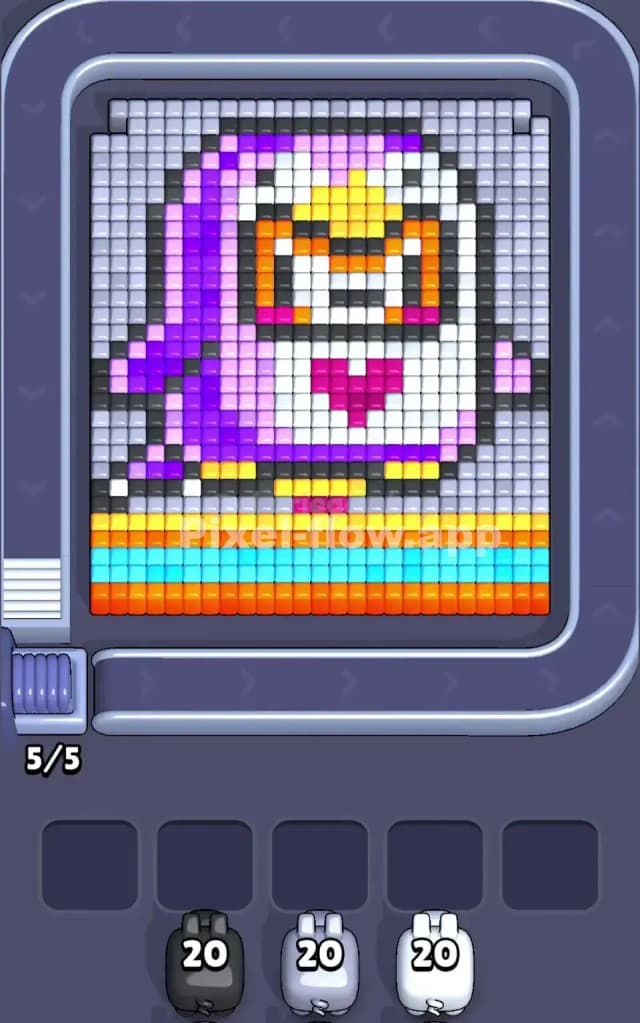
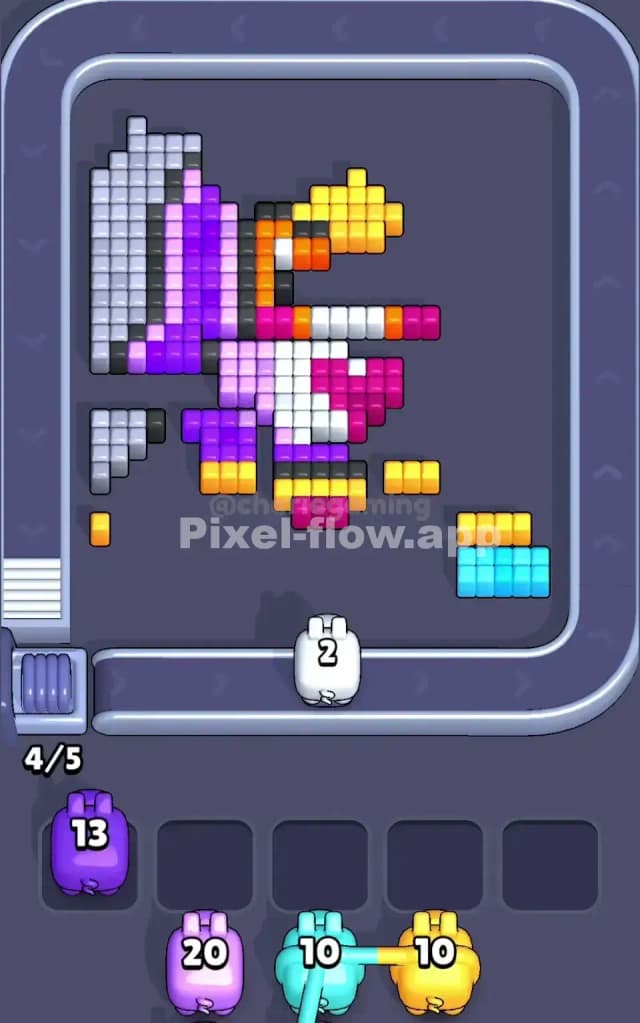
We are looking at a chunky, voxel-style penguin today. It features a bright purple back, a crisp white belly, and a cute pink heart right in the center of its chest. The penguin stands on top of a three-layered "rainbow" platform consisting of yellow, cyan, and orange stripes at the very bottom.
The rules are standard: match the pig color to the block color. However, Level 168 is tricky because of the sheer volume of "background" blocks (the light gray and white surrounding the bird). You need to manage your waiting slots carefully so you don't get stuck with a color you can't use yet.
Is this a difficult stage? No. I would judge that this is not a very hard level. It’s mostly about patience and clearing large, obvious zones first.
Pixel Flow Level 168 Overview
Imagine a cartoon penguin posing for a school photo. The main subject is centered, occupying about 70% of the board. The penguin has a distinct "mask" on its face—yellow around the eyes with orange accents—and a bright purple and violet back.
The most critical visual feature for your strategy, however, is the bottom platform. There are three solid, unbroken rows at the feet of the penguin:
- Bottom Row: Solid Orange.
- Middle Row: Solid Cyan (light blue).
- Top Row: Solid Yellow (which also matches the beak).
These rows are dense. They are "ammo sinks." When you get pigs of these colors, you don't have to aim carefully; you just let them rip. The rest of the board is framed by a massive amount of Light Gray and White blocks. This asymmetry—dense rows at the bottom, scattered background at the top—dictates your flow.
Step by step solution walkthrough for Pixel Flow Level 168
First Color Zone to Erase in Pixel Flow Level 168
I start by targeting the Light Gray background that frames the penguin.
Here is why: looking at your initial queue, you likely have a Silver/Gray pig and a White pig with high ammo (around 20). The Light Gray blocks form a useless border around the actual art. They are easy targets. By clearing this gray frame first, you stop those blocks from shielding the inner colors (like the purple back or the black outline).
If a Black pig appears early, use it immediately on the Black Outline. The outline connects everything. Destroying the outline often fractures the image, separating the head from the body or the wings from the background, which exposes more valid targets for your other pigs. Do not hold onto the Black pig; its targets are thin and scattered, so it takes time to empty its ammo.
How to pass Pixel Flow Level 168 without power ups or boosters
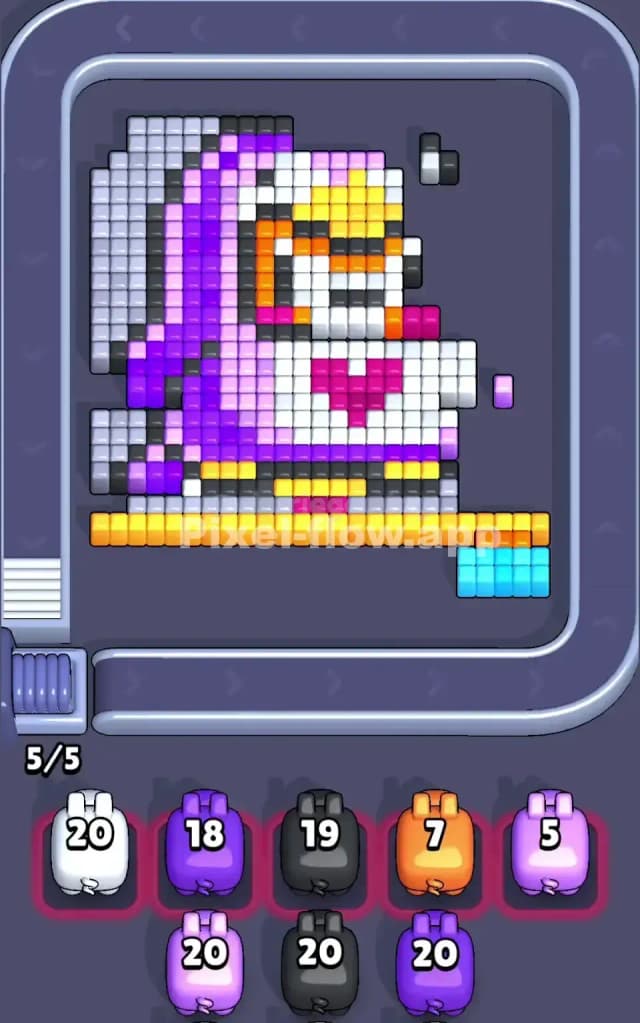
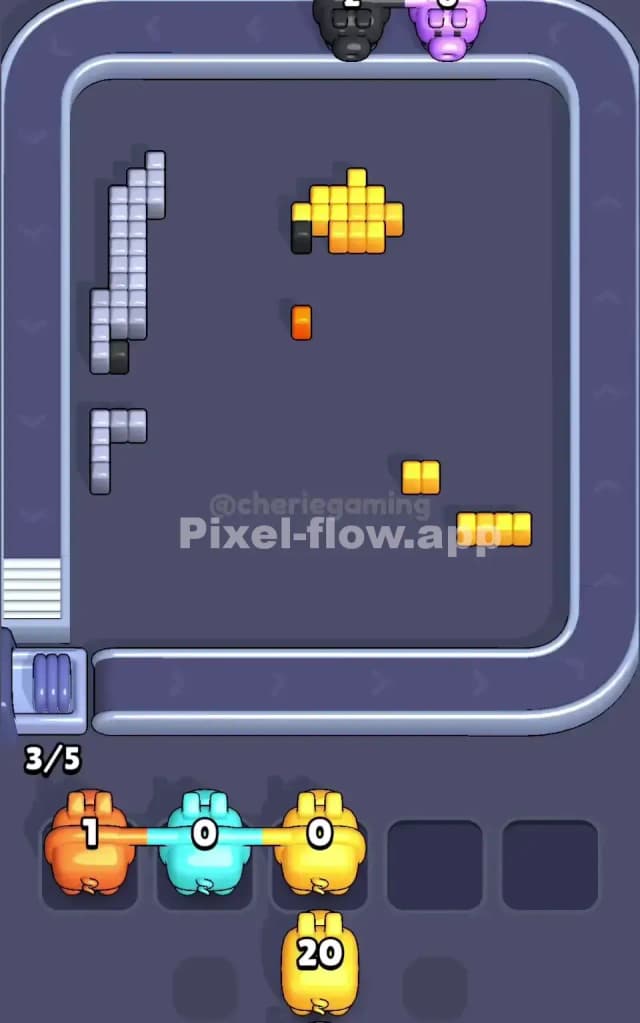
Around the mid-game mark, the picture will look half-ruined. The gray frame should be gone. Now you are likely staring at the floating head of a penguin and that stubborn rainbow platform at the bottom.
This is the danger zone for your slots. You might get a Cyan or Orange pig while the bottom rows are still partially blocked by other colors.
Here is the plan to survive without boosters:
- Prioritize the Bottom Stripes: As soon as you have a clear shot at the Orange, Cyan, or Yellow rows at the bottom, take it. These rows are "blockers." If you don't clear them, they prevent you from hitting the penguin's feet and lower belly.
- The Purple Problem: The penguin's back is a mix of Purple and Dark Violet. These zones are chunky. If a Purple pig drops into your slot, verify if it is for the light purple or the dark violet. Don't let a Purple pig clog a slot waiting for a color that is buried deep inside the bird. Check if you can shave off the outer layer of the wing first.
- Ammo Efficiency: The White pig has a huge job here. It needs to clear the belly and parts of the face. If you see a White pig, never let it pass by. Use it to hollow out the center of the bird.
Last Details You Clean Up in Pixel Flow Level 168
The end of Pixel Flow Level 168 is usually a scramble for the face.
You will likely be left with the Pink Heart on the chest or the Yellow/Orange mask around the eyes. These are "deep layer" voxels. They were protected by the white belly and black outline earlier.
Watch out for stray single blocks. Sometimes a single Black pixel from the outline gets stuck behind the yellow beak. Or a single Dark Purple block remains on the tail. Keep one slot open if possible so you can cycle through pigs to find the specific color needed to snipe these last few pixels. Once the face mask is gone, the level is yours.