Pixel Flow Level 169 Solution | Pixel Flow 169 Walkthrough
How to beat Pixel Flow Level 169: Video solution & walkthrough. The fastest way to pass Pixel Flow 169.
Is this the wrong level layout?🤔
Pixel Flow randomizes levels for different players. Don't worry, just upload a screenshot of your board, and our AI will find the correct video instantly.
Pixel Flow Level 169 Walkthrough
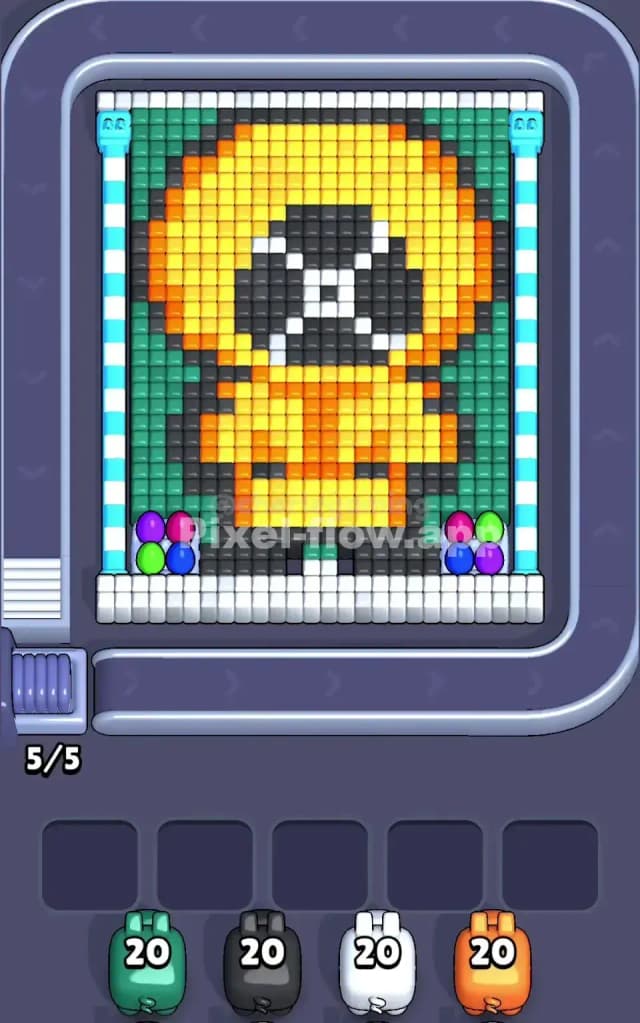
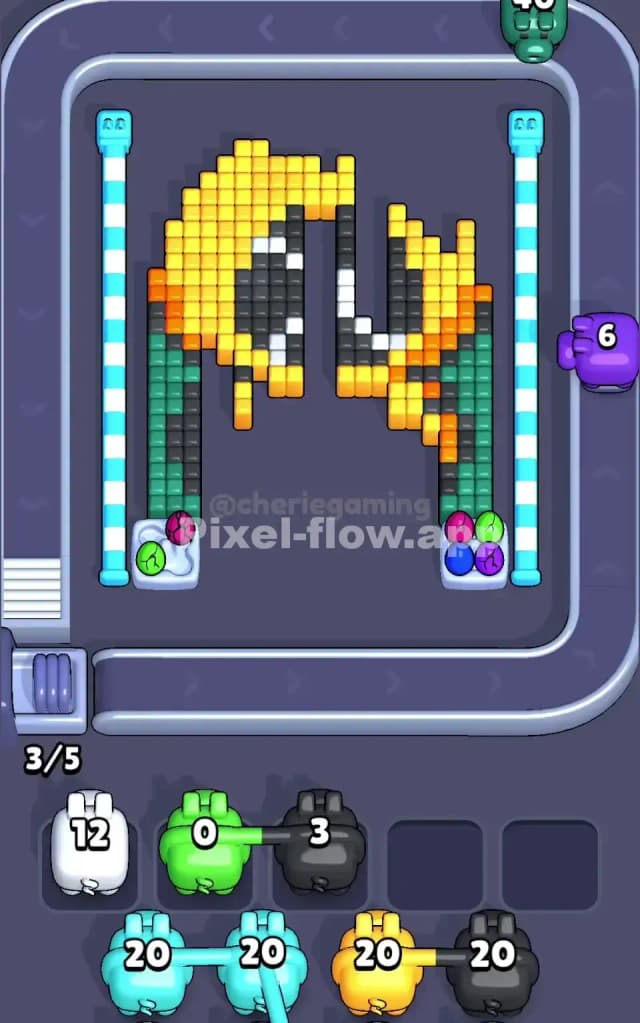
This level features a portrait of Kenny from South Park. The main colors are his bright orange parka (hood and jacket), a yellow face area, dark brown/black outlines, and a significant background of dark green teal. To beat Pixel Flow Level 169, you have to peel away the massive outer layers of green and orange to reveal the black and white details underneath. This is not a very hard level, but the heavy use of green background tiles makes it easy to clog your waiting slots if you aren't paying attention.
Pixel Flow Level 169 Overview
The image is instantly recognizable: it's Kenny McCormick standing against a dark green wall. His massive orange parka hood dominates the upper center, framing a central black void where his face should be (hidden by the hood's shadow) and two white eyes. Below the hood is his orange jacket with a vertical zipper line.
The colors are heavily segmented:
- Outer Background: Two large vertical columns of dark teal/green flank the entire figure on the left and right.
- The Parka (Orange): This forms a large ring around the head and the body section at the bottom. It's the "middle" layer.
- The Face (Yellow/Black/White): Deep inside the orange hood is a yellow rim, followed by the black shadow and white eyes.
- Outlines (Dark Grey/Black): There is a thin dark border separating the character from the green background.
The layout is symmetrical. The danger here isn't a lopsided board, but depth. The green background is the "top" layer visually in many spots, blocking access to the orange jacket sides. You cannot clear the middle of the face until the outer green and orange layers are significantly reduced.
Step by step solution walkthrough for Pixel Flow Level 169
First Color Zone to Erase in Pixel Flow Level 169
Target: The Dark Green Background Columns.
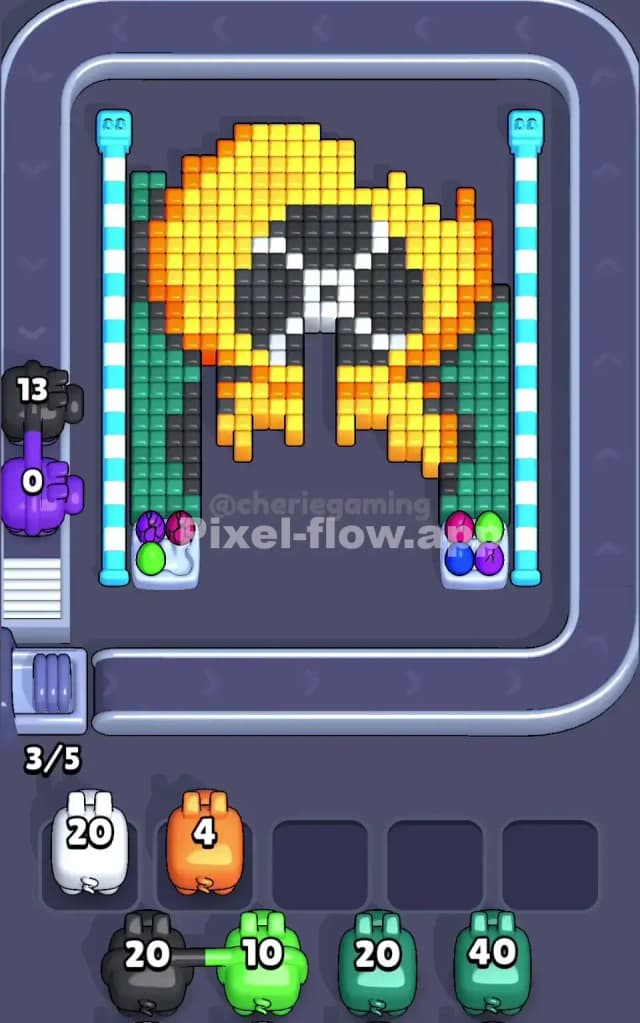
I start by targeting the teal/green columns on the far left and right. Why? Because they act as "walls" blocking the edges of the orange parka.
If you look closely at the screenshot, the green blocks are stacked high on the sides. Selecting a Green Pig first is the safest move. They have huge vertical targets. A single Green Pig can sit in a slot and fire rapidly up those side columns, clearing massive amounts of ammo without clogging your board. Once the green "curtains" are pulled back, the dark grey outline and the orange edges of the parka become exposed.
Do NOT start with White or Black. These colors are buried deep in the center of the hood (the eyes and face shadow). If you pick a White pig now, it will have zero targets, drop into a slot, and sit there uselessly until you clear the orange layer. That is a wasted slot.
How to pass Pixel Flow Level 169 without power ups or boosters
Once the green is stripped away, the picture looks like a floating orange blob with a dark outline. This is the mid-game danger zone.
- Prioritize the Outline (Dark Grey/Black): Now that the green is gone, the dark outline is the new "outer" shell. Use Grey or Black pigs to shave off the perimeter of Kenny's hood and body. This separates the character from the empty background and often exposes the next layer of orange.
- Attack the Orange Parka: With the outline thinned, the Orange pigs are your best friends. The hood and body are thick blocks of orange. This color has the highest pixel count after green. You can safely drop 2-3 Orange pigs into your slots, and they will keep firing until they are empty. They won't clog you up because there are so many orange targets available.
- The Yellow Trap: Be careful with Yellow pigs. The yellow pixels are only on the inner rim of the hood and the center of the chest. Do not deploy Yellow pigs until the big orange sections are mostly gone. If you drop a Yellow pig while the Orange hood is still solid, it might only shoot 2-3 blocks and then get stuck.
Last Details You Clean Up in Pixel Flow Level 169
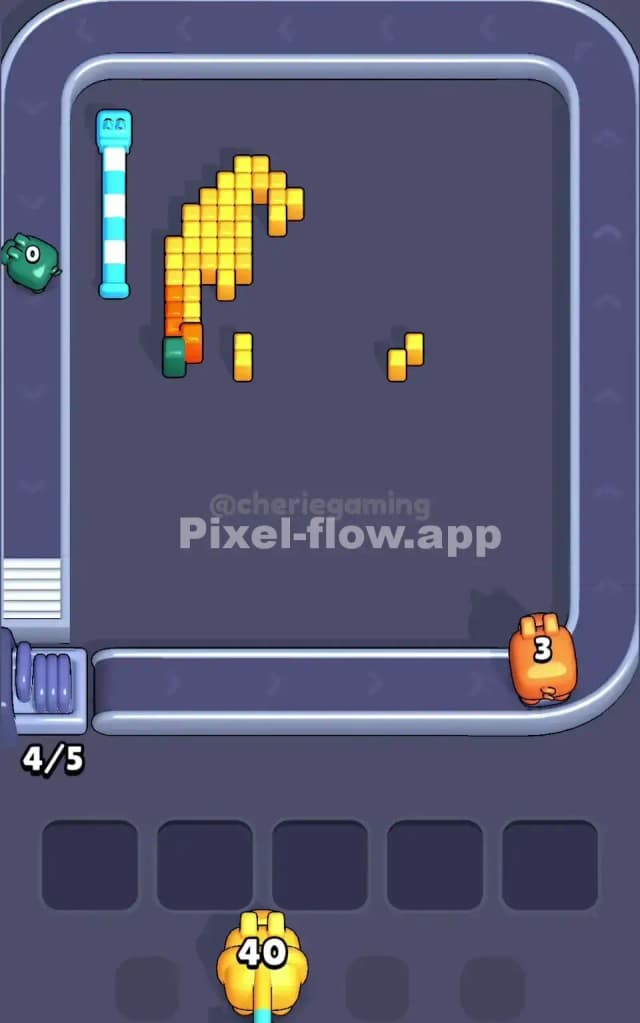
At the end, you are left with the "face": a black oval with white eye shapes, and maybe a few stray yellow pixels on the chest zipper.
- The Eyes: The white pixels are the very bottom layer. You likely won't even be able to hit them until the black shadow around them is cleared. Save your White pigs for the absolute final moves.
- The Shadow: The black center of the hood usually clears right before the eyes. Make sure you have a Black pig ready in your queue, but don't panic if it sits in a slot for a moment—it will activate as soon as the yellow rim is gone.
Your final move will almost always be a single White pig sniping the last few voxels of Kenny's eyes to finish the level.