Pixel Flow Level 201 Solution Walkthrough | Pixel Flow 201
How to solve Pixel Flow level 201? Get instant solution for Pixel Flow 201 with our step by step solution & video walkthrough.


Pixel Flow Level 201 Overview
The Board Layout and Starting Setup
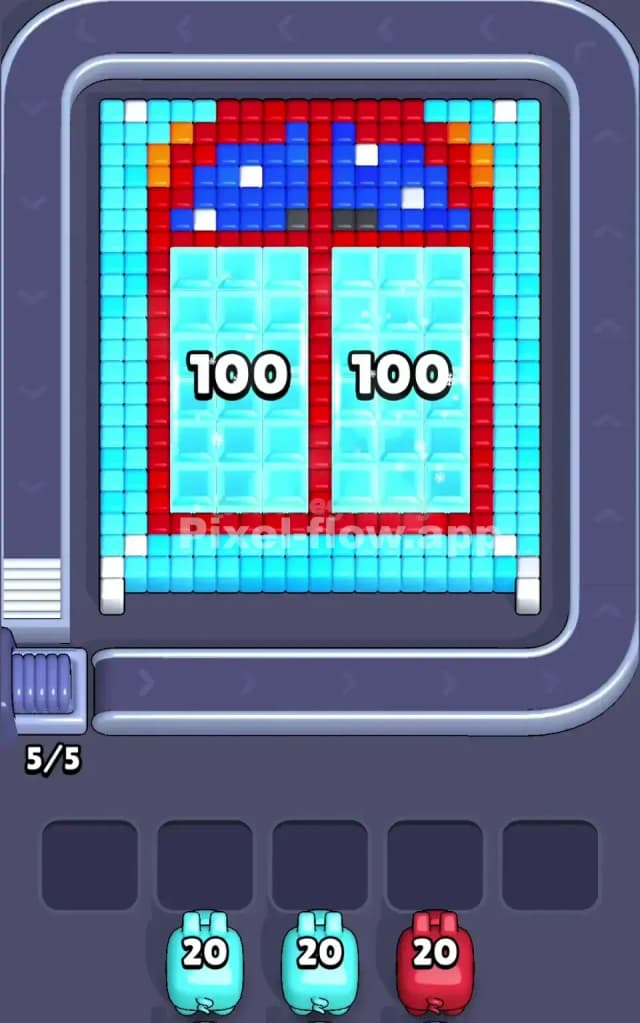
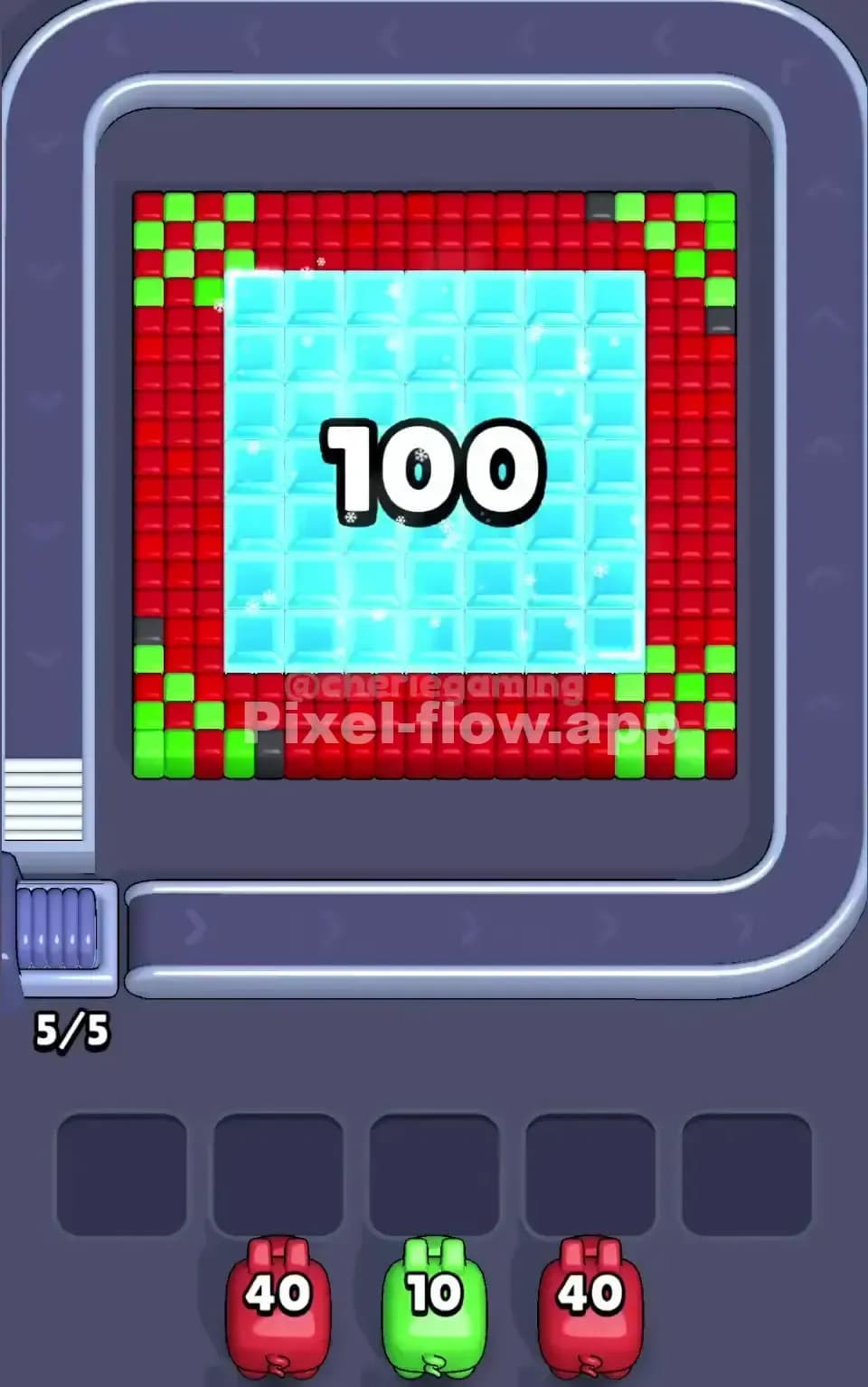
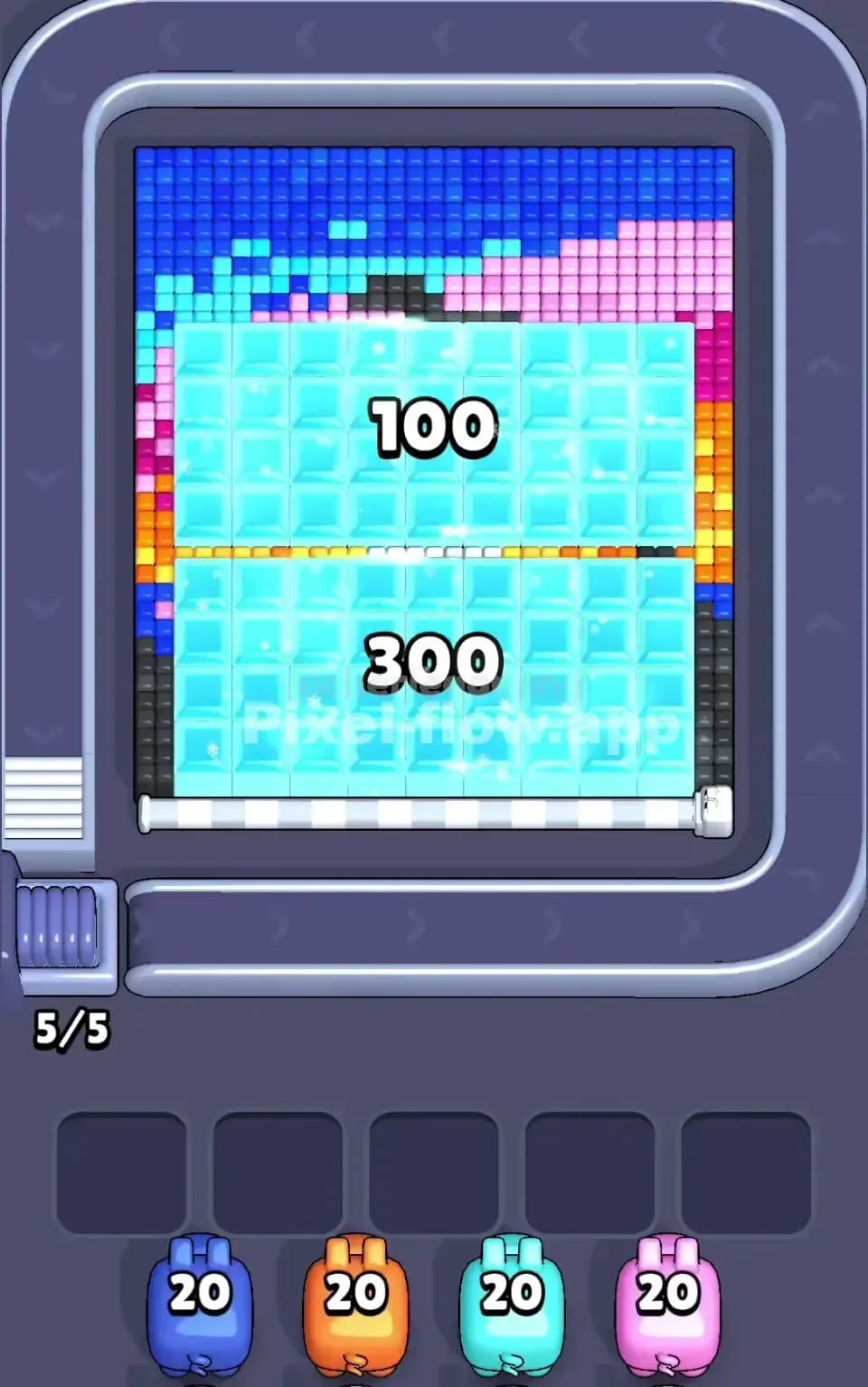
Pixel Flow Level 201 presents you with a vibrant, symmetrical design centered around two large cyan rectangular regions marked with "100" in each—these are your deepest layers and the visual heart of the puzzle. The board is framed by a bold red border that wraps around the entire composition, creating a clear structural boundary you'll need to dismantle methodically. Above that red frame sits a complex upper section featuring blue patches, white accent cubes, and smaller orange and red elements that form what looks like a stylized face or character. The outermost edge is dominated by cyan cubes, creating a protective shell around the entire pixel art.
Your starting pig roster includes two cyan pigs with 20 ammo each and one red pig with 20 ammo—a straightforward lineup that seems manageable until you realize how spread out the matching colors actually are. The cyan cubes appear in multiple isolated zones: the outer border, the two central "100" chambers, and scattered throughout the middle sections. Red cubes dominate the framing structure, while blue, white, and orange cubes occupy strategic positions in the upper artwork. This distribution means you'll need perfect sequencing to avoid jamming your five waiting slots with pigs that have nowhere productive to shoot.
Win Condition and Deterministic Mechanics
Your goal in Pixel Flow Level 201 is straightforward: clear every single voxel cube from the board. Unlike games that reward you for efficiency, Pixel Flow 201 demands completeness—leave even one cube stranded, and you fail. The good news is that every pig's ammo count, every cube's position, and the firing sequence are completely deterministic. There's no luck involved; your first cyan pig will always arrive with exactly 20 ammo, and it will always fire at the same cubes in the same order if you place it on the same target. This predictability means Pixel Flow Level 201 rewards planning and forward thinking rather than reflexes or improvisation.
Why Pixel Flow Level 201 Feels So Tricky
The Central Bottleneck: The Red Frame
The red border might look like a simple shell to crack, but it's actually your biggest strategic headache in Pixel Flow Level 201. This frame consists of roughly 70–80 red cubes arranged in a thick perimeter that completely surrounds the cyan regions and the upper artwork. Your red pig arrives with only 20 ammo, which means it can only destroy 20 of those red cubes. The remaining 50+ red cubes will sit stubbornly on the board after your red pig exhausts its ammunition and drops into the waiting queue. Those leftover reds act like a prison, physically blocking access to deeper layers and preventing you from cycling your cyan pigs efficiently through their targets.
Here's where it gets painful: once that red pig is parked in a waiting slot with no more red cubes in sight, you're stuck with it. You can't pull it back out. It occupies one of your five precious buffer spaces, and if you're not careful, you'll fill all five slots with pigs that have nowhere to go—instant failure. In Pixel Flow Level 201, the red frame forces you to make a hard choice: do you commit both cyan pigs early to carve openings through the red, or do you save them for the final cleanup? Get it wrong, and you'll watch helplessly as your queue fills and the level times out.
The Cyan Compartmentalization Problem
Your two cyan pigs each carry 20 ammo, and they're supposed to handle roughly 100+ cyan cubes scattered across the entire board. The trouble is that cyan appears in four or five separate regions that don't connect until you've destroyed intervening colors first. The outer cyan border is easily accessible, but the large cyan "100" chambers in the middle sit inside the red frame. If you send a cyan pig to the outer border first, it'll burn through its 20 ammo and drop into waiting, leaving the inner cyan cubes untouched. Then when your red pig finally opens a pathway, you'd need to pull that first cyan pig back out—except you can't; pigs don't reverse.
This compartmentalization in Pixel Flow Level 201 means you can't just alternate colors freely. You have to sequence your cyan pigs so that the first one hits targets that expose the red frame, and the second one focuses on the newly accessible inner chambers. Mess up that timing, and you'll have a cyan pig stuck in waiting with 15 ammo remaining and no way to spend it.
The Upper Artwork: A Scattered Minefield of Small Colors
Above the red frame sits a busy upper section with blue, white, and orange cubes mixed into what looks like a character's face. The problem is that you have no blue pig, no white pig, and no orange pig—those colors must be eliminated by other means or they'll remain on the board forever. Wait, that's not quite right; looking more carefully at Pixel Flow Level 201, you'll notice there's no way to clear those scattered blue, white, and orange cubes unless they're part of a layer that collapses when you destroy adjacent colors. Or perhaps—and this is the "aha" moment—those cubes are actually part of a red or cyan layer that's visually distinct but mechanically part of the same structure.
This ambiguity is what makes Pixel Flow Level 201 feel unfair at first. You stare at the board, count your available pigs and ammo, do the math, and realize the numbers don't quite add up. That's when you realize you need to think in 3D: the board isn't just a 2D picture; it's a stack of layers. Destroying cubes from one layer might cause overlying cubes to shift or disappear.
My Personal Moment of Frustration and Clarity
I'll be honest: I spent about fifteen failed attempts on Pixel Flow Level 201 before the strategy clicked. My first instinct was to aggressively clear the outer cyan ring, thinking I'd expose the red frame faster. That left my first cyan pig sitting in waiting with 8 ammo left and nothing to shoot. My red pig then rolled up, burned through its ammo on the front edge of the frame, and got stuck too. By my third pig arrival, I had three pigs wedged in the queue with roughly 35 combined ammo remaining and no valid targets. It was a textbook jam.
The breakthrough came when I stopped thinking of Pixel Flow Level 201 as a "clear as much as possible" puzzle and started thinking of it as a "sequence for maximum efficiency" puzzle. Once I mapped out exactly which pigs needed to hit which regions in which order to keep the path flowing, the level went from impossible to challenging but totally doable. That shift from reactionary to proactive—that's what separates frustration from satisfaction in Pixel Flow Level 201.
Step-by-Step Strategy to Clear Pixel Flow Level 201
Opening: Strategic Cyan Prioritization and Slot Management
Your opening move in Pixel Flow Level 201 is critical because it sets the tone for everything that follows. Don't send your first cyan pig to the outer border—I know that seems like the obvious choice, but it's a trap. Instead, send it to the upper-left or upper-right region where cyan cubes exist within or adjacent to the red frame. Your first cyan pig should aim to punch a small hole through the red perimeter while clearing some of its own color. With 20 ammo, it can destroy roughly 15–18 cyan cubes in this zone, which opens a corridor and leaves it with 2–5 ammo remaining.
Here's the key: when your first cyan pig exhausts its ammo in this opening phase, it'll drop into waiting slot number one. That's fine—you expected it. You now have slots 2–5 still available, which gives you breathing room for at least three more pigs before you're in danger. Your goal in the opening of Pixel Flow Level 201 is to maintain at least two free waiting slots at all times. This buffer prevents you from getting into a situation where a pig arrives and has nowhere to go.
Before your second pig arrives, observe what the board looks like. If the red frame has been dented significantly by your cyan pig, you're on the right track. If there's still a massive, unbroken red wall, you might need to pivot and deploy your red pig sooner than you'd like.
Mid-Game: Layering and Exposure Strategy
By the mid-game phase of Pixel Flow Level 201, your first cyan pig is resting in waiting, and your second cyan pig has just rolled onto the conveyor belt. This is where you make your biggest strategic call: does this second cyan pig finish off the remaining cyan in the upper sections, or does it pivot to attack the red frame from a different angle?
Here's my recommendation: send your second cyan pig to focus on the large cyan "100" chamber regions that sit deepest inside the red frame. Your first cyan pig should have already created a small breach in the red perimeter, and your second cyan pig can now slip through that gap and target the protected cyan cubes inside. This approach works because it leverages the damage your first pig already did, rather than wasting ammo on cubes the first pig could have hit.
With your second cyan pig deployed strategically, your red pig arrives next. This is the moment of truth in Pixel Flow Level 201. You have roughly 20 ammo to spend, and your goal is to destroy enough red cubes that the two breaches from your cyan pigs can merge into one continuous opened area. Don't try to clear the entire red frame—that's mathematically impossible with 20 ammo against 70+ red cubes. Instead, focus your red pig on connecting the dots. Target the red cubes between the two cyan breaches, creating a larger accessible zone. When your red pig exhausts its ammo, it'll drop into a waiting slot (probably slot three by now), and you'll still have slots four and five open.
End-Game: Clean Closure and Buffer Flushing
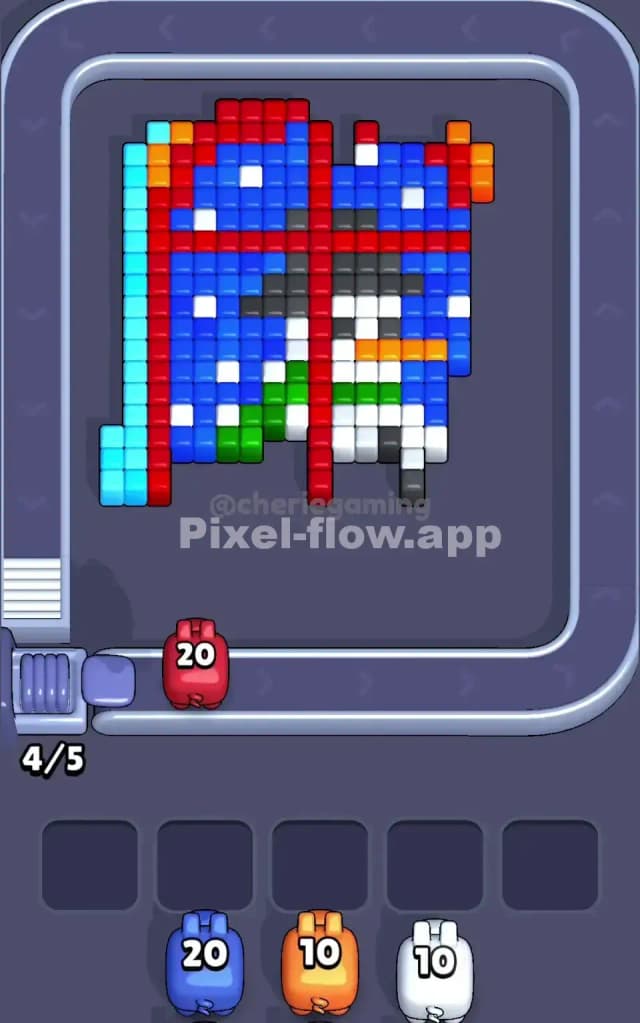
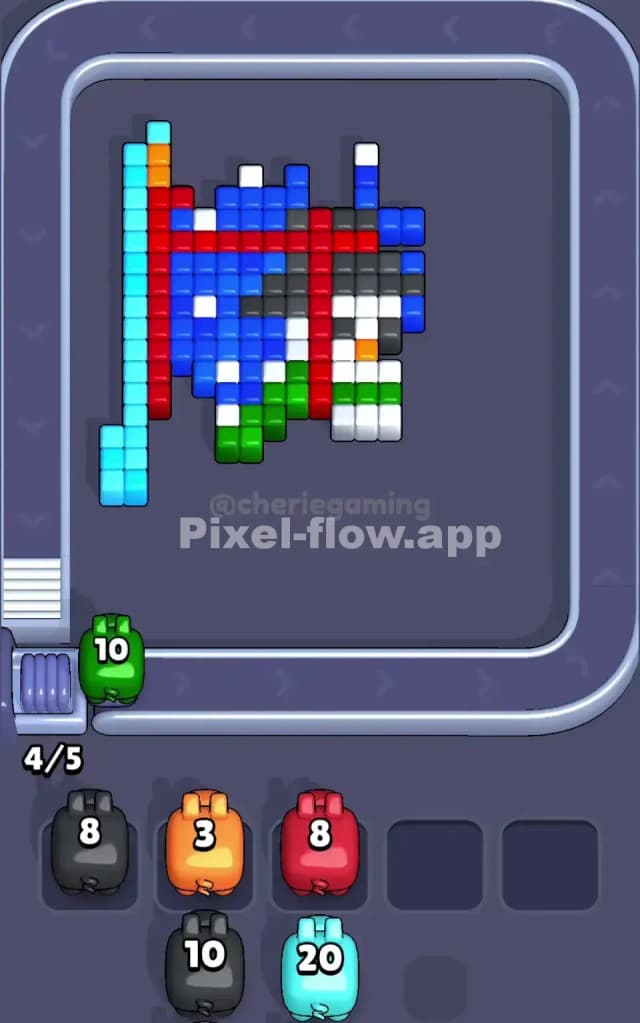
By the end-game phase of Pixel Flow Level 201, you've cleared the outer regions, opened up the central cyan chambers, and managed your waiting queue carefully. You should have around 30–50 cubes remaining on the board, scattered among cyan, red, blue, white, and orange positions. Your waiting queue likely contains your first cyan pig, your second cyan pig, and your red pig, in some order, occupying slots one through three.
Now comes the final sequence: you need to empty that queue by having new pigs arrive that actually have valid targets, and you need to position these new arrivals so they finish the puzzle without jamming. Here's where precise counting matters. If you have 15 cyan cubes remaining on the board and no cyan pigs in the queue, you're in trouble because the next cyan pig won't appear until you've cycled through whatever pig is next in line. However, if you've planned correctly, your remaining cyan cubes should be spread across a now-open board, making them easy targets for any cyan pig that arrives.
The final red cubes—those that survived the mid-game red pig—should be positioned in areas your red pig's remaining ammo (if any) can reach... but wait, your red pig is already in waiting and spent. So those red cubes need to be handleable by a different mechanism, or they're part of a set that collapses when you clear adjacent layers.
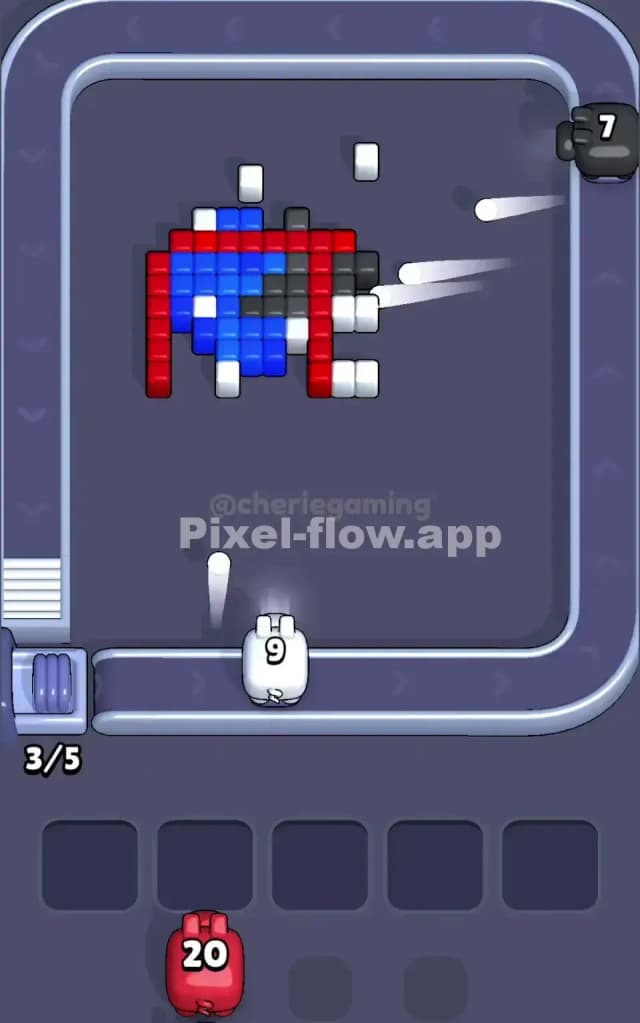
For Pixel Flow Level 201, the ideal ending is a calm, methodical sequence: your first cyan pig comes back out of the queue (if the game mechanics allow cycling) to finish scattered cyan cubes, any remaining red gets eliminated, and your blue, white, and orange issues resolve themselves as layers collapse. You fill your waiting slots strategically so the final pigs arriving don't jam the buffer, and you watch the board slowly empty until it's completely clear.
The Logic Behind This Pixel Flow Level 201 Plan
Why Order and Ammo Counting Matter
The strategy for Pixel Flow Level 201 works because it respects two immutable facts: pig order is fixed, and ammo is finite and deterministic. You can't change the order in which pigs arrive on the conveyor belt, and you can't increase a pig's ammo count. What you can do is choose which target each pig fires at, which determines how many cubes of each color get destroyed before that pig is spent and drops into waiting.
By sending your cyan pigs to specific regions in a planned sequence, you ensure that the most limited resource—the red pig's 20 ammo—is deployed only after cyan has already created openings. This isn't luck; it's deliberate sequencing. Similarly, by counting your remaining cubes of each color and matching that count to your available ammo, you can predict whether the puzzle is solvable and adjust your strategy accordingly. If you count 25 red cubes remaining but your red pig only has 10 ammo, you know you have a problem before it becomes a game-over.
The waiting queue is your safety valve in Pixel Flow Level 201. It exists to absorb pigs that run out of valid targets, but only up to five times. Fill the queue past capacity, and you lose instantly. Therefore, every strategic decision you make is fundamentally about keeping at least one to two waiting slots free at all times. This means you sometimes have to make suboptimal moves—sending a pig to a target that doesn't fully clear a region—simply to ensure that the next pig arriving actually has something to shoot. It feels inefficient, but it's the exact opposite; it's the most efficient path to victory.
Staying Calm and Thinking Ahead
Pixel Flow Level 201 can feel chaotic when you're learning it, but the moment you adopt a methodical, forward-thinking mindset, it becomes manageable. As each pig arrives, pause for a second and ask yourself three questions: (1) What cubes of this color are visible right now? (2) If I spend all this pig's ammo, which cubes will be exposed, and will the next pig have valid targets? (3) Are there any waiting slots at risk of filling up?
By watching the queue and planning two or three pigs ahead, you transform Pixel Flow Level 201 from a reactive scramble into a choreographed sequence. You know your red pig is arriving in the queue somewhere; you can mentally map out where it should fire based on what your cyan pigs have already cleared. You know your second cyan pig is coming; you can plan its targets assuming the red pig has done its job. This lookahead prevents panic and allows you to make calm, strategic decisions instead of desperate ones.
The confidence you gain from clearing Pixel Flow Level 201 this way isn't just satisfying—it's practical. Every puzzle game that follows becomes easier because you've internalized the discipline of planning ahead, respecting resource limits, and working backward from the goal. That's the real victory in Pixel Flow Level 201: not just beating the level, but becoming the kind of player who beats it deliberately.