Pixel Flow Level 209 Solution Walkthrough | Pixel Flow 209

How to solve Pixel Flow level 209? Get instant solution for Pixel Flow 209 with our step by step solution & video walkthrough.

Share Pixel Flow Level 209 Guide:
Pixel Flow Level 209 Gameplay
Pixel Flow Level 209 Solution 1
Pixel Flow Level 209 Solution 2
Pixel Flow Level 209 Solution 3

Pixel Flow Level 209 Overview

The Board Layout and Color Structure

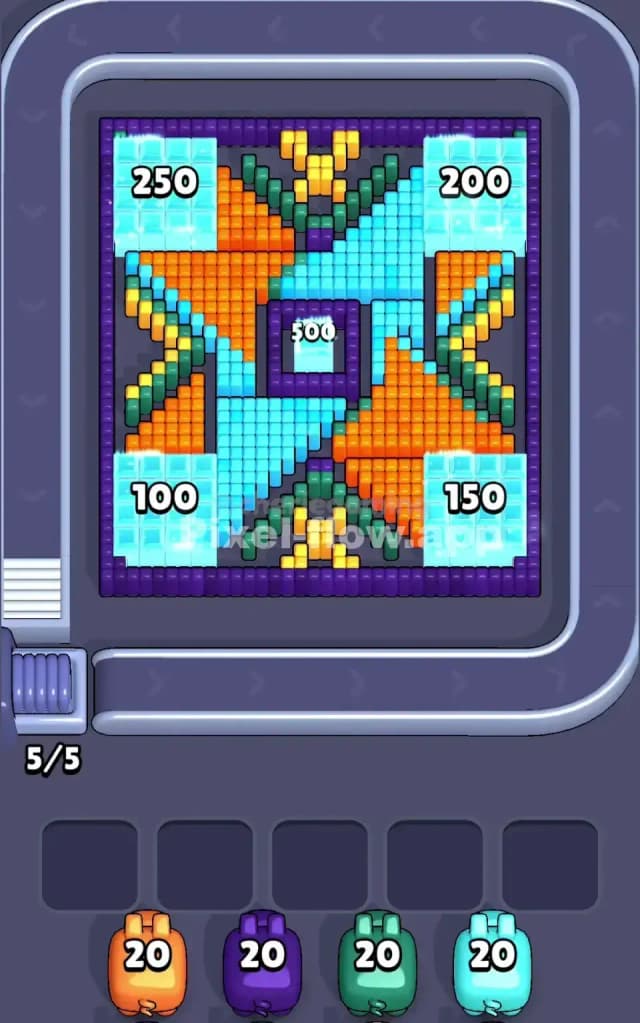
Pixel Flow Level 209 presents a symmetrical, layered voxel design that looks like a stylized butterfly or mask viewed from above. The board is dominated by cyan (light blue) cubes forming large wing-like regions in all four corners, with orange, yellow, green, and purple cubes creating an intricate central pattern. You'll notice the composition has depth—cyan appears to be a surface layer, while orange, yellow, green, and purple occupy the middle and deeper zones. The purple border and center void give the level a distinctive "frame within a frame" feel, which actually hints at the layering strategy you'll need to employ.

Understanding the Win Condition

Your goal in Pixel Flow Level 209 is straightforward: clear every single cube on the board by strategically launching pigs down the conveyor belt. Each of your four pigs carries exactly 20 ammo cubes of their designated color—orange gets 20, purple gets 20, green gets 20, and cyan gets 20. Every cube you destroy spends one ammo, so you're working with a total of 80 destruction points to clear what appears to be roughly 80–90 cubes across the board. The tricky part isn't ammo scarcity; it's pig ordering. Since pigs arrive in a fixed sequence and automatically fire at any matching-colored cube they see, you must think two or three moves ahead to avoid jamming your waiting slots with stuck pigs that have ammo but no targets.


Why Pixel Flow Level 209 Feels So Tricky

The Cyan Bottleneck Problem

Here's what makes Pixel Flow Level 209 genuinely challenging: cyan dominates the visual landscape, with massive clusters in all four corners. When your cyan pig arrives and fires, it'll demolish a huge chunk of those corner regions at once, which sounds great. However, if you send cyan too early, you'll expose interior colors (orange, yellow, purple, green) before you're ready to handle them. These inner-layer cubes will become visible targets for your remaining pigs, and if they don't have matching ammo or if the color ordering gets messy, you'll watch helplessly as a pig with 18 unused ammo rounds drops into a waiting slot with nothing left to shoot. That's the moment Pixel Flow Level 209 punishes poor sequencing.

The Central Tangle of Orange and Yellow

The center of Pixel Flow Level 209 is a tangled mess of orange and yellow cubes arranged in a cross or symmetrical pattern. Orange appears in heavy concentrations, especially around the upper and lower-left diagonals. Yellow is scattered but clustered near the top-center. Here's the sneaky problem: if you fire your orange pig too early, it'll consume ammo on the visible orange cubes, but because of the cyan overlay, you won't expose all the hidden orange beneath those cyan layers. You'll spend 15 ammo clearing the obvious orange, drop the pig when cyan is still blocking deeper targets, and then when cyan finally clears those regions, there's nowhere for a fresh orange pig to come from. Pixel Flow Level 209 forces you to trust that the layering works, and that means sometimes you'll feel like you're wasting ammo by not firing immediately.

The Green and Purple Endgame Squeeze

Purple and green are wedged into the central-left and central-right portions of the board, often hidden behind both cyan and orange. They don't look like they'll be a problem at first glance, but as you progress through Pixel Flow Level 209, you'll find that purple especially sits in awkward pockets. If you're not careful with your pig order, you'll get one of these colors into a waiting slot with 8 or 10 ammo still loaded, only to realize the remaining cubes of that color are buried under colors you've already finished. I remember hitting this wall hard on my first attempt—I got purple stuck with 12 ammo remaining, no targets visible, and all five waiting slots full. That's an instant loss, and it taught me that Pixel Flow Level 209 demands respect for the hidden layers.

When the Level Clicks

What finally worked for me on Pixel Flow Level 209 was stopping the rush. I spent an extra 30 seconds just staring at the board, mentally peeling away layers. I asked myself: "If cyan clears, what colors show up?" and "Does orange have enough ammo to hit both surface and hidden cubes?" Once I accepted that Pixel Flow Level 209 is a puzzle of sequencing, not reflexes, everything clicked. The symmetry of the board actually works in your favor—if a color is blocked on the left side, it's probably blocked on the right side too, so the ammo requirements are often balanced.


Step-by-Step Strategy to Clear Pixel Flow Level 209

Opening Moves: Establish Breathing Room

Start Pixel Flow Level 209 by firing your orange pig first. Orange occupies enough real estate that shooting it will destroy a good 12–15 cubes immediately, freeing up space and opening sightlines to interior layers. This move serves two purposes: it keeps your waiting slots mostly empty early on (you only sacrifice one slot), and it gives you concrete information about what hides beneath. After orange demolishes its visible cluster, immediately send your cyan pig. Cyan has the ammo (20 total) and the targets (the massive corner regions). Watch carefully—as cyan eats away at those big corner zones, green and purple will start peeping through. At this stage, you should have at least two free waiting slots remaining, so you're not under pressure yet.

Mid-Game Sequencing: Layer by Layer

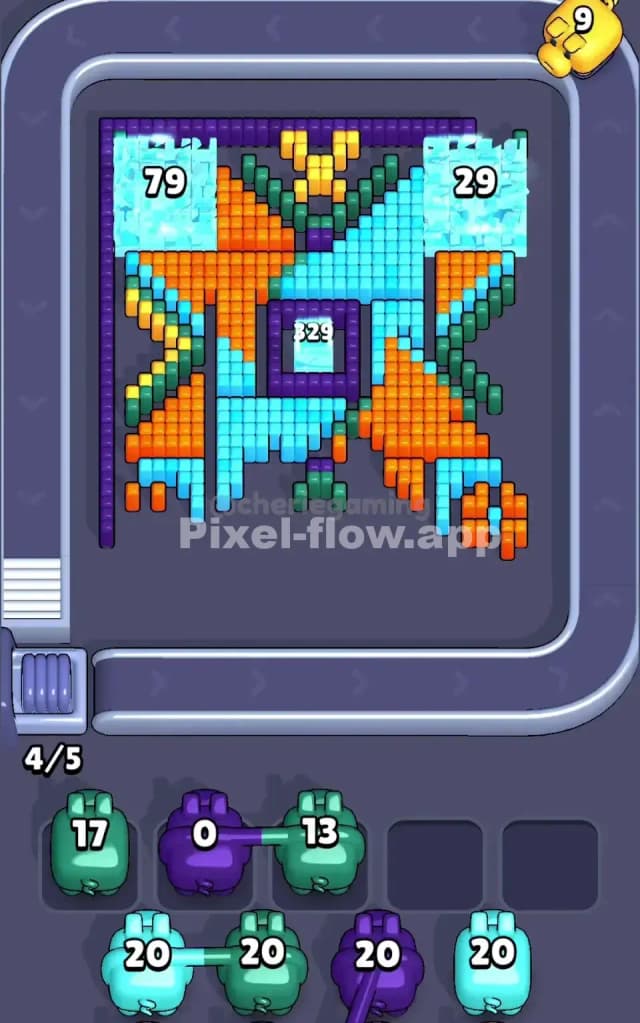
Once Pixel Flow Level 209's mid-game opens up, the inner colors become actionable. Send your green pig next, targeting the exposed green clusters on the left and right sides of the central structure. Green should consume around 15–18 ammo if you've set things up right, leaving just a few stray green cubes. Don't panic if green isn't fully cleared—that's fine, you'll come back to it. Now here's the critical insight for Pixel Flow Level 209: deploy yellow immediately after green. Yellow is scattered but visible once orange and the first wave of cyan are gone. Yellow should gobble up 12–14 of its 20 ammo, which is actually good because it leaves you a small safety buffer. The reason you're not emptying every pig completely is that hidden cubes often remain after the first pass, and that cushion prevents you from jamming up on stray targets later.

At this point in Pixel Flow Level 209, you're probably in slots 3 and 4 or maybe filling slot 5. Don't panic—this is where most players panic. Instead, assess: what colors are still visible? Usually, you'll see leftover cyan, green, and purple peeking through gaps. Send your purple pig now. Purple will hunt down those exposed purple cubes (probably 8–12 of them), and crucially, it'll likely drop into waiting with 8–12 ammo remaining. That's okay because you're not done yet.

End-Game Execution: The Clean Finish

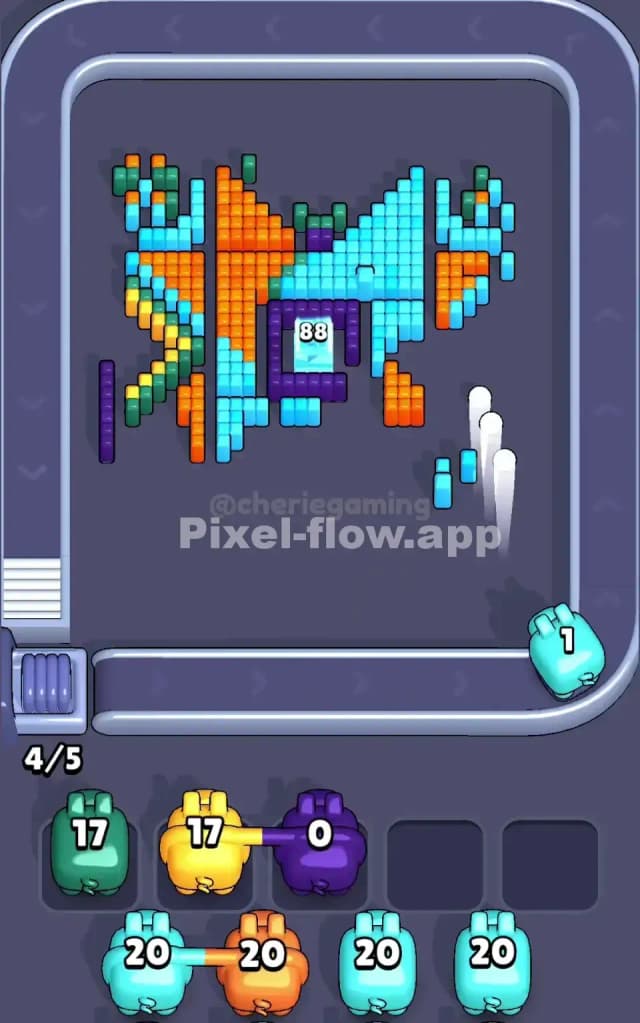
Here's where Pixel Flow Level 209 separates careful players from frantic ones. At this stage, you should have three pigs in waiting slots, each with some ammo left. Scroll through the queue and identify which pig comes next. If it's cyan, fire cyan again—those corners always have hidden layers. If it's orange, take another shot; orange loves hiding beneath cyan. The key is that you're making deliberate choices, not random fires. As Pixel Flow Level 209 winds down, you'll see the board thin out. The last 10–15 cubes are usually a mix of colors, and your final three pigs will mop them up almost perfectly if you've been strategic.

When you're down to your last pig in the queue (usually cyan or orange, depending on your sequencing), fire it with confidence. Watch it blast through the remaining scattered cubes. If you've followed the strategy for Pixel Flow Level 209, you should see the final cube destroyed with that last pig still having 1–3 ammo remaining—not zero, which would mean perfect ammo matching, but close. That's the sweet spot. You've cleared all cubes, your waiting slots drained naturally, and you've won.


The Logic Behind This Pixel Flow Level 209 Plan

Why This Order Beats Random Firing

The strategy for Pixel Flow Level 209 works because it respects the game's core mechanic: pig order is fixed, ammo is finite, and waiting slots are a resource. By firing orange first, you're not chasing quick wins—you're gathering intelligence about the board's structure. Cyan second clears the obvious layer and exposes the puzzle underneath. Green and yellow then work on the mid-layer colors before purple comes in to finish hidden pockets. This order minimizes the chance of a pig arriving at the front of the queue with ammo but no targets, which is the failure state that kills most runs of Pixel Flow Level 209. You're essentially using the first two pigs to strip away disguises, the middle two to solve the exposed puzzle, and the final pig(s) to clean up stragglers.

Staying Calm and Counting Ahead

Pixel Flow Level 209 rewards patience. Before each fire, spend two seconds asking: "What will this pig expose?" and "Will the next pig in line have targets?" If the answer to the second question is "probably not," hold your fire for one cycle and think about sending the other pig instead. Most players lose Pixel Flow Level 209 because they fire reactively, destroying cubes without considering whether their next-in-line pig will have anything to shoot. You're not in a race; you're solving a deterministic puzzle with perfect information. Watch your waiting slots like a hawk—if all five are full and you still have pigs in the queue, you've made a sequencing error earlier. Pixel Flow Level 209 should end with a gradual drain of waiting slots, not a panicked last-second clearance. Trust the process, count your ammo, and you'll beat this level.