Pixel Flow Level 210 Solution | Pixel Flow 210 Walkthrough
How to beat Pixel Flow Level 210: Video solution & walkthrough. The fastest way to pass Pixel Flow 210.
Is this the wrong level layout?🤔
Pixel Flow randomizes levels for different players. Don't worry, just upload a screenshot of your board, and our AI will find the correct video instantly.
Pixel Flow Level 210 Walkthrough
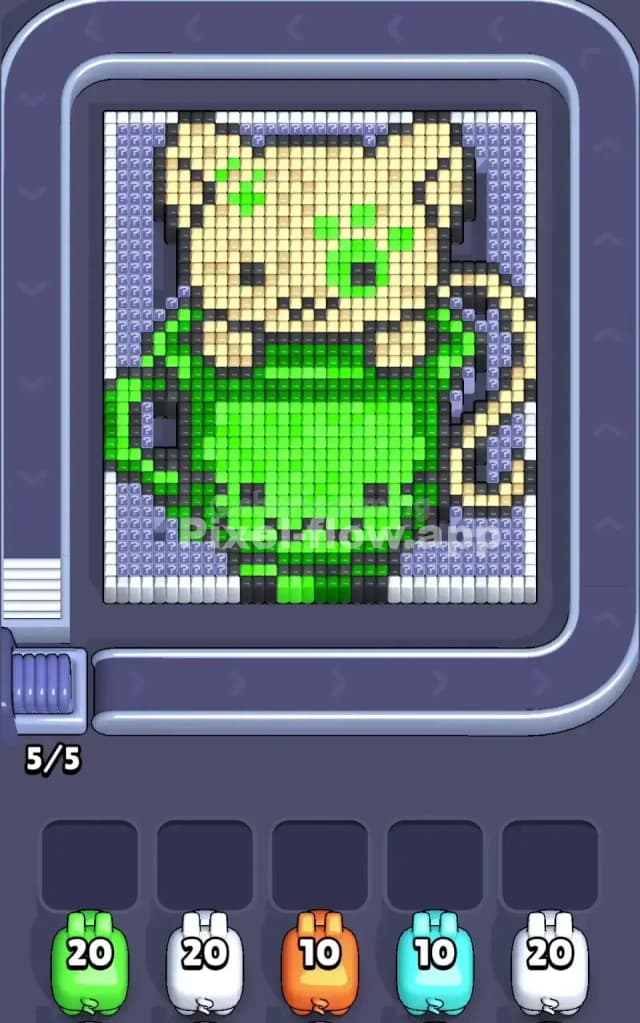
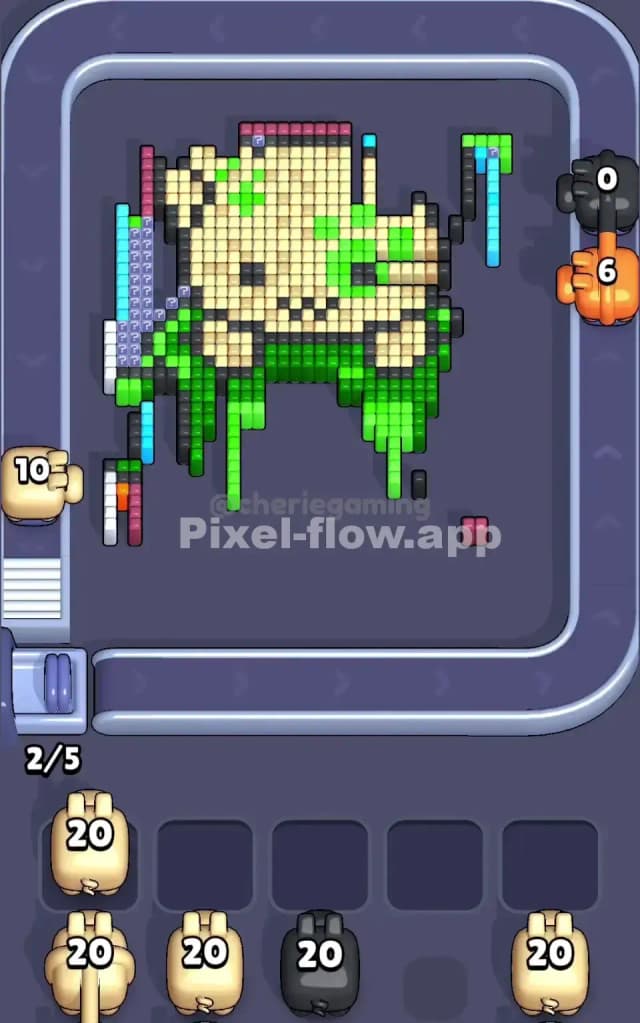
This level features a cute, cream-colored bear (or maybe a cat?) peeking out of a large green cup. The artwork is dense, with a solid block of green in the lower center and a massive area of cream pixels making up the head. The rules are simple: clear the outer layers to expose the hidden pixels underneath. Don't let your five waiting slots fill up with pigs that have no targets, or it's game over.
Is it tough? Yes. I would judge this as a very hard level primarily because the large, solid blocks of color trick you into thinking it's easy, but hidden "support" pixels underneath can jam your flow if you aren't careful.
Pixel Flow Level 210 Overview
The scene is adorable but deceptive. You have a cream-colored animal head dominating the top half. It has distinctive green markings—one on the left ear/forehead and a larger patch over the right eye, almost like a zombie bear or a playful paint accident. The bottom half is a sturdy green mug or pot.
There is a distinct asymmetry here.
- The Left Side: Features a handle-like structure on the green cup. This creates a vertical column of pixels that is independent of the main block.
- The Right Side: The cream color extends down in a tail-like curve, wrapping around the side of the green cup.
The background is filled with those annoying grey question-mark blocks (Mystery Blocks), especially around the edges. These are dangerous because they don't reveal their true color until adjacent blocks are cleared, making planning difficult.
Step by step solution walkthrough for Pixel Flow Level 210
First Color Zone to Erase in Pixel Flow Level 210
Prioritize the Green Cup.
Why? Look at the bottom half of the image. That green cup is a massive, central anchor. It’s a solid block of green pixels. Start by sending Green Pigs to target the main body of the cup.
- Narrative Reason: The cup holds the bear up. If you chip away at the cup, you often expose the bottom layers of the cream bear paws and the mysterious pixels hiding behind the mug handle.
- Logical Reason: Green is the safest bet for "ammo dumping." Because the green area is so concentrated and large, a Green Pig is unlikely to run out of targets and get stuck in your waiting slots. Using green first clears a huge chunk of the board quickly, giving you breathing room.
Critical Tip: Watch out for the isolated green pixels on the bear's face. Don't waste a whole Green Pig just for those two or three spots unless the pig can also hit the main cup below.
How to pass Pixel Flow Level 210 without power ups or boosters
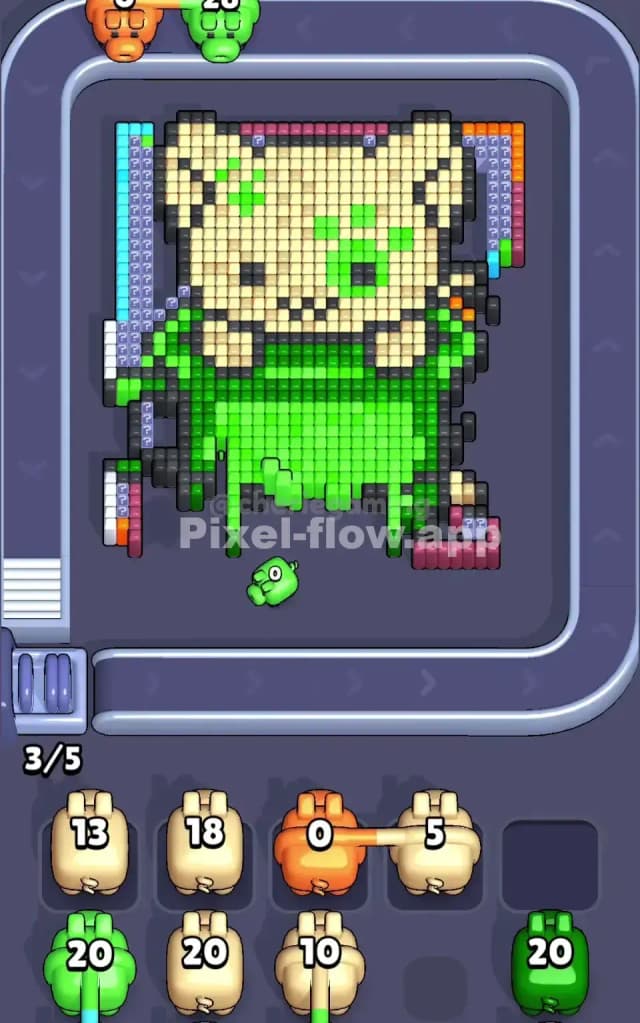
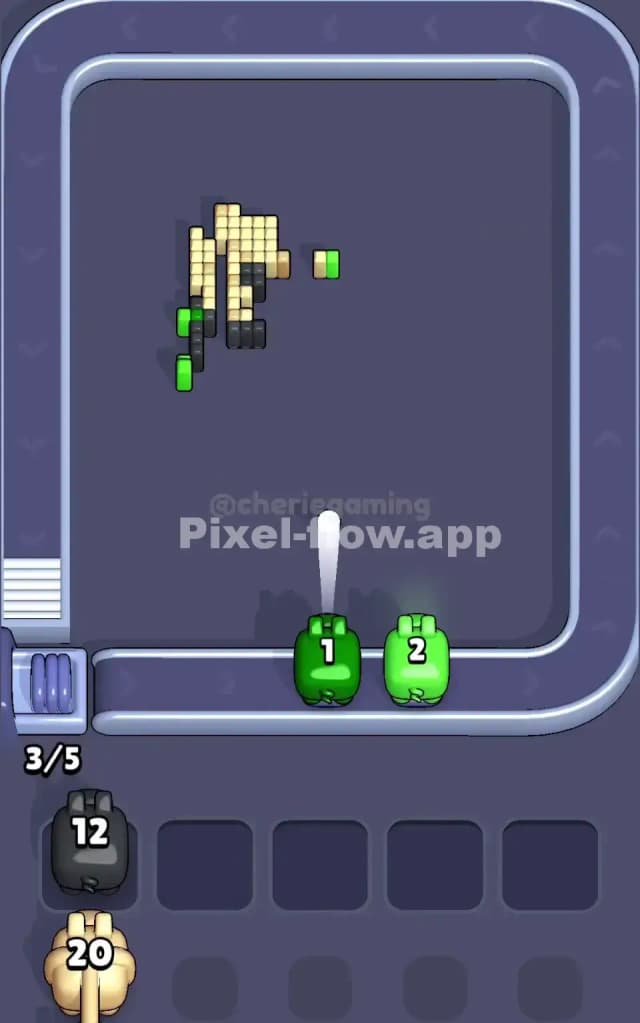
Once the main green cup is heavily damaged, the board looks messy. You'll see floating chunks of the cream bear head and thin vertical strips where the cup edges used to be.
At this mid-stage, the danger shifts to the Cream/Beige color.
- The Ammo Trap: The cream head is huge. You might be tempted to spam Cream Pigs. However, notice the black outlining pixels and the mystery blocks on the edges. If you clear the "easy" center cream pixels too fast, you might leave isolated cream pixels on the edges (like the tail on the right) that future pigs can't reach easily.
- Handling the Outlines: You will see Black Pigs appear in your queue. These are crucial. The bear and cup are outlined in black. Use Black Pigs sparingly to "snip" the edges. Do not let Black Pigs clog your slots; only deploy them when you see a clear vertical line of black pixels (like the side of the cup or the bear's ear).
- The Mystery Blocks: As you peel back the outer green and cream layers, the grey question marks will turn into specific colors (often Blue or Orange for deeper layers). Do not deploy a Blue or Orange pig until you are 100% sure you have exposed enough of that color to use up the pig's ammo. If you guess, you clog a slot.
Last Details You Clean Up in Pixel Flow Level 210
The end game of Pixel Flow 210 is usually a scramble to clear the side columns.
- The Left Handle: Often, a few stubborn pixels remain on the far left where the cup handle was. These are usually mixed colors (some green, some outline black, some background blue/grey).
- The Right Tail: The bottom right corner often hides the last few cream pixels.
- The Final Layer: Once the bear and cup are gone, you are often left with the background layer. In this level, the background tends to be vertical stripes or simple patterns of Blue or Purple. Save your Blue pigs for the very end. If you use them too early, they will hit one or two background pixels and then sit in your slot with 18 ammo left, potentially losing you the game.
Clear the center first, then surgically remove the sides, and save the background colors for last.