Pixel Flow Level 212 Solution | Pixel Flow 212 Walkthrough
How to beat Pixel Flow Level 212: Video solution & walkthrough. The fastest way to pass Pixel Flow 212.
Is this the wrong level layout?🤔
Pixel Flow randomizes levels for different players. Don't worry, just upload a screenshot of your board, and our AI will find the correct video instantly.


Pixel Flow Level 212 Walkthrough
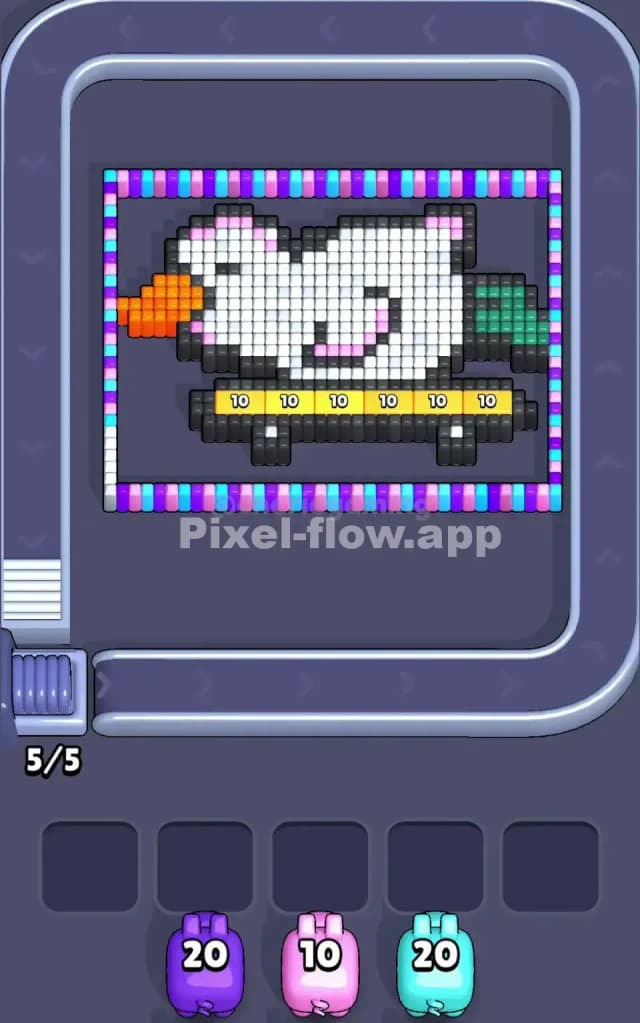
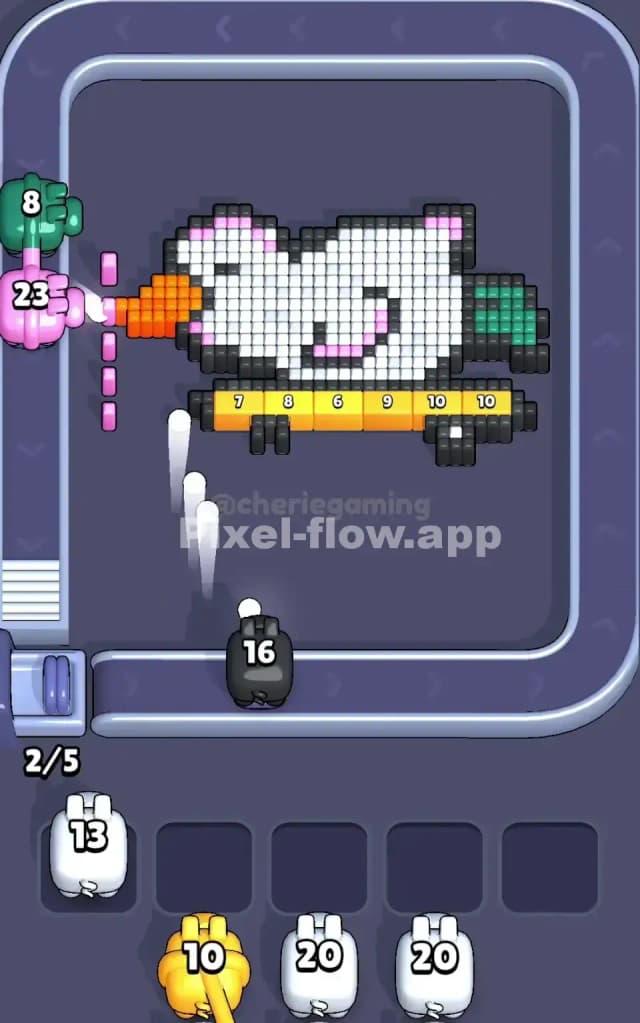
This level features a pixel-art duck riding a skateboard. Yes, really. A skater duck. Most of the complexity here isn't the duck itself, but the weird "picture frame" border surrounding it and the yellow "grind rail" beneath it.
To beat Pixel Flow Level 212, you need to peel off the outer frame first, then crack the yellow bar at the bottom, and finally dismantle the duck’s white body. The rule is simple: clear the outside to reach the inside. Is this a very hard level? Not really. It’s more of a "patience check." If you spam pigs too fast, you will clog your slots because the layers are distinct and separated.
Pixel Flow Level 212 Overview
The artwork is surprisingly cute. You're looking at a white duck with an orange beak, pink cheeks, and green tail feathers. It’s balanced on a black skateboard with grey wheels. However, the most annoying part of the design is the yellow bar directly under the duck—it looks like a grind rail or a curb—with numbers on it (10s mostly).
Surrounding the whole scene is a multi-colored, candy-cane style border. It alternates between bright blue, purple, and pink pixels.
The asymmetry here is important. The Left Side is dense with the orange beak and the start of the border. The Right Side has the green tail feathers but feels slightly more open. The Bottom is the danger zone. That yellow bar acts like a shield protecting the skateboard and the bottom of the duck. Until that yellow bar is gone, you can't easily access the black pixels of the skateboard or the white belly of the duck.
Step by step solution walkthrough for Pixel Flow Level 212
First Color Zone to Erase in Pixel Flow Level 212
Ignore the duck. Ignore the skateboard. Your absolute first priority is the Outer Border.
I start by targeting the Cyan/Light Blue and Purple pigs immediately. Here is why: that border wraps around the entire image. It blocks almost every angle. If you try to shoot the white duck body first, your white pigs will just bounce off the colored border pixels and waste a slot in your waiting area.
- Wait for the Border Colors: Watch the conveyor belt. If you see Blue, Purple, or Pink pigs, grab them immediately.
- The "Top-Down" Logic: The border is most vulnerable at the top. Clearing the top row of the frame opens up a clear line of sight to the duck’s head later.
- Don't Touch the Orange yet: You might see an orange pig early on. It looks tempting because the beak is right there on the left. Resist. The beak is often buried behind or flush with the border. Clear the frame first so the orange pig doesn't get stuck with 5 ammo left and nowhere to shoot.
How to pass Pixel Flow Level 212 without power ups or boosters
At the mid-point of the level, you’ve likely stripped away the colorful frame. Now you have a naked duck on a yellow rail. This is where people lose. The board looks open, but it's deceptively blocked.
Here is the specific order to avoid using boosters:
- The Yellow Bar is Priority #1: The yellow strip under the duck usually requires high-ammo pigs (around 10-20 ammo). You cannot clear the black skateboard wheels effectively until this yellow bar is gone. If a yellow pig shows up, prioritize it over everything else.
- The "White Pig" Trap: The duck is huge and mostly white. You will see many white pigs. Do not spam them. If you drop three white pigs into your slots, they might clear the head, but they can't reach the belly because the black skateboard or yellow rail is blocking the shot. Only place a white pig if you can clearly see a path to white pixels.
- Green Tail vs. Orange Beak: The green tail is usually on a deeper layer or further back. The orange beak is prominent. Clear the orange beak before the green tail. The beak sticks out and is easier to hit. Once the beak is gone, it often exposes the white neck pixels, allowing your white pigs to do more work per shot.
- Managing the Black Skateboard: The black pixels are tricky. They form the board and wheels. They are often low to the ground. You need to make sure the bottom row of the "conveyor belt path" is clear of the yellow rail so your black pigs have a straight shot at the wheels. If the yellow rail is still there, the black pigs are useless.
Last Details You Clean Up in Pixel Flow Level 212
You are almost there. The frame is gone. The yellow rail is smashed. The beak is history.
You are likely left with a few stubborn patches:
- The Skateboard Wheels: These are often the very last things to go. They sit at the lowest point of the pixel grid. Sometimes, the angle from the pig launcher makes hitting the bottom pixels hard if there is any debris left above them.
- The Green Tail Feathers: Because they are on the far right and somewhat tucked behind the body, they might survive until the end. Save a green pig specifically for this.
- Stray Pink Cheeks: The duck has pink pixels on its face. Don't confuse these with the border pinks! Make sure you keep a pink pig handy for these specific face details, or you'll be stuck waiting for a cycle refresh.
Finish off the black wheels, pop the last green tail feathers, and the skater duck is done. No boosters needed. Just smart layering.