Pixel Flow Level 233 Solution | Pixel Flow 233 Walkthrough
How to beat Pixel Flow Level 233: Video solution & walkthrough. The fastest way to pass Pixel Flow 233.
Is this the wrong level layout?🤔
Pixel Flow randomizes levels for different players. Don't worry, just upload a screenshot of your board, and our AI will find the correct video instantly.


Pixel Flow Level 233 Walkthrough
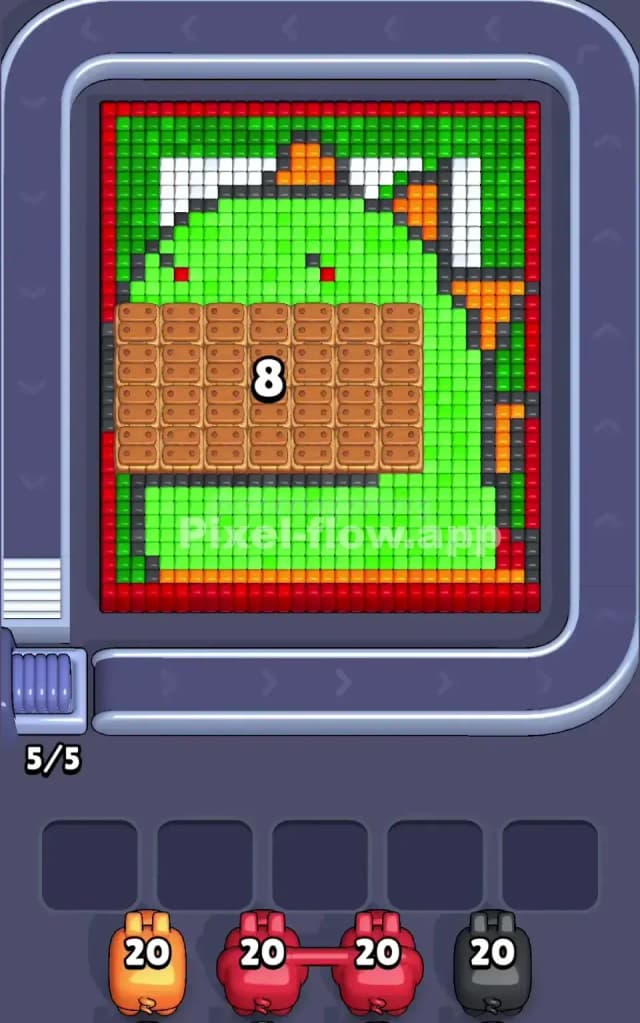
This level features a large, blocky green dinosaur, possibly a T-Rex, facing left. The most critical feature isn't the dino itself, but a massive rectangular "wooden crate" overlay sitting right in the middle of its face. This crate acts as a shield, blocking access to the purple mouth area beneath. To beat Pixel Flow Level 233, you must prioritize breaking this central obstruction while managing the red border and the massive green body areas. The complexity of the layering makes this a very hard level.
Pixel Flow Level 233 Overview
Imagine a pixel-art Godzilla with a muzzle on. The dinosaur is primarily bright green, with white teeth/spikes along the top and orange spikes running down its back. A dark red border frames the entire picture.
The central challenge is asymmetric. A huge brown block (the "muzzle") dominates the lower-left and center, completely obscuring the mouth layers. Until this block is gone, you cannot access the purple interior. The right side is simpler—just long columns of green neck and orange spikes. The left side is treacherous because the red border is thin, and once that red is gone, you hit the brown block immediately.
Step by step solution walkthrough for Pixel Flow Level 233
First Color Zone to Erase in Pixel Flow Level 233
Target the Brown Crate Area Immediately.
You need to clear that big brown rectangle in the center. Narratively, you are "un-muzzling" the monster. Logically, this block is the biggest obstacle preventing access to the deeper layers.
- Look for Brown Pigs: If you see brown pigs on the belt, grab them instantly. The crate is dense, requiring a lot of ammo to clear.
- Use Red Pigs carefully: The red border is the outermost layer on the left and bottom. You must clear the red pixels touching the brown crate first. Don't waste red ammo on the top right corner yet; focus on the bottom-left corner to expose the brown crate's edges.
- Why this matters: If you ignore the crate and focus on the green head, you'll clear the top half of the board but leave the bottom clogged. You need the space underneath that crate to open up more valid targets for other colors later.
How to pass Pixel Flow Level 233 without power ups or boosters
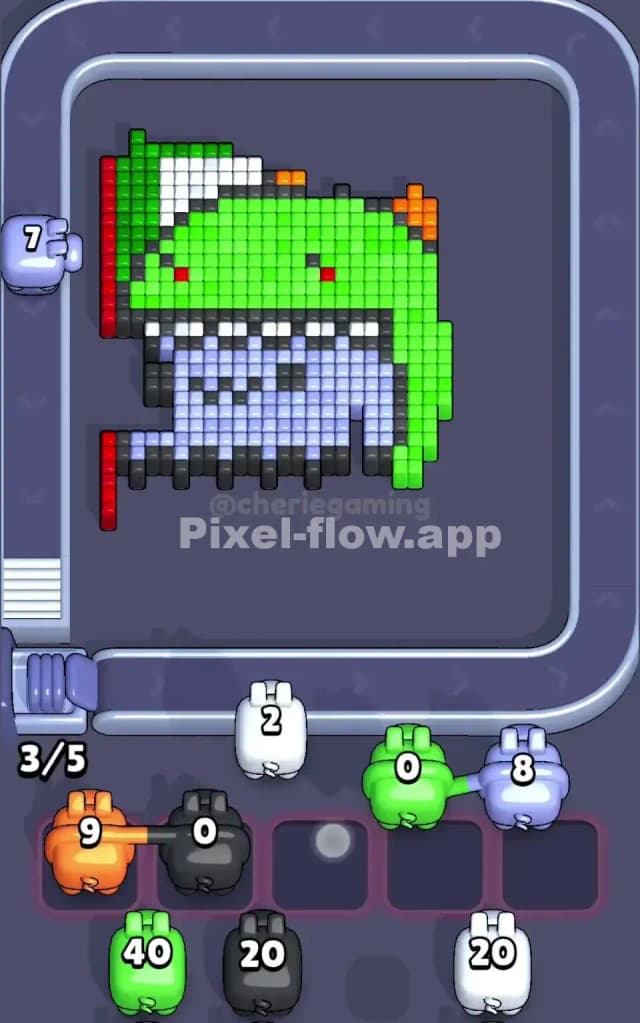
Once the brown crate is smashed, the board looks half-destroyed. You'll see a gaping hole revealing a light purple/blue interior (the inside of the mouth) with some dark grey teeth.
Here is the strategy shift:
- The Green Glut: You likely have a huge amount of green surface area remaining on the head and neck. This is your "safety valve." When your slots start filling up with random colors you can't use yet (like white or dark grey), find a Green Pig. Because the green area is so massive, a single Green Pig can fire for a long time, clearing your active slot and buying you breathing room.
- The Purple Interior: Once the brown crate is gone, the purple layer is exposed. Prioritize purple pigs now. This area is deep but narrow. Clearing it reveals the final "skeleton" of the level.
- Orange Spikes: Don't obsess over the orange spikes on the back. They are usually tucked behind green blocks. Only grab an orange pig if you have a clear line of sight to the spikes on the far right. Otherwise, let them loop around.
Last Details You Clean Up in Pixel Flow Level 233
The endgame is usually messy. You will be left with scattered "island" pixels:
- White Teeth/Spikes: There are white blocks along the top ridge and inside the mouth. These often get missed because they are small clusters. If you see a White Pig, check if it targets the top head spikes or the inner mouth teeth. Don't pick it up unless you are sure it has a target.
- Dark Grey/Black Outlines: The final layer is usually the dark outline pixels that define the jaw and eye. These are often the very last blocks to go. Save your Black Pigs for the absolute end. If you pick them up too early, they will sit in your slots uselessly because the black pixels are buried under green or purple.
Keep your slot management tight. If you have 3 slots filled, stop and wait for a color that matches a large exposed area (usually green or purple) to flush the queue.