Pixel Flow Level 242 Solution | Pixel Flow 242 Walkthrough
How to beat Pixel Flow Level 242: Video solution & walkthrough. The fastest way to pass Pixel Flow 242.
Is this the wrong level layout?🤔
Pixel Flow randomizes levels for different players. Don't worry, just upload a screenshot of your board, and our AI will find the correct video instantly.
Pixel Flow Level 242 Walkthrough
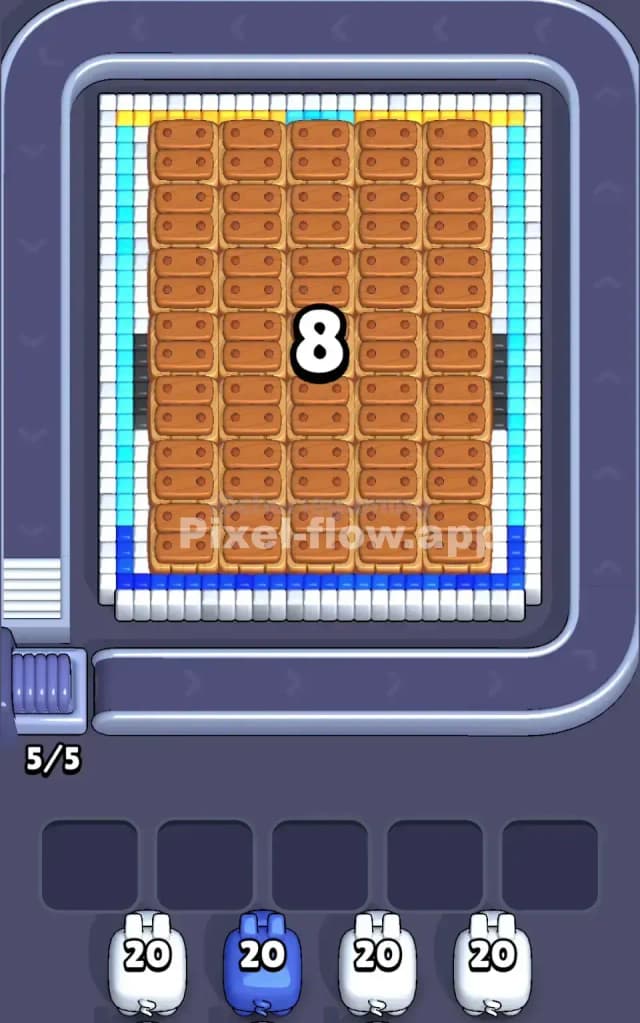
This level is a classic "unboxing" puzzle. You start with a massive, rectangular shipping container that completely hides the real artwork underneath. You aren't just painting a picture here; you are dismantling a crate to find the prize inside. The board logic is strict: you cannot touch the center of the structure until you have peeled away the protective outer layers.
Because of this "lid" mechanic, the valid target area at the start is extremely thin. You only have a single layer of pixels around the edge to work with, which means a single mistake can clog your waiting slots instantly. Due to this unforgiving start and the dense layering of the hidden character, Pixel Flow Level 242 is very hard. You need patience to break the shell without choking your board with useless pigs.
Pixel Flow Level 242 Overview
The visual storytelling here is neat. You begin looking at a sealed package: a grid of brown "biscuit" or wooden crate blocks in the center, tightly wrapped in a border of white and blue voxels. It looks like a heavy delivery sitting on the conveyor belt. There is zero indication of what is inside, and the brown blocks in the middle are completely immune to your starting pigs.
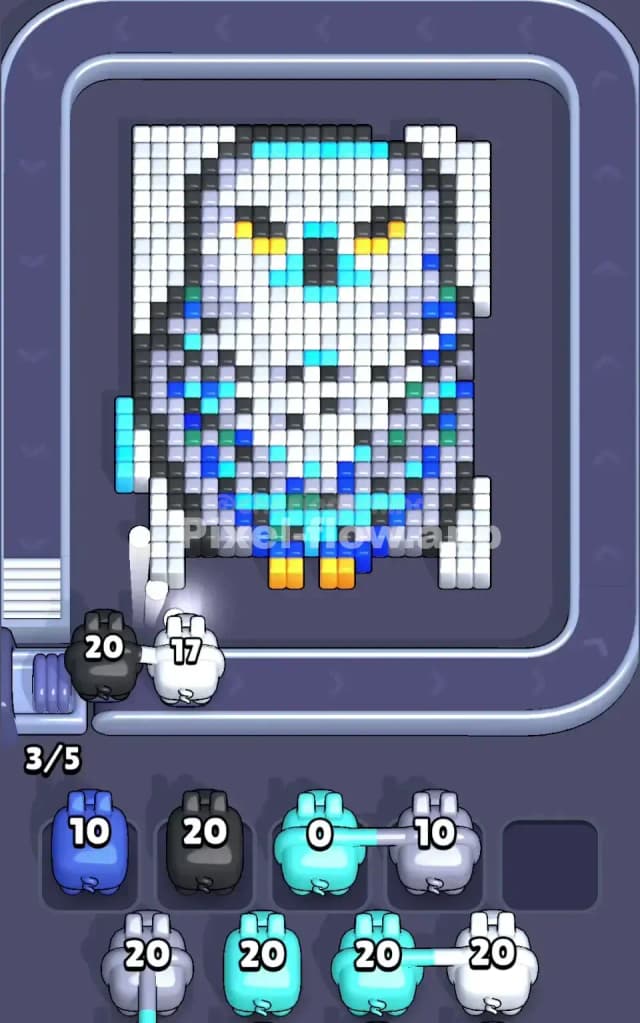
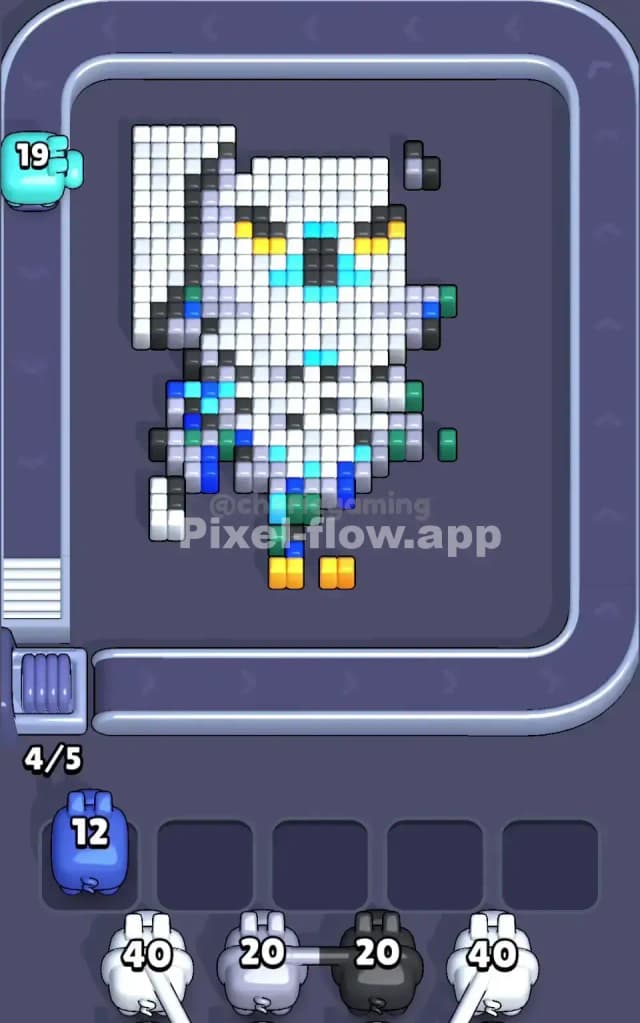
Once you crack the shell, you reveal a majestic Snowy Owl (or perhaps a Mecha-Owl given the blue geometric patterns). It has a thick white body, bright yellow talons and eyes, and sharp blue markings on its chest and wingtips. The artwork is vertically oriented and dense. The owl is thick—many layers deep—which means you will be firing hundreds of white cubes into the same spots to dig down to the background. The asymmetry is subtle; the owl’s head is slightly turned, meaning the white blocks on the left side of the face might clear faster than the right, exposing the background unevenly.
Step by step solution walkthrough for Pixel Flow Level 242
First Color Zone to Erase in Pixel Flow Level 242
You must attack the White Perimeter immediately. Ignore the brown wooden blocks in the center completely. You do not have brown pigs, and those blocks act as a "lid" that will likely destroy itself or vanish once the structural integrity of the border is gone.
Your queue starts with White and Blue pigs. The only white blocks accessible to you are on the extreme outer edge of the rectangle.
- Wait for your White pig to align with the long vertical columns of white blocks on the left or right side.
- Do not fire blindly at the corners. The corners are low-value targets. You want to strip the long straight lines of white pixels first.
- Once the white outer rim is shaved off, the Blue layer underneath becomes exposed. This acts as the "tape" holding the box together. Clearing the white rim is the key that unlocks the rest of the puzzle. If you fail to clear this rim efficiently, you will have nowhere to put your Blue pigs, and the level will end.
How to pass Pixel Flow Level 242 without power ups or boosters
Once the crate is smashed and the Owl is revealed, the board state shifts dramatically. You are no longer fighting a rectangle; you are fighting a complex, organic shape.
At this mid-stage, the board will look messy. You will have the Owl's white body partially exposed, but it will be covered in patches of Blue (chest feathers) and possibly some leftover crate debris.
The Priority Shift: You will likely see a stream of White pigs in your queue (usually ammo counts of 20 or 40). The trap here is the Blue Accents.
- The Owl's chest has blue patterns that sit on top of the deep white layers.
- If you ignore the blue blocks, your White pigs will have their shots blocked. A White pig with 40 ammo is useless if it hits a blue block after 2 shots and has to go to the waiting slot with 38 ammo left.
- Prioritize clearing the Blue chest and wing markings the moment they appear. Even if you have a White pig ready, check if a Blue pig is coming up soon. It is often better to let a White pig sit in a slot for a second, use a Blue pig to break the "armor" on the owl’s chest, and then unleash the White pig on the massive block of white feathers underneath. This maximizes your ammo efficiency and prevents slot clogging.
Last Details You Clean Up in Pixel Flow Level 242
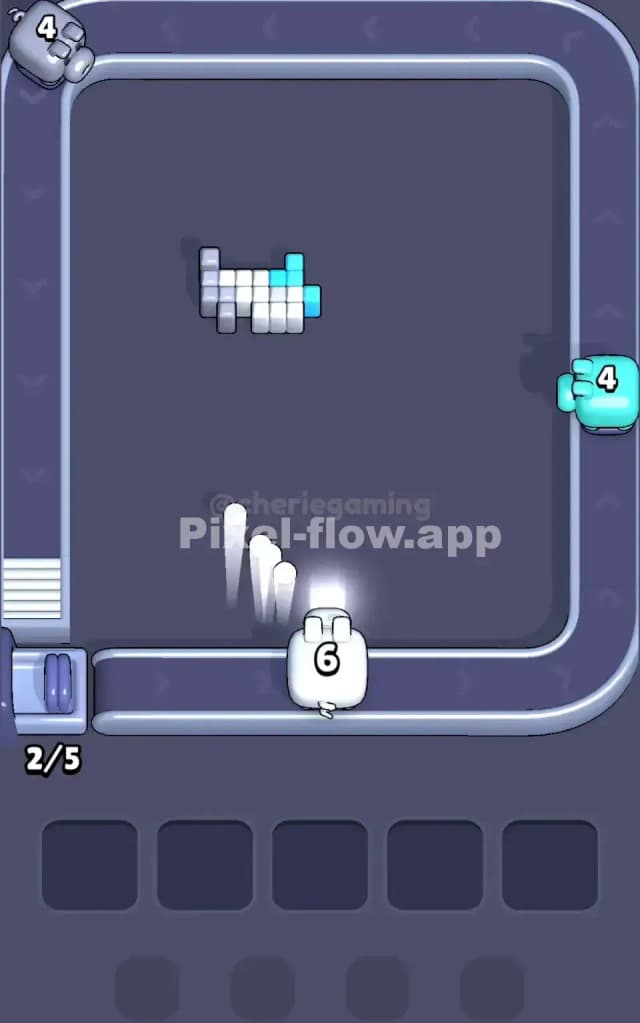
As you grind down the Owl's body, the final phase involves the small, high-contrast details: the Yellow Eyes/Feet and the Black/Grey wingtips.
These are dangerous. The Yellow blocks specifically are usually small clusters (2-4 blocks for the eyes, maybe 4-6 for the feet).
- Be very careful with your high-ammo pigs here. If the game gives you a Yellow pig with 20 ammo, but only the owl's beak (2 blocks) is visible, do NOT deploy that pig yet. Wait until the feet are also exposed so you can spend more ammo.
- The final moves usually involve cleaning up the dark grey or black pixels on the edges of the wings. These are often hidden until the very end because they sit deep in the voxel stack. Keep one slot open in your waiting area specifically for these "cleanup" pigs so you aren't forced to discard a color you need for the final layer.