Pixel Flow Level 246 Solution | Pixel Flow 246 Walkthrough
How to beat Pixel Flow Level 246: Video solution & walkthrough. The fastest way to pass Pixel Flow 246.
Is this the wrong level layout?🤔
Pixel Flow randomizes levels for different players. Don't worry, just upload a screenshot of your board, and our AI will find the correct video instantly.
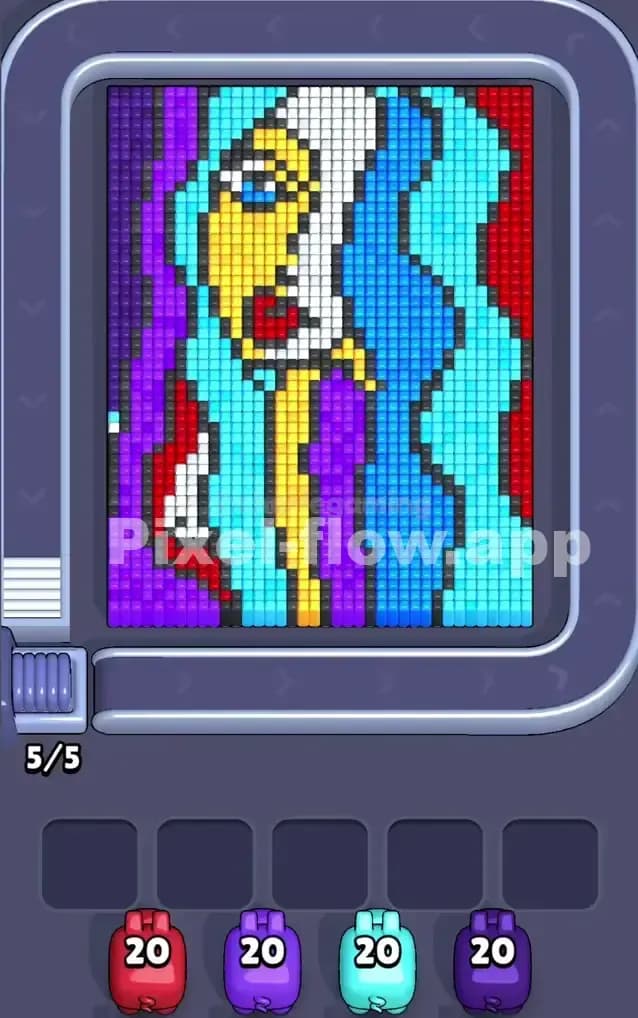

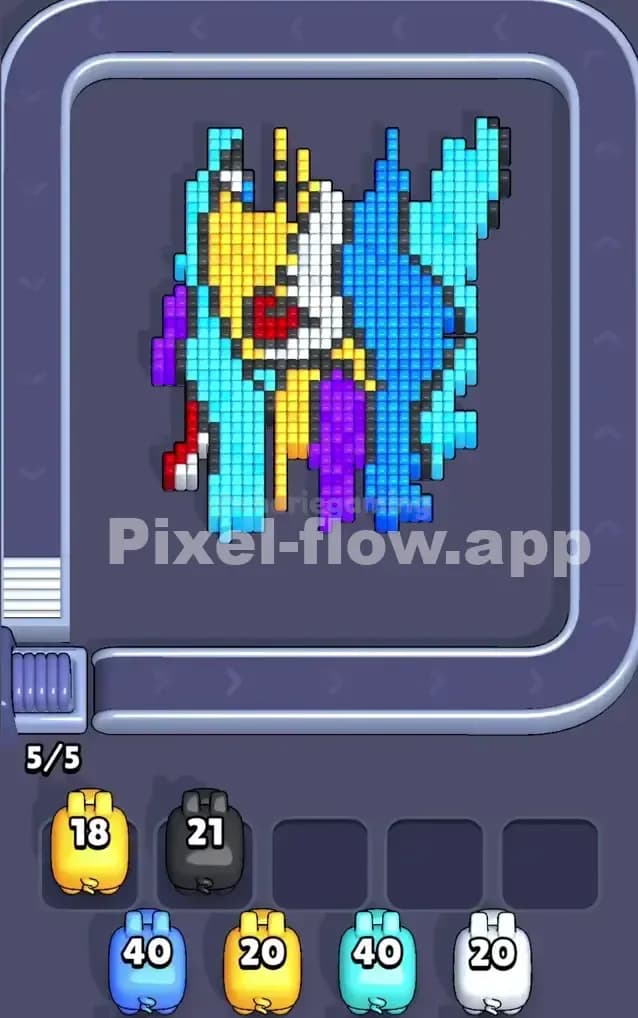

Pixel Flow Level 246 Overview
The Board and Its Layers
Pixel Flow Level 246 presents you with a vibrant, multi-layered portrait composed of bold primary and secondary colors stacked across several depth planes. The dominant colors you'll encounter are cyan, yellow, purple, red, blue, and white—each forming distinct regions of the pixel art face. The most striking feature is how tightly packed these colors are; there's very little breathing room, which means exposed cubes of one color often sit adjacent to multiple other colors. This layered design means you can't simply blast away one color wholesale—you'll need to carefully manage which pigs you deploy and in what sequence to avoid creating dead zones where remaining cubes have no valid shooter available.
Win Condition and Determinism
To clear Pixel Flow Level 246, you must eliminate every single cube on the board. The four pigs in your queue each have exactly 20 ammo shots, giving you 80 total cubes to destroy if you can use every round perfectly. Since pig order and ammo counts never change, Pixel Flow Level 246 is entirely deterministic—there's no randomness or luck involved. Success comes down to pure sequencing strategy: knowing which pig to deploy next, predicting which waiting slots will fill, and ensuring you never jam all five slots with stuck pigs before the board is clear.
Why Pixel Flow Level 246 Feels So Tricky
The Cyan Bottleneck
The biggest trap in Pixel Flow Level 246 is the overwhelming amount of cyan cubes scattered throughout the board. Cyan dominates the middle sections and appears in multiple disconnected regions, which means you can't expose the deeper layers without a cyan pig. However, you only get one cyan pig with 20 ammo, and if cyan cubes are hidden behind other colors, you'll be tempted to deploy your cyan shooter too early just to chip away at what you can see. Here's the problem: once that cyan pig enters a waiting slot, it's stuck there until there's a cyan cube to shoot. If you haven't exposed enough cyan targets yet, you've just wasted a slot and locked yourself into a rigid sequence. I found this the hard way—I deployed cyan too greedily on my first attempts and watched helplessly as it sat dormant while other pigs were forced into slots, eventually jamming the buffer.
The Purple and Red Overlap Issue
Purple and red form another nasty choke point in Pixel Flow Level 246. These colors sit so close together on the board that you can't always distinguish which cubes belong to which color from the visual alone, and if you're off by even one target, your pig will drop into the waiting slots prematurely. Purple, in particular, appears both on the left edge and scattered through the middle, which means your purple pig might have valid targets in the early game, go dormant mid-game as you expose new layers, and then suddenly have targets again late-game. This creates pressure to coordinate carefully and not waste your purple pig's ammo on obvious targets when there might be hidden purple cubes waiting deeper down.
The Emotional Rollercoaster
Honestly, Pixel Flow Level 246 frustrated me for a solid dozen attempts. The board looks beautiful and manageable at first glance, but the moment you shoot a few pigs and watch two of them slide into waiting slots while you're still staring at 50+ cubes, panic sets in. I'd feel the pressure mounting, second-guess myself, and deploy pigs in the wrong order just to "make progress." The breakthrough came when I stopped reacting and started counting: I sat with a pen and paper, mapped out visible colors by region, counted ammo vs. estimated targets, and realized the level rewards patience and planning over instinct.
Step-by-Step Strategy to Clear Pixel Flow Level 246
Opening: Build Your Foundation Carefully
Start Pixel Flow Level 246 by deploying your red pig first. Red is visible in several obvious patches on the right and bottom portions of the board, and it doesn't form any major bottlenecks—you can afford to burn red early without fear of needing it to expose deeper layers. Red should have no trouble finding 15–18 targets in its first round or two, consuming most of its 20 ammo cleanly and keeping it active in the queue. This immediate success does two critical things: it frees up a waiting slot before you really need it, and it begins exposing the second layer of colors beneath the surface.
While red is shooting, keep careful count of your available waiting slots. You start with 5, and you never want to drop below 2 free slots at any point in Pixel Flow Level 246. If you're heading toward 4 slots filled, you must deploy your next pig immediately, whether or not you've planned perfectly for it. Better to adjust on the fly than to jam the buffer completely.
Mid-Game: Sequencing and Layer Exposure
Once red is mostly spent, deploy your yellow pig. Yellow appears prominently in the upper-middle region of Pixel Flow Level 246 and, like red, has enough obvious targets to stay active without relying on deep-layer exposure. Yellow should consume 12–16 ammo in its first deployment, advancing your progress and opening up the third color layer. By this point, cyan and purple are probably becoming more visible, but resist the urge to deploy them yet.
Next, send out your first purple pig (yes, you have two purple pigs in your queue). Purple has an odd distribution in Pixel Flow Level 246—some targets are easy to see, others are hidden. Deploy your first purple carefully, letting it shoot maybe 8–12 targets from the visible areas. When it runs out of obvious shots, it'll drop into a waiting slot. That's fine; you've just locked in one-third of your purple ammo in reserve for later, when deeper layers reveal the remaining purple cubes.
Now comes the critical moment in Pixel Flow Level 246: deploy your cyan pig with extreme caution. Cyan is your keystone shooter for exposing the innermost layers. Count every visible cyan cube on the current board state before you shoot. Your cyan pig has exactly 20 ammo, and you need to make every shot count. Shoot 10–12 cyan cubes on your first cyan turn, leaving 8–10 ammo reserved for the deep layers that'll appear as you clear red, yellow, and purple. This reserve strategy is what separates success from failure in Pixel Flow Level 246.
As mid-game progresses, watch your waiting slots obsessively. You should never have more than 2 pigs sitting idle; if you do, deploy your next queued pig immediately, even if you're not 100% sure of the order. The game is designed so that any reasonable sequence works if you keep slots flowing, but filling all 5 slots with dormant pigs guarantees a loss.
End-Game: The Clean Finish
In the final stretch of Pixel Flow Level 246, you'll have one or two pigs left in your queue, and most of the board should be visible. Deploy your second purple pig and let it finish off the remaining purple cubes exposed by earlier work. Purple should have 18–20 targets by the end-game, meaning your second purple pig will likely consume all or most of its ammo in one clean burst.
For the very last pig, you might have a second cyan pig or a reserve shot from an earlier color. Deploy it and let it mop up any remaining scattered cubes. This final phase of Pixel Flow Level 246 should feel anticlimactic if you've sequenced correctly—just a few leftover cubes disappearing without drama.
The key to a clean Pixel Flow Level 246 finish is ensuring that when you reach the final pig, fewer than 30 cubes remain. If you've burned ammo efficiently and sequenced well, the last pig will clear everything without ever entering a waiting slot, giving you a perfect victory with zero wasted buffer space.
The Logic Behind This Pixel Flow Level 246 Plan
Why This Sequence Works
The order for Pixel Flow Level 246—red, yellow, first purple, cyan, second purple—exploits the game's layer logic brilliantly. By removing the "cosmetic" colors first (red and yellow), you expose the mid-layer colors (purple and cyan) without needing them yet. This gives you perfect visibility into how many of each color actually exists on the board, eliminating guesswork. Cyan is deployed third-to-last, not first, because it's your most flexible shooter; by delaying it, you force the other pigs to shoulder the load of layer-peeling, and then cyan sweeps up whatever remains.
The two-part purple split is equally clever. Your first purple pig does reconnaissance, revealing how many purple cubes exist and where they hide. Your second purple pig, deployed much later, finishes the job when almost everything else is gone. This staggered approach prevents purple from ever getting stuck waiting for targets—it's always either shooting or scheduled to shoot imminently.
Staying Calm and Counting Ahead
The real skill in Pixel Flow Level 246 isn't reflexes or guessing; it's discipline. Every time you deploy a pig, count on your fingers how many cubes of that color are visible. Divide that by how much ammo the pig has. If the numbers don't match, the pig will drop into a waiting slot—and that's part of the plan. Never panic when a pig parks in a waiting slot. Instead, celebrate that you've got one pig permanently ready to finish those targets when they appear. Panic only if you watch a pig drop into a slot and realize you have zero visible targets of that color. That's a missequence, and you'll need to restart.
Playing Pixel Flow Level 246 successfully means thinking three pigs ahead. Before you tap deploy, mentally simulate the next pig's likely ammo consumption and waiting-slot fate. Can you afford to have that pig sit idle? Is there a better pig to send first? This forward planning is what transforms Pixel Flow Level 246 from a frustrating scramble into a satisfying puzzle.