Pixel Flow Level 277 Solution | Pixel Flow 277 Walkthrough
How to beat Pixel Flow Level 277: Video solution & walkthrough. The fastest way to pass Pixel Flow 277.
Is this the wrong level layout?🤔
Pixel Flow randomizes levels for different players. Don't worry, just upload a screenshot of your board, and our AI will find the correct video instantly.

Pixel Flow Level 277 Walkthrough
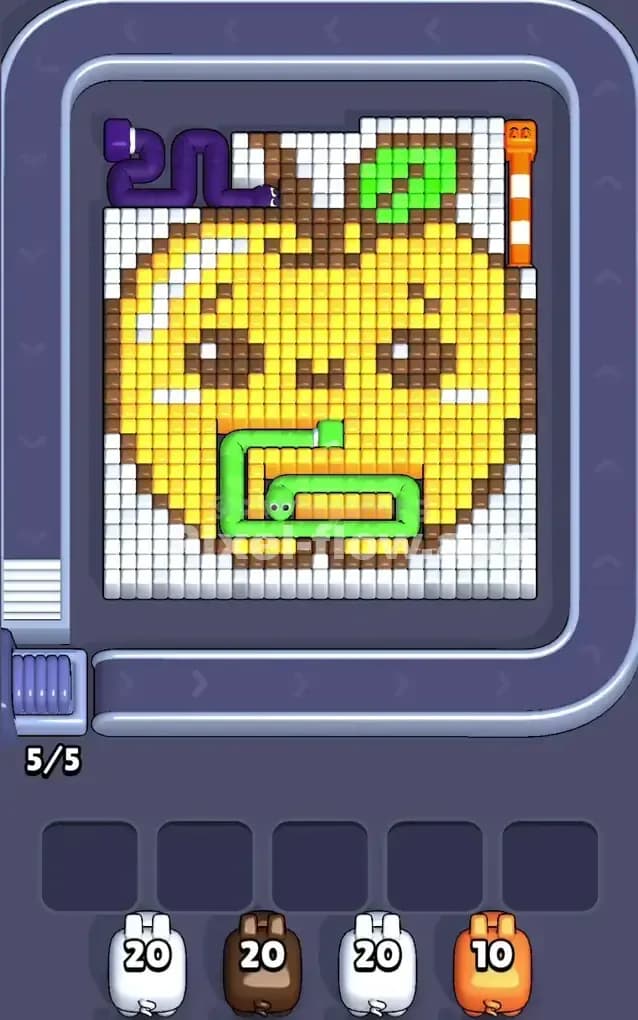
This level features a massive pixel art rendition of a "Kawaii Apple." It’s a bright yellow fruit with a cute smiling face, but it is currently infested with colorful worms. You will see a purple worm in the top-left corner, a green worm curling through the bottom center, and an orange worm segment standing vertically on the far right. The entire scene is encased in a thick, solid block of white pixels representing the background.
The rules to beat Pixel Flow Level 277 are standard but strict: you must peel away the outer layers to expose the inner colors. You cannot shoot the yellow apple core until you remove the brown outline. You cannot remove the brown outline until you clear the white background that blocks the shots. Because of the heavy layering and the specific order required to clear the "worms," I judge this to be a very hard level. One mistake with your pig queue will clog your slots instantly.
Pixel Flow Level 277 Overview
The artwork here is deceptive. It looks like a happy, simple apple, but the geometry is messy. The main subject is a large yellow apple, centered, with two brown eyes and a small mouth. However, the symmetry is ruined by three distinct intruders.
First, look at the Top Left. There is a purple worm shape that winds its way out of the white background and rests on top of the apple. This creates a blockade for any shots coming from the upper-left conveyor belt.
Second, check the Bottom Center. A large green worm forms a "G" shape or a loop right over the apple’s chin. This green mass protects the yellow pixels underneath it.
Third, on the Far Right, there is a tall, vertical orange segment. It looks like a straw or another worm. It sits flush against the white border.
Finally, the White Background is not just empty space; it is a physical layer of cubes. It wraps around the entire apple, thickest at the corners. Until this white layer is gone, your pigs are effectively blind to the main apple structure. The brown outline of the apple acts as the second "skin," trapping the massive amount of yellow cubes inside.
Step by step solution walkthrough for Pixel Flow Level 277
First Color Zone to Erase in Pixel Flow Level 277
Your absolute priority is the White zone. Ignore the colorful worms for a moment.
The white pixels form a dense cage around the apple. If you look at your starting pigs, you likely have high-ammo White pigs (holding 20 shots). You must play these immediately. Why? Because the conveyor belt wraps around the top and sides. If the white blocks remain, a Brown pig or a Purple pig literally has no line of sight to their targets. The white blocks physically shield the brown outline and the purple worm.
Start by clearing the bottom-left and bottom-right white corners. This opens up angles. Once the bottom corners are shaved down, the side angles open up, allowing you to peel off the white cubes sitting on top of the apple's "shoulders." Do not keep White pigs in your holding slots; if you see a clear shot at white pixels, take it. This level is claustrophobic. You need breathing room.
How to pass Pixel Flow Level 277 without power ups or boosters
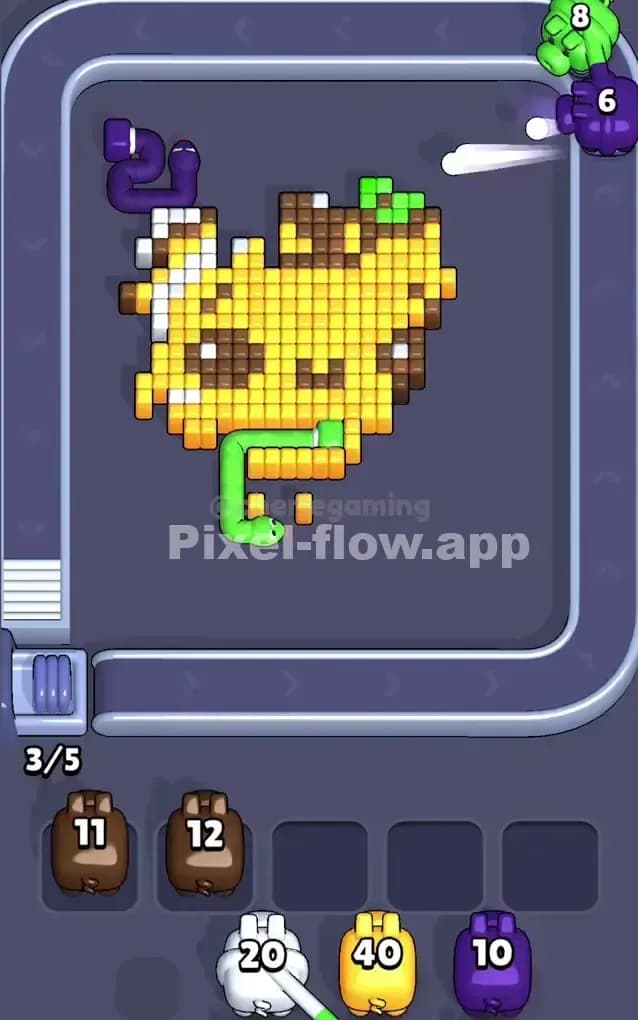
Once the white background is mostly cleared, the board looks half-destroyed. The "Kawaii Apple" is now floating in void space, but it’s still covered in "trash"—the worms and the outline. This is the danger zone.
You will see pigs for Brown, Purple, Green, and Orange. The trap here is the Brown Outline.
You might be tempted to save the Brown pigs because they look important. Do not hoard them. The brown pixels form the skin of the apple. You cannot hit the Yellow core until the Brown skin is removed. However, the Green and Purple worms often sit on top of the brown skin or block the path to it.
If you get a Purple or Green pig, prioritize clearing those specific worms immediately. The Green worm in the bottom center is especially annoying because it blocks shots aimed at the lower brown outline. Clear the worm. Then, use your Brown pigs to strip away the apple's outline.
If you refuse to use power ups, you must count your ammo. A Brown pig often has 11-12 ammo. Make sure you have at least that many brown blocks exposed. If you only see 3 brown blocks and summon a 12-ammo pig, that pig will sit in your slot forever, clogging your flow. Wait until you have stripped the Green/Purple obstacles so the Brown pig can do a full sweep.
Last Details You Clean Up in Pixel Flow Level 277
In the final phase, the apple looks like a peeled fruit. The brown skin is gone. The worms are gone. You are left with a massive block of Yellow pixels and two small clusters of Brown pixels (the eyes).
This is the final hurdle. You will likely receive a high-ammo Yellow pig (40 ammo!). Do not deploy this pig until the path is wide open. If there are still stray brown pixels from the outline blocking the yellow mass, the Yellow pig will waste shots or get stuck.
The eyes are tricky. They are Brown cubes embedded inside the Yellow face. Sometimes, you have to clear the top layer of Yellow to reach the Brown eyes. Other times, the eyes are on the surface. Watch the depth. If the eyes are deep, clear the Yellow first. If they are flush with the surface, clear them with a small Brown pig so your massive Yellow pig can finish the level in one clean stream of fire.