Pixel Flow Level 427 Solution | Pixel Flow 427 Walkthrough
How to beat Pixel Flow Level 427: Video solution & walkthrough. The fastest way to pass Pixel Flow 427.
Is this the wrong level layout?🤔
Pixel Flow randomizes levels for different players. Don't worry, just upload a screenshot of your board, and our AI will find the correct video instantly.
Pixel Flow Level 427 Walkthrough
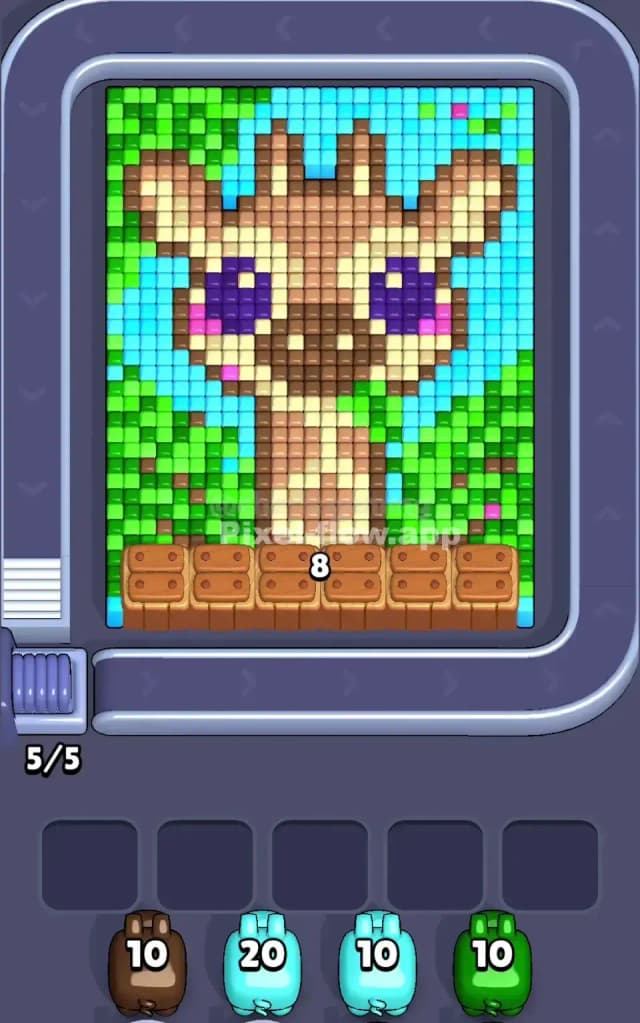
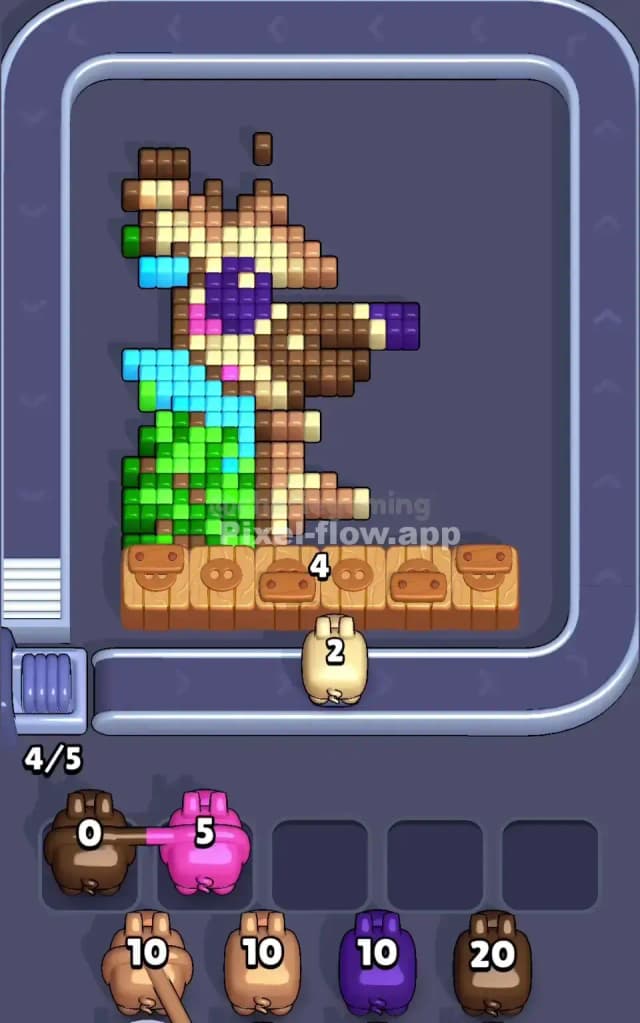
In Pixel Flow Level 427, you are clearing a portrait of a cute, wide-eyed giraffe set against a backdrop of blue sky and green foliage. The key colors here are Light Blue (Sky), Green (Leaves), Dark Brown (Spots/Outlines), Tan (Face), and Purple (Eyes).
The main gimmick in this level is the wooden crate barrier at the very bottom. These crates block direct shots to the lowest rows of pixels until you chip away at the layers above them. You need to manage your pig slots carefully because the bottom row is initially inaccessible. Is it a very hard level? Not extremely, but it requires patience to avoid clogging your slots while waiting for the wooden crates to clear.
Pixel Flow Level 427 Overview
The scene is dominated by a friendly giraffe head taking up the center. Its large purple eyes are a focal point, but they are buried deep in the pixel layers.
- The Background: The left and right edges are heavy with Green (foliage) and Light Blue (sky). These colors are your "outermost" layer for much of the board.
- The Barrier: At the bottom, a row of wooden crates marked with numbers (like "8") sits directly in front of the giraffe’s neck. You cannot shoot the pixels behind these crates until the crates are destroyed or you shoot over them.
- Asymmetry: The green foliage is slightly heavier on the left side, while the blue sky dominates the top right corner. This means Green pigs are safer to play early on the left, while Blue pigs are safer on the right.
Step by step solution walkthrough for Pixel Flow Level 427
First Color Zone to Erase in Pixel Flow Level 427
Focus on the Sky (Light Blue) and Foliage (Green) first.
I recommend starting with the Light Blue sky at the top right or the Green leaves on the far left.
- Why? The giraffe's face is complex and layered. If you start trying to pick at the brown or tan spots, you will likely hit pixels that are "behind" the blue or green layers, wasting shots or clogging slots.
- The Strategy: The Green and Blue zones are large, contiguous blocks. This allows a Green or Blue pig to empty its entire ammo clip (usually 10 or 20 shots) in one go without dropping into your waiting slots. Clearing the top corners also helps expose the upper outline of the giraffe's head, giving you more valid targets for Brown pigs later.
How to pass Pixel Flow Level 427 without power ups or boosters
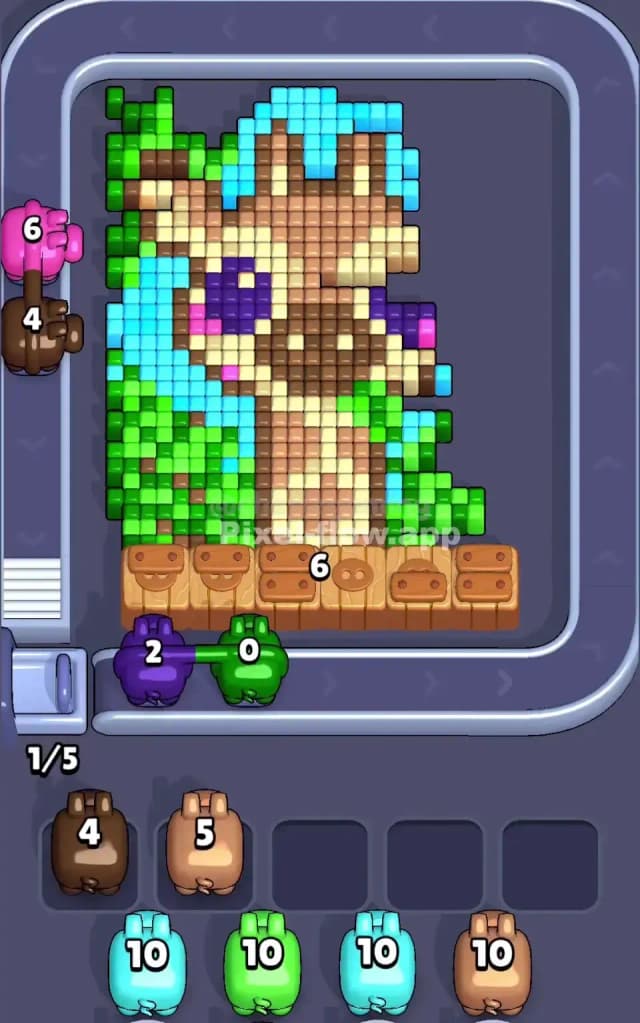
Midway through the level, you'll have a half-eaten giraffe. The blue sky and green leaves should be mostly gone. Now you face the Wooden Crates and the Tan/Brown mix of the face.
- The Crate Problem: The wooden crates at the bottom have hit points (numbers). You cannot target them directly; you have to clear pixels adjacent to them or wait for specific mechanics if applicable (usually, simply clearing the board above them lets you eventually reach the bottom). In this specific layout, just focus on clearing the pixel art itself. As you clear pixels, the board logic often progresses.
- Color Priority Shift: Once the background is gone, switch to Tan/Beige. This is the main color of the giraffe's face. It covers a huge area. Clearing the Tan layer will expose the darker Brown spots and the Purple eyes.
- The Eye Trap: Do not play Purple pigs too early. The eyes are small (only a few pixels) and are deep in the stack. If you play a Purple pig while the face is still covered in Tan, that pig will have no targets, drop into your slot, and sit there uselessly until the end. Wait until you clearly see the purple pixels exposed.
Last Details You Clean Up in Pixel Flow Level 427
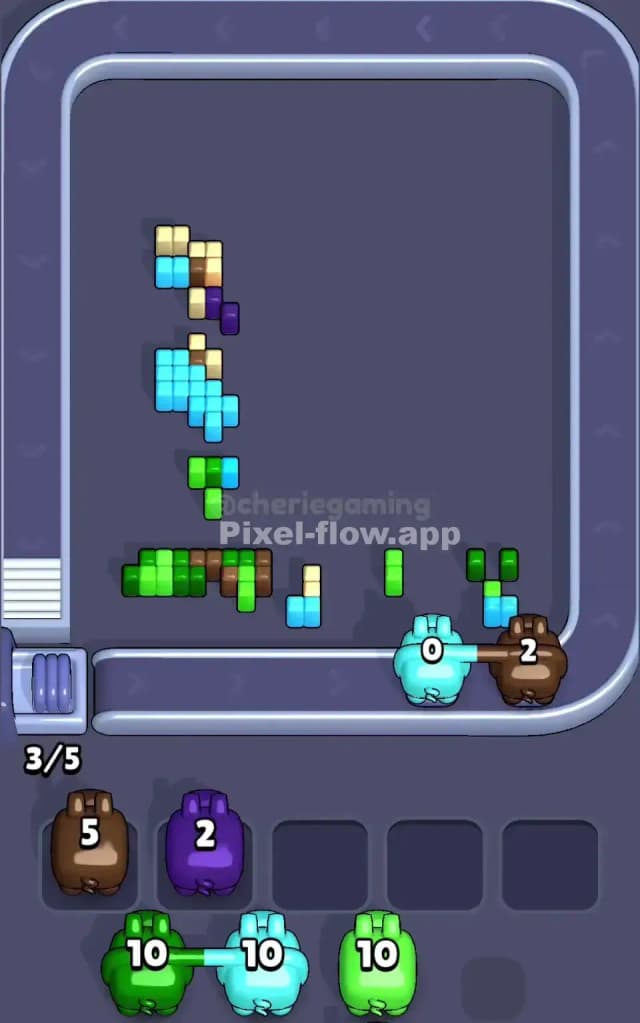
As you approach the end, the board will look like a skeleton of the original image.
- Dark Brown Outlines: The dark brown pixels form the "bones" of the drawing—the ossicones (horns), the snout, and the edges of the neck. These are often the last to go because they are scattered. Be careful with Dark Brown pigs; ensure there are enough scattered brown pixels exposed to drain their ammo.
- Purple Eyes & Pink Cheeks: These are the final "gem" layers. You will likely finish the level by popping the bright purple eyes and the tiny pink cheek dots.
- Neck Area: The bottom of the neck is often the last place to clear because it was hidden behind the crates the longest. Save a Tan or Brown pig specifically for this bottom section to ensure you don't get stuck with 1-2 pixels remaining and no matching pigs in the queue.