Pixel Flow Level 489 Solution | Pixel Flow 489 Walkthrough
How to beat Pixel Flow Level 489: Video solution & walkthrough. The fastest way to pass Pixel Flow 489.
Is this the wrong level layout?🤔
Pixel Flow randomizes levels for different players. Don't worry, just upload a screenshot of your board, and our AI will find the correct video instantly.
Pixel Flow Level 489 Walkthrough
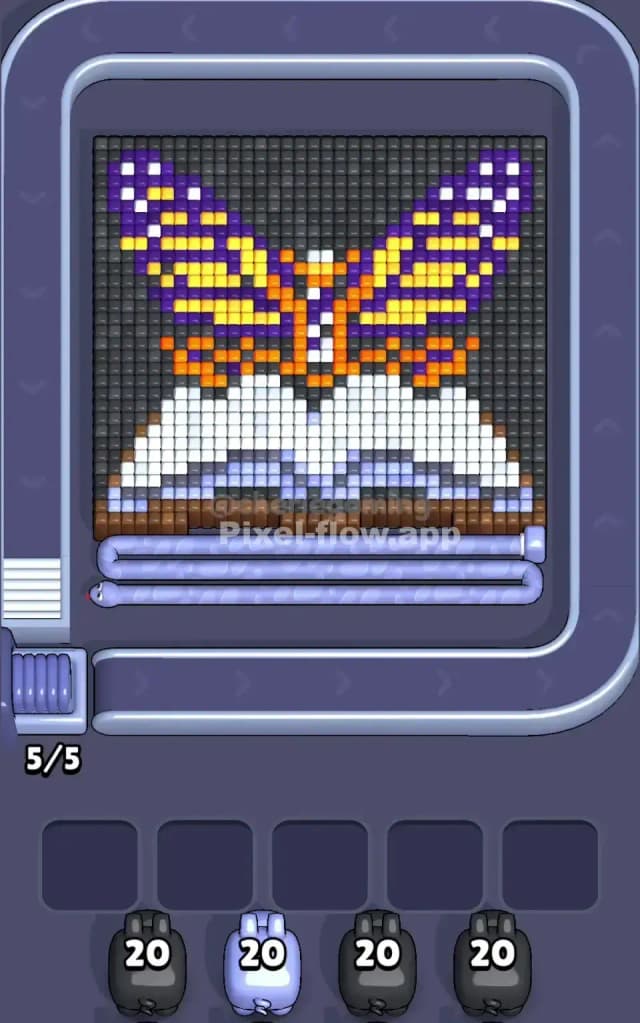
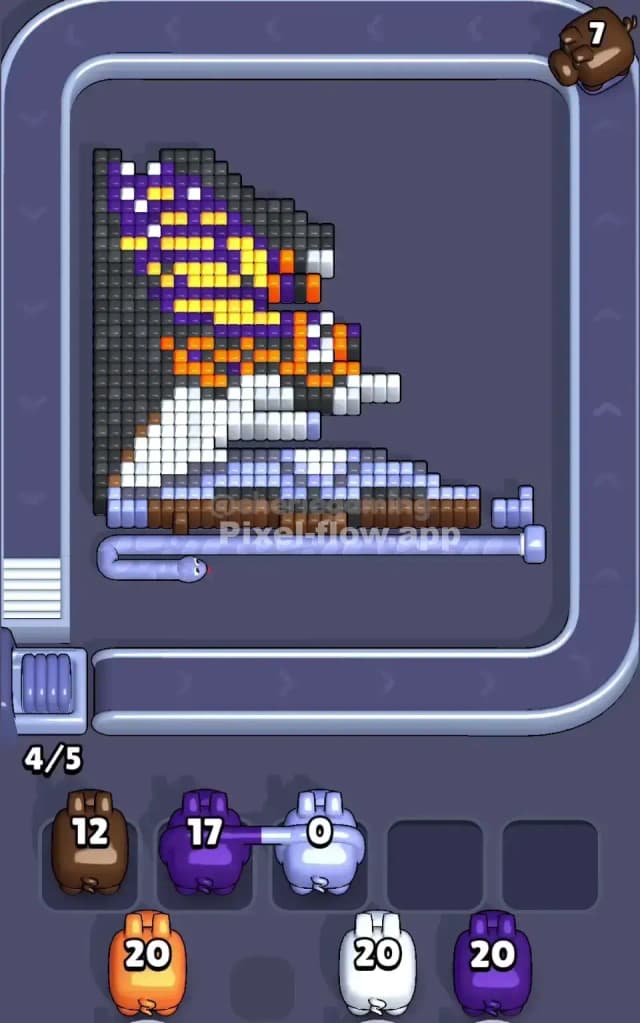
This level features a striking, large-scale pixel art piece of a purple and yellow butterfly resting on an open book. The colors are distinctly separated: the top half is dominated by purple, yellow, and black (the butterfly), while the bottom half is a dense block of white and light blue (the book pages) resting on a brown table surface.
To beat Pixel Flow Level 489, you need to manage the massive white section at the bottom while chipping away at the detailed butterfly wings on top. The rule is simple: clear the outer layers to reveal the inner blocks so your pigs don't get stuck in the waiting slots. Is this a very hard level? No. It looks intimidating because of the size, but the color separation makes it manageable if you don't panic.
Pixel Flow Level 489 Overview
The artwork depicts a large butterfly with intricate wing patterns. The wings are primarily purple with yellow highlights and white spots, all outlined against a dark black/grey background. Beneath the butterfly sits an open book made of bright white pages with light blue shading to show the curve of the paper. The whole scene rests on a brown wooden surface at the very bottom.
The structure is fairly symmetrical. The butterfly spreads across the top center, and the book spans the entire width of the bottom. However, the density is asymmetric. The bottom "book" section is a thick, solid slab of white. The top "butterfly" section is thinner and more fragmented because of the wing patterns. This means your white pigs will have a huge amount of work to do, while purple and yellow pigs will need to make precise shots on the upper half.
Step by step solution walkthrough for Pixel Flow Level 489
First Color Zone to Erase in Pixel Flow Level 489
I start by targeting the White zone on the book pages.
Here is the narrative logic: The book is the foundation of the image. It's a huge, uninterrupted block of white pixels. By prioritizing white pigs early, you clear out the bottom half of the screen quickly. This does two things:
- It removes the massive bulk of blocks that could easily clog your slots later if you ignore them.
- It creates a "floor" of empty space, making it easier to see what remains of the brown table underneath and the butterfly above.
If you don't get white pigs immediately, target the Purple wing tips. The purple blocks are the outermost layer of the butterfly. Clearing the outer purple edges exposes the yellow and orange details hidden underneath.
How to pass Pixel Flow Level 489 without power ups or boosters
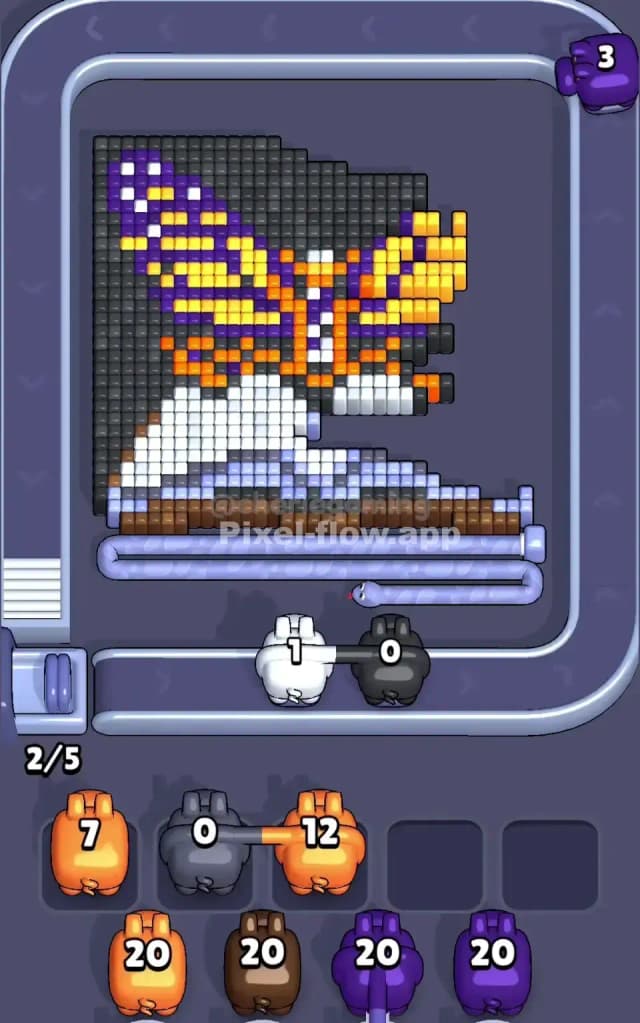
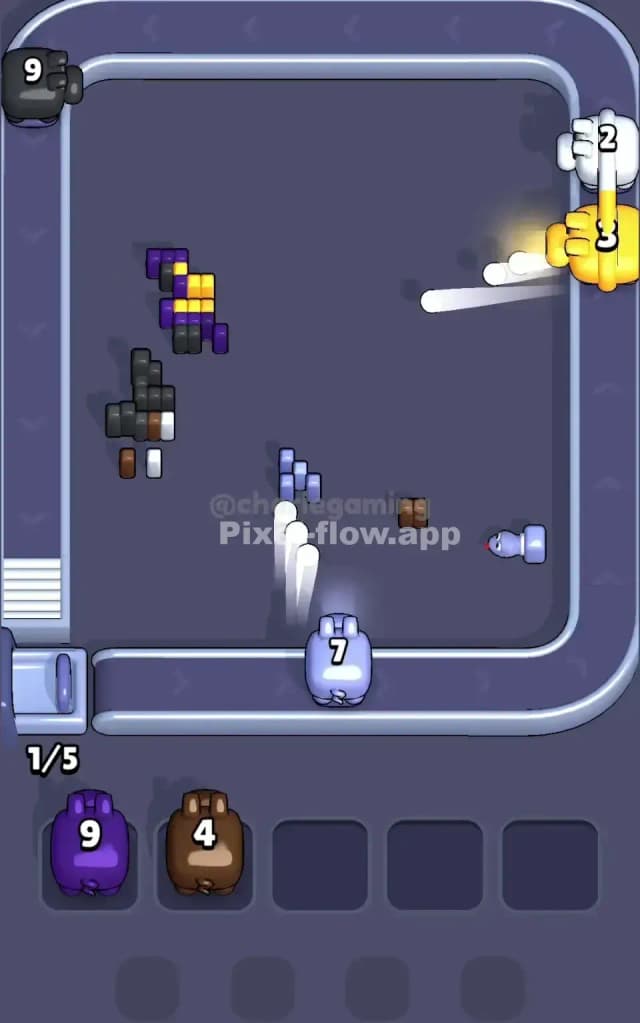
Around the mid-way point, your board will look strange. The big white book will likely be half-gone, leaving jagged "teeth" of light blue shading and the brown table exposed at the bottom. The butterfly will probably be missing one wing or chunks of its purple outline.
At this stage, be very careful with Black and Brown pigs.
- The Trap: The black background blocks are often hidden behind the butterfly wings. The brown table blocks are hidden behind the white book pages.
- The Fix: Do not let a Black or Brown pig drop into your waiting slots unless you see a clear, exposed path to their color. If the book is still covering the table, a Brown pig is useless. If the wings are still fully intact, a Black pig might not have a target yet.
Focus on clearing the Yellow strips inside the wings. Once the purple outline is gone, the yellow becomes the primary obstacle blocking the background. Prioritize yellow pigs to hollow out the butterfly's shape.
Last Details You Clean Up in Pixel Flow Level 489
In the final few moves, you will likely be staring at a few stubborn columns.
- The Spine: The center of the butterfly (orange and white vertical strip) often remains until the end because it's protected by the wings. You might need one specific orange pig to finish this off.
- The Background Corners: The very last things to go are usually the dark grey/black blocks that make up the background canvas. These are the deepest layer. You will likely finish the level with a stream of black pigs cleaning up the empty space behind where the wings used to be.
Keep your slots open for those final background cleaners. If you clog a slot with a random color now, you might fail right at the finish line.