Pixel Flow Level 63 Solution Walkthrough | Pixel Flow 63

How to solve Pixel Flow level 63? Get instant solution for Pixel Flow 63 with our step by step solution & video walkthrough.

Share Pixel Flow Level 63 Guide:
Pixel Flow Level 63 Gameplay
Pixel Flow Level 63 Solution 1
Pixel Flow Level 63 Solution 2
Pixel Flow Level 63 Solution 3

Pixel Flow Level 63 Overview

The Starting Board and Color Layout

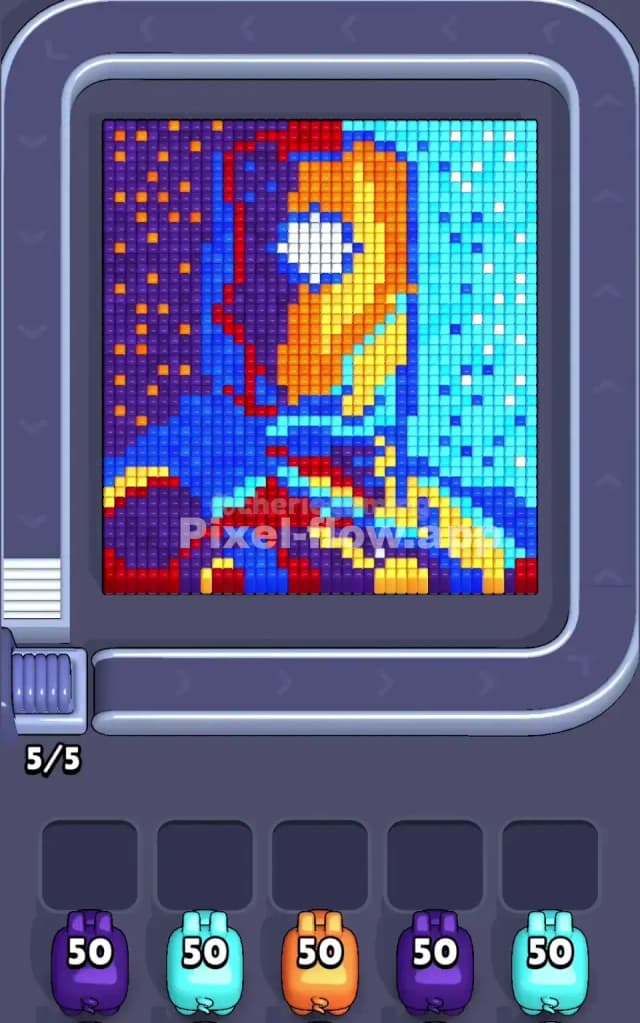
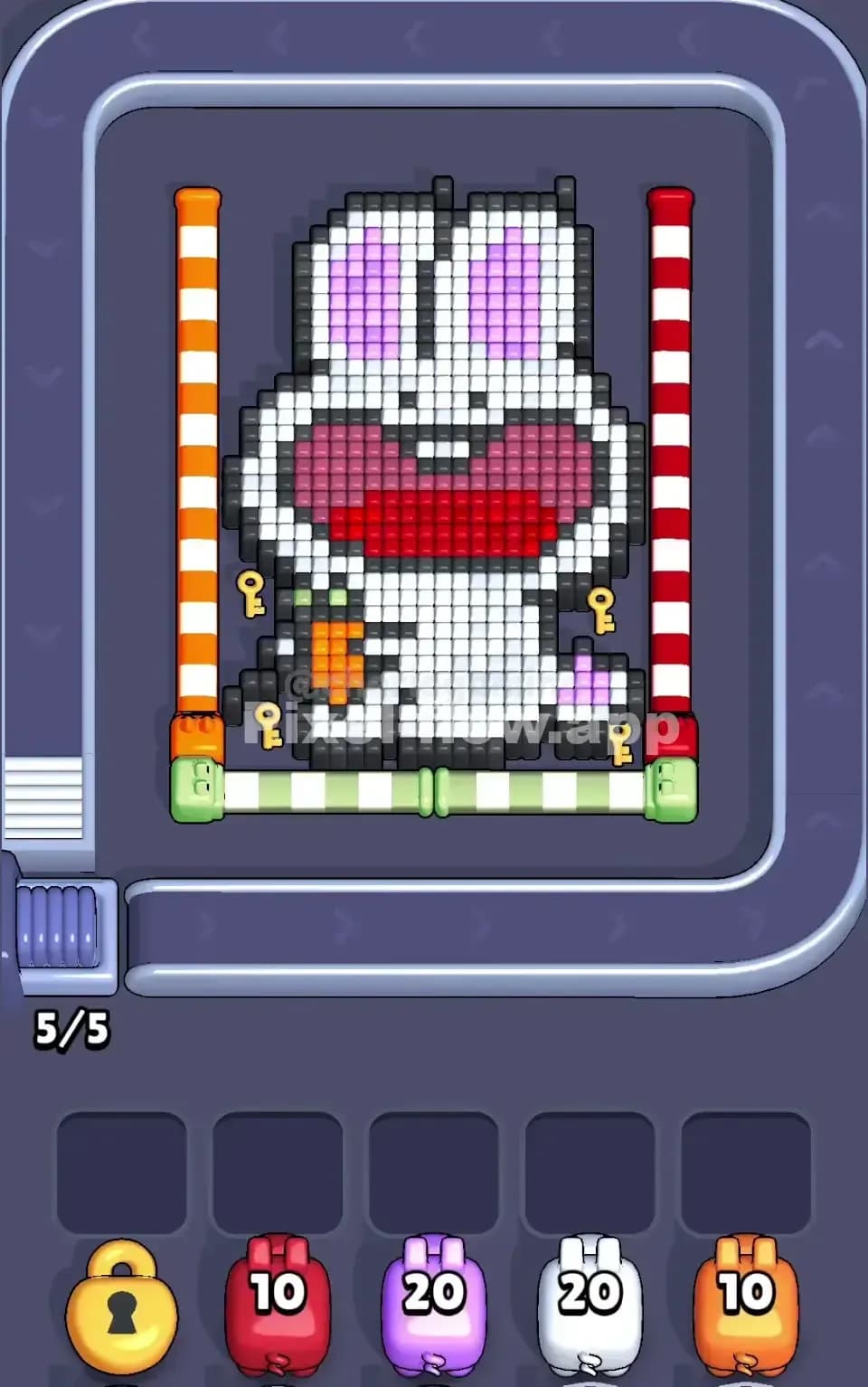
Pixel Flow Level 63 presents you with a vibrant, multi-layered voxel image that demands careful color management. The board is dominated by five primary colors—purple, cyan, orange, blue, and red—each represented by a pig with exactly 50 ammo. At first glance, you're looking at a complex scene with a central focal point surrounded by layered color blocks that extend across the entire playing field. The upper portion features a striking mix of orange, yellow, and cyan tones forming what appears to be the main subject, while the lower sections contain dense patches of purple, blue, and red that create natural choke points. What makes Pixel Flow Level 63 immediately challenging is that no single color dominates the visible surface; instead, colors are interwoven in patterns that force you to think several moves ahead before committing your pig queue.

Win Condition and Deterministic Mechanics

Your goal in Pixel Flow Level 63 is straightforward: eliminate every single voxel cube on the board by matching pigs to their colored targets. The critical thing to understand is that everything about your pig queue is completely deterministic—you know exactly which color will appear next, how much ammo each pig carries, and in what order they'll arrive. This means Pixel Flow Level 63 isn't about luck; it's about reading the board, counting ammo, and sequencing your pig releases so that each one finds just enough work to do without getting stuck in the waiting slots with leftover ammunition.


Why Pixel Flow Level 63 Feels So Tricky

The Core Bottleneck: Purple Abundance and Cyan Awkwardness

The biggest trap in Pixel Flow Level 63 is the sheer volume of purple cubes scattered across both the upper-left quadrant and the lower sections. You'll notice purple blocks are semi-randomly distributed rather than forming one cohesive patch, which means your first purple pig might clear a few cubes and then have nothing left to target—forcing it into a waiting slot with ammo still loaded. At the same time, cyan clusters appear fragmented: there's a dense cyan region on the right side, but it's interrupted by blue and orange gaps. If you're not careful about exposing cyan layers incrementally, you'll end up with a cyan pig that runs out of targets while still holding 20+ ammo. This dual jam—purple hanging around the board's edges and cyan broken into isolated pockets—is what makes Pixel Flow Level 63 notorious among players.

Hidden Problem Spots: Color Isolation and Ammo Mismatch

Beyond the obvious bottleneck, Pixel Flow Level 63 hides several nasty surprises. The orange pig sits in the middle of your queue, but orange cubes are somewhat concentrated in the center-upper area; if you deploy orange too early, you'll waste its ammo on clusters that aren't fully exposed yet, leaving deeper orange blocks locked away and unreachable. Red cubes form a broken line across the bottom and scattered patches in the middle—they're not abundant, but they're separated enough that your red pig might clear one zone and then have nowhere else to go. Blue is actually your most forgiving color because it forms reasonably cohesive blocks, but blue also serves as a barrier hiding other colors, so you can't always reach blue targets without first clearing overlying layers. The result? You need to plan which colors expose which, and getting that sequence wrong in Pixel Flow Level 63 will absolutely crush your run.

The Frustration Point (And When It Clicks)

Honestly, my first few attempts at Pixel Flow Level 63 felt chaotic. I'd fire off a purple pig, watch it clear a handful of cubes, and then see it plummet into a waiting slot with no targets remaining. Then cyan would pile up beside it, and suddenly I'd have three pigs waiting with nowhere to go, and I'd fail before halfway through the board. The moment Pixel Flow Level 63 clicked for me was when I stopped reacting and started planning—when I realized I needed to count every visible cube of a color before releasing that pig, and when I understood that sometimes you have to fire a pig just to clear a single layer so the next pig can actually find work. That shift in mentality is what transforms Pixel Flow Level 63 from frustrating to manageable.


Step-by-Step Strategy to Clear Pixel Flow Level 63

Opening: Exposing Layers Without Jamming the Buffer

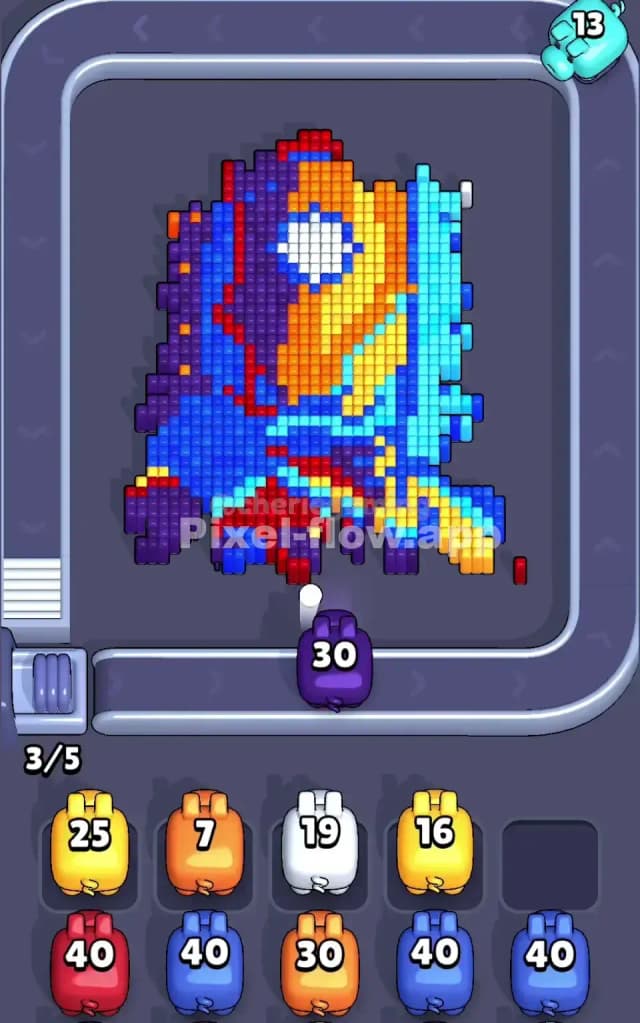
Start Pixel Flow Level 63 by deploying your first purple pig. Yes, you'll see purple scattered everywhere, but don't panic—your goal right now isn't to clear all purple. Instead, you want to eliminate enough purple blocks to expose the secondary colors hidden beneath them and keep at least three waiting slots empty. Watch where your purple pig fires; it'll target visible purple cubes automatically. Once purple settles into a slot (which it probably will), immediately send your cyan pig. Cyan is abundant on the right side, and firing cyan early lets you start clearing that entire region, which also begins to expose the blue and orange layers behind it. The key insight for the opening phase of Pixel Flow Level 63 is that you're not trying to finish colors—you're surgically exposing the board so that mid-game pigs will have legitimate targets. Keep your waiting buffer at no more than two pigs; if you see three or more pigs waiting, you've made a sequencing error.

Mid-Game: Layering and Strategic Pig Parking

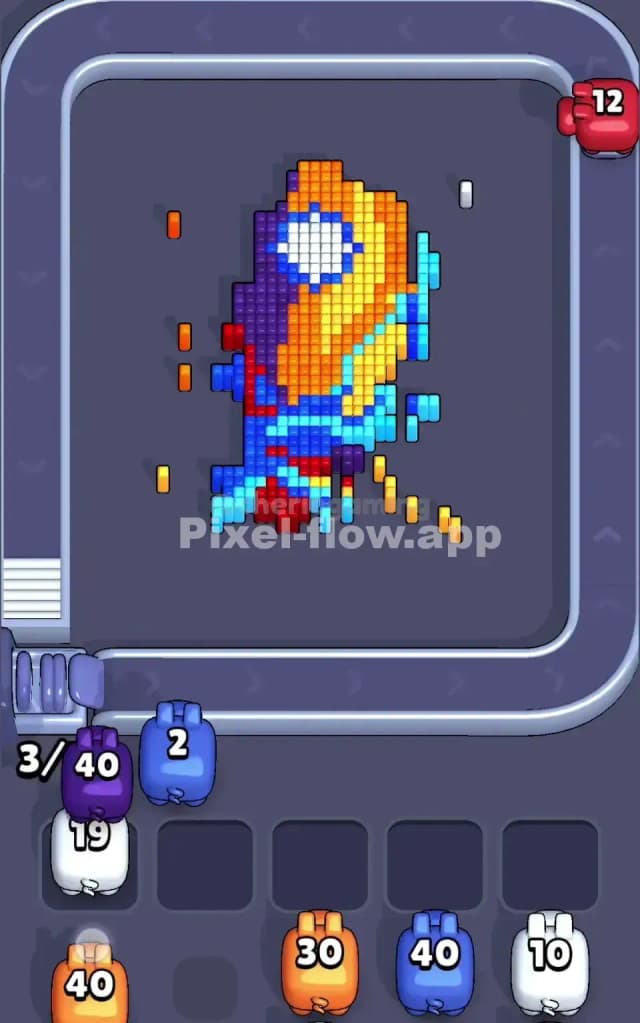
Once you've cleared cyan and purple from the upper-right quadrant, the mid-game of Pixel Flow Level 63 really begins. Now you'll deploy orange, and here's where it gets tactical: orange cubes exist in the center-upper area and a few scattered lower sections. Fire your orange pig, let it clear the core cluster, and then watch the result. If orange has ammo remaining but no visible orange cubes, park it in a waiting slot for now—don't panic. This is intentional. While orange sits waiting, send your second purple pig into the board. This pig will hit the purple cubes you missed in the first wave, particularly those on the left side and lower region. Purple number two might also reach the waiting slot, but that's fine because now you're creating space. Deploy blue next: blue forms cohesive patches in the center and lower areas, and blue firing will often expose red cubes hiding beneath. As you progress through the mid-game of Pixel Flow Level 63, your waiting slots will naturally cycle—pigs will finish firing, drop into slots, and then when you need them again, they'll be available. The trick is never letting more than two pigs wait simultaneously. Think two moves ahead: "If I fire cyan now, will orange have anything to hit afterward?" That's the rhythm of Pixel Flow Level 63.

End-Game: Emptying the Queue Cleanly

By the end-game phase of Pixel Flow Level 63, you'll have cleared most of the board's middle and upper sections. Now comes the final sequence: red and any waiting pigs that still have ammo. Red cubes are sparse, so your red pig will fire briefly, drop some ammo on the remaining red patches (particularly that line at the bottom), and then settle into a waiting slot. At this point, you need to check: do you have any "stuck" pigs—those with ammo remaining but nowhere to shoot? If so, you've made a critical mistake earlier, and you'll need to restart. But if you've followed the strategy, your waiting slots should be manageable, and your final cyan or purple pig (whichever you have left) will have a few last-resort targets to clean up any stragglers. Pixel Flow Level 63's end-game is less about heroic plays and more about confirming you didn't trap yourself earlier. Fire your final pig, watch the last cubes vanish, and you're done.


The Logic Behind This Pixel Flow Level 63 Plan

Exploiting Determinism and Ammo Counting

The strategy for Pixel Flow Level 63 works because you're not gambling—you're leveraging perfect information. You know each pig has 50 ammo, you know the exact color order, and you can manually count visible cubes of each color before firing. The plan exploits this by ensuring each pig has at least enough targets to spend most or all of its ammo, preventing that catastrophic scenario where five pigs are stuck in waiting slots screaming for targets that don't exist. By spacing out pig deployment and deliberately exposing new layers with each firing sequence, you're essentially choreographing your ammunition so that no pig gets caught empty-handed. Pixel Flow Level 63 becomes solvable the moment you accept that sometimes firing a pig to expose one new layer is the correct move, even if it seems wasteful.

Staying Calm and Planning Ahead

The psychological element of Pixel Flow Level 63 is just as important as the mechanical one. When you see your purple pig drop into a waiting slot early on, your instinct might be to rage-quit because it feels like a failure. But in the context of Pixel Flow Level 63's overall strategy, that's exactly what should happen. What matters is that you're watching your queue, counting ammo, and planning two or three pigs ahead. Before you fire each pig in Pixel Flow Level 63, take a half-second to ask: "Will this pig find enough work, and will the next pig have targets available?" That mindfulness transforms Pixel Flow Level 63 from chaotic to controlled. You'll start to see the board not as a monolithic puzzle but as a series of cascading layers, each one exposing the next, and that perspective is what separates success from failure in Pixel Flow Level 63. Stay patient, count deliberately, and trust that the deterministic nature of Pixel Flow Level 63 means you can solve it if you plan correctly.