Pixel Flow Level 65 Solution | Pixel Flow 65 Walkthrough
How to beat Pixel Flow Level 65: Video solution & walkthrough. The fastest way to pass Pixel Flow 65.
Is this the wrong level layout?🤔
Pixel Flow randomizes levels for different players. Don't worry, just upload a screenshot of your board, and our AI will find the correct video instantly.

Pixel Flow Level 65 Walkthrough
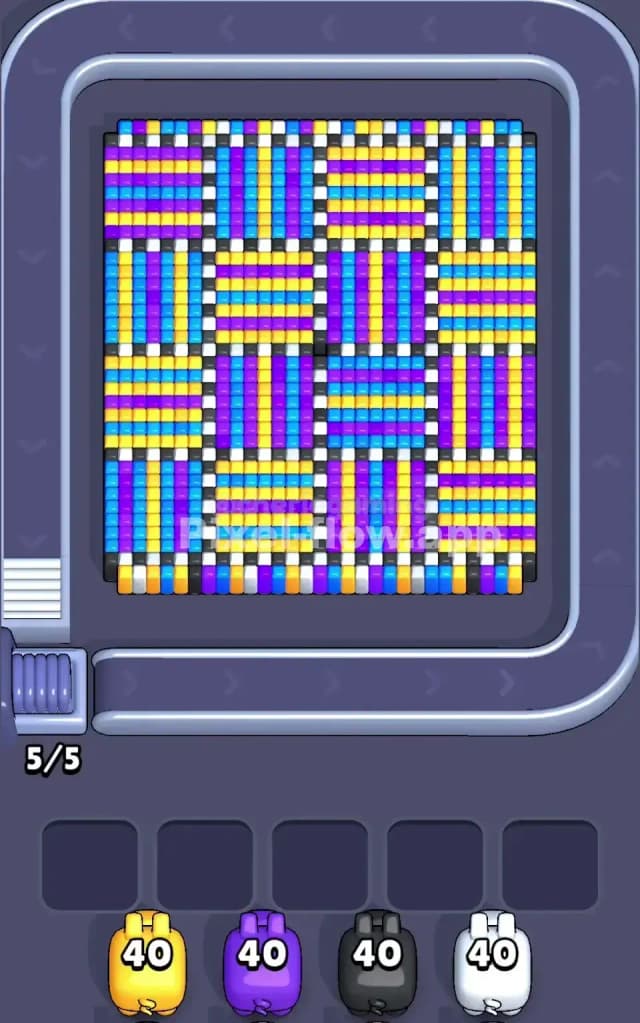
This level is a beast of patience. It looks like a woven basket or a tartan plaid pattern, alternating between horizontal and vertical stripes. You are dealing with four main colors (Yellow, Blue, Purple, White) arranged in a tight 4x4 grid of larger squares. To beat Pixel Flow Level 65, you need to peel off these stripes layer by layer without clogging your five holding slots. Is it hard? Yes. This is a very hard level because the "woven" nature of the blocks makes it tricky to find large, continuous groups of one color.
Pixel Flow Level 65 Overview
Imagine a chessboard, but instead of black and white squares, you have squares made of colorful stripes.
- The "Horizontal" Squares: These blocks have stripes running left-to-right. They usually alternate Yellow/Blue or Purple/Blue.
- The "Vertical" Squares: These sit right next to the horizontal ones, but their stripes run up-and-down.
- The Divider: There is a thin grid of white and black voxels separating these larger squares, acting like grout between tiles.
The visual trap here is the uniformity. Every quadrant looks identical. There isn't a "light side" or a "heavy side." The density is 100% across the board. This means you can't just clear the easy side first; you have to pick a specific color thread and pull it until the whole tapestry unravels. The danger zones are the corners—if you leave a single voxel stranded in a corner while the middle is cleared, your pigs might waste ammo pathing to it or, worse, get stuck in your slots because they can't reach the target.
Step by step solution walkthrough for Pixel Flow Level 65
First Color Zone to Erase in Pixel Flow Level 65
I recommend starting with Yellow.
Look closely at the board. The Yellow stripes often sit on the very top layer of the "Horizontal" squares. Because they are horizontal, a single Yellow pig can often wipe out an entire row of yellow across multiple squares without getting blocked by the vertical stripes next door.
If Yellow isn't available immediately on your conveyor belt, Purple is your backup. It functions similarly in the vertical squares. The goal in the first 30 seconds is strictly surface area reduction. Do not try to "dig" into one square. Skim the top off the entire board. If you grab a Blue pig too early, it might get stuck because Blue often sits between the Yellow and Purple layers, making it a bad opener.
How to pass Pixel Flow Level 65 without power ups or boosters
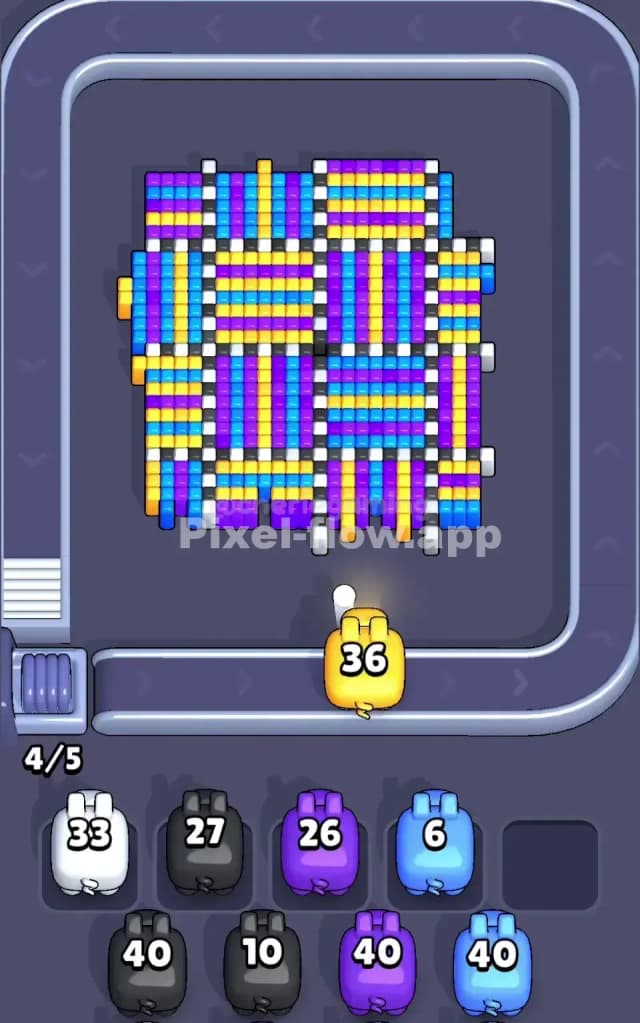
About halfway through, the board looks like a mess. You've cleared the top "weave," and now you have weird, jagged pillars of leftover blocks.
The biggest threat here is the White/Black grid lines. These are single-voxel wide lines that separate the big colorful squares.
- Prioritize White Pigs: As soon as you see a White pig, use it. Those thin white lines blocking the squares act as fences. If you remove the fences, the colorful blocks behind them merge into larger targets.
- Ignore Black Pigs temporarily: The black voxels are usually at the very bottom or deep in the corners. Don't let a Black pig clog a slot early on. Let it ride the belt until you have a clear shot at the "floor" of the level.
- The Slot Management Rule: You have 5 slots. Never let more than 2 slots be occupied by "waiting" pigs (pigs with ammo but no clear shot). If you hit 3 clogged slots, stop everything and focus only on clearing a path for one of those clogged pigs.
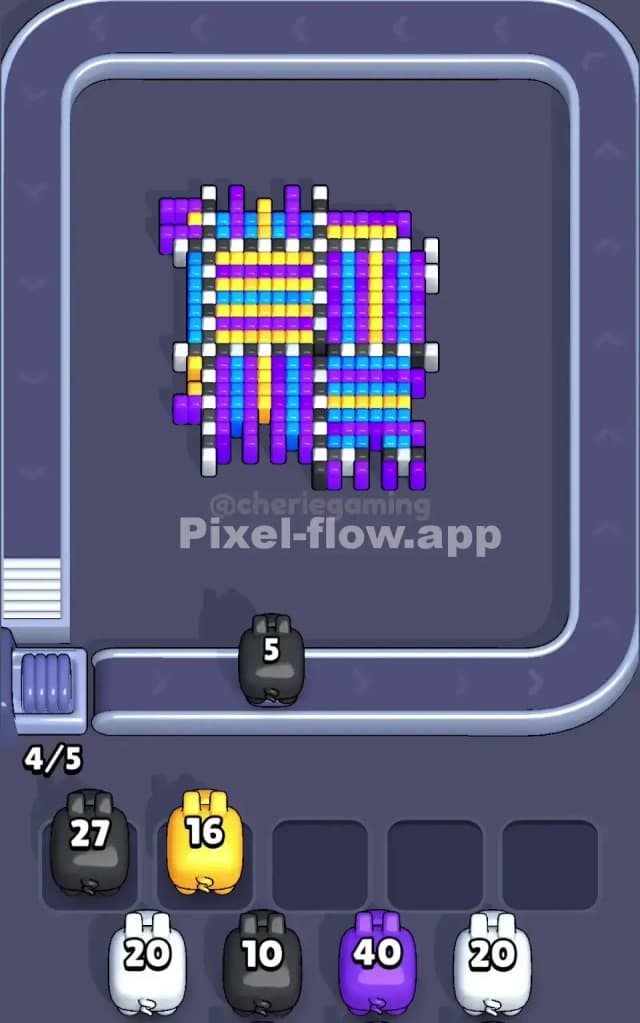
At this mid-stage, the alternating pattern breaks down. You will likely have a clump of vertical Purple stripes on the left and some horizontal Blue stripes on the right. Stop looking for symmetry. Just look for the biggest blob of color and match it.
Last Details You Clean Up in Pixel Flow Level 65
The end game is almost always the Black base layer.
Once the colorful weave is gone, you are left with the dark outline that held the squares together. These are usually single columns standing alone.
- Watch out for hidden voxels behind these black pillars. Sometimes a single Blue or Yellow block hides behind a black pillar. If you use your Black pig too early, you might expose that color when you don't have the right pig for it.
- Wait until the belt gives you the exact color you need for the stragglers.
- Don't get cocky. Even with 10 blocks left, if your slots fill up with the wrong colors, you fail. Be deliberate. Only click a pig if you see its target is 100% accessible.