Pixel Flow Level 69 Solution Walkthrough | Pixel Flow 69

How to solve Pixel Flow level 69? Get instant solution for Pixel Flow 69 with our step by step solution & video walkthrough.

Share Pixel Flow Level 69 Guide:
Pixel Flow Level 69 Gameplay
Pixel Flow Level 69 Solution 1
Pixel Flow Level 69 Solution 2
Pixel Flow Level 69 Solution 3

Pixel Flow Level 69 Overview

The Starting Board and Color Layers

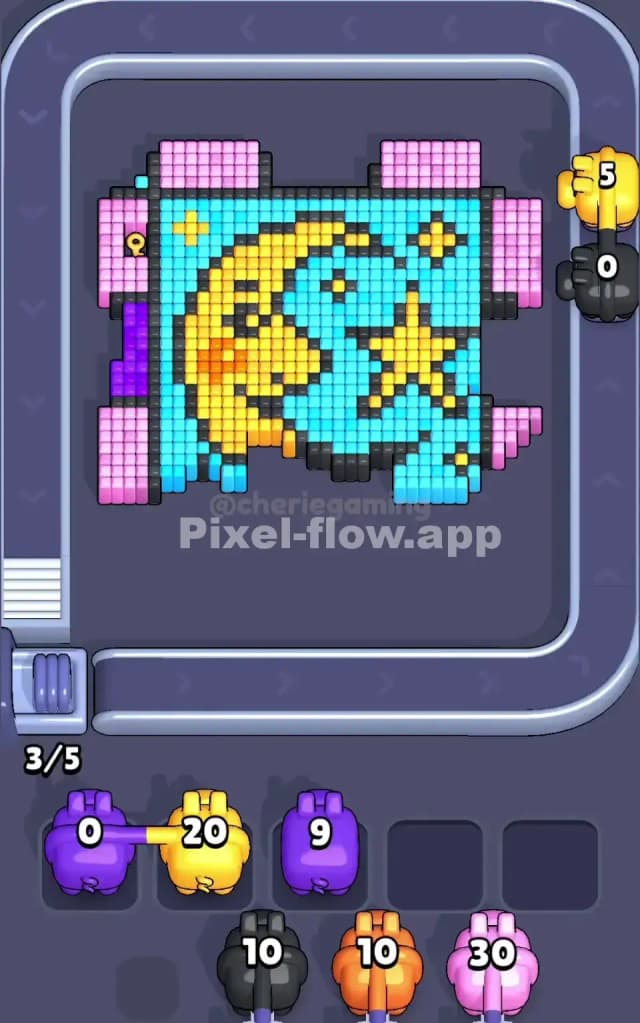
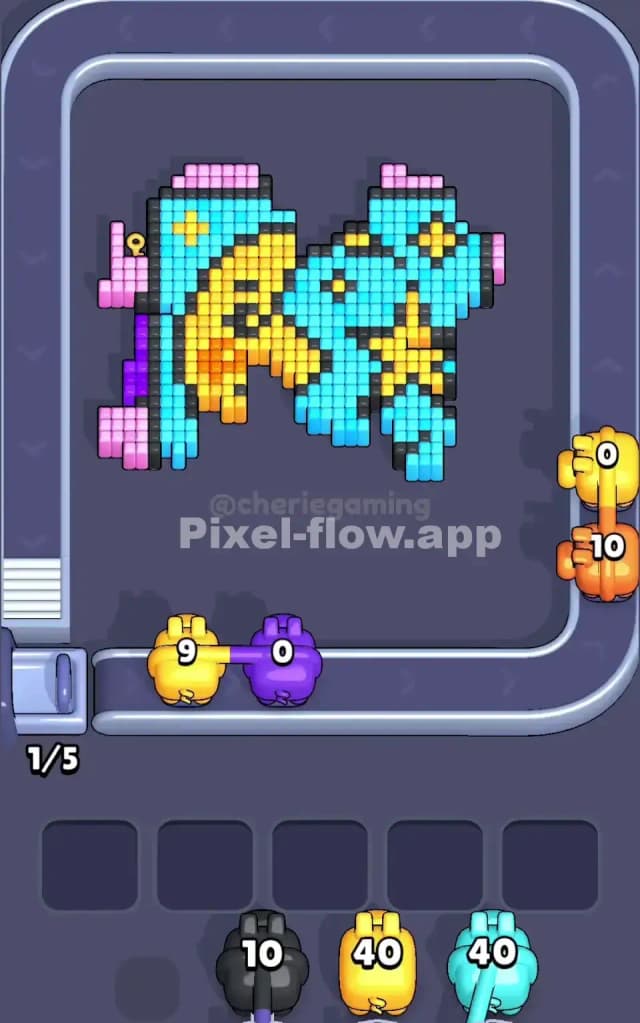
Pixel Flow Level 69 presents you with a cheerful pixel-art butterfly design floating against a cyan background, framed by a bold border of purple and pink. The butterfly itself is rendered in bright yellow and black details, creating a striking visual centerpiece that's both appealing and deceptively complex. What makes this level particularly interesting is how the colors are layered—you're not just clearing one flat picture, but working through multiple depth planes. The outer frame consists of thick bands of purple and pink cubes that act as a protective ring around the central butterfly. Behind that, the cyan background fills most of the mid-section, and the yellow-and-black butterfly pattern sits on top as the focal detail. This layered structure means you can't simply blast away at one color; you must sequence your pigs strategically to expose each layer in the right order.

Understanding the Win Condition

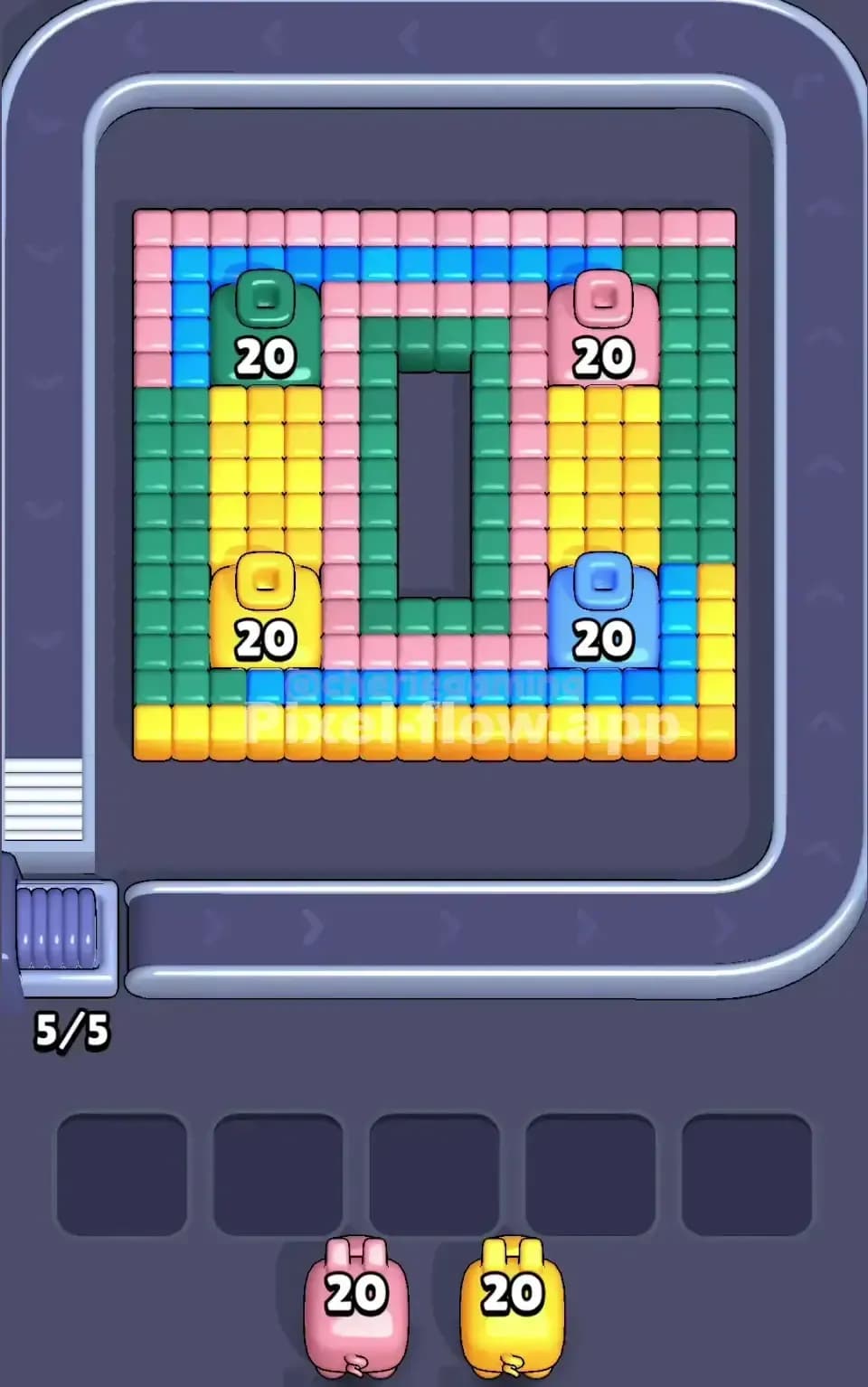
To beat Pixel Flow Level 69, you need to clear every single cube on the board—not a single voxel can remain. The game displays your pig queue at the bottom: you've got four pigs incoming (all with 20 ammo each), and they arrive in a fixed, deterministic order. This is crucial: the sequence never changes, so every successful run of Pixel Flow Level 69 depends on you deciding when to deploy each pig and which color it should target. Pig order is locked, but your tactical choices around when to shoot and what to prioritize will determine whether you jam up your five waiting slots or finish cleanly.


Why Pixel Flow Level 69 Feels So Tricky

The Waiting-Slot Bottleneck

The biggest threat in Pixel Flow Level 69 is running out of waiting space before you've cleared enough of the board. You have exactly five waiting slots, and once all five fill up with pigs that have no valid targets, you're stuck—the level fails. What's sneaky here is that the outer frame of purple and pink cubes is massive. If your first pig or two burn through their ammo without making a serious dent, or if you miscalculate and leave too many cubes of one color while your pigs run dry, you'll watch the queue fill up and feel that sinking sensation as your options vanish. The purple and pink border is so prominent that it's tempting to clear it first, but doing so thoughtlessly can leave you with a cyan pig that can't find any more cyan, or worse—a situation where you've already parked two pigs and still can't proceed.

Awkward Color Pockets and Ammo Mismatches

Pixel Flow Level 69 has several sneaky problem spots that catch unwary players. The cyan cubes form the bulk of the background, but they're broken up by the yellow butterfly pattern and black outlines. This means a cyan pig won't always have a clean, efficient shot; sometimes you'll need to clear the yellow or black first to expose more cyan underneath. Similarly, the black outline cubes are scattered throughout—they don't form one cohesive block, so a black pig arriving when you haven't yet exposed enough black detail will quickly run dry and jam your waiting slots. The pink cubes also split into two regions (top corners and bottom edges), which adds another layer of sequencing complexity. You can't just wait for one color to appear; you have to plan which pig to use when, knowing that each pig's 20-ammo limit is finite and unforgiving.

The "Click" Moment

I'll be honest—my first five attempts at Pixel Flow Level 69 felt chaotic. I was reacting to what was visible rather than planning ahead, and I'd inevitably hit that moment around the second or third pig where I realized I'd wasted ammo on partial clears and now had no valid targets. The frustration was real. But then it clicked: I stopped thinking of the board as a flat picture and started viewing it as a queue puzzle. Once I accepted that the pig order was fixed and started planning backwards from the goal ("I need cyan, pink, and purple to vanish in a specific sequence"), Pixel Flow Level 69 suddenly felt solvable. That mental shift—from reactive to proactive—is what transforms this level from infuriating to genuinely satisfying.


Step-by-Step Strategy to Clear Pixel Flow Level 69

Opening: The First Two Pigs

Your opening moves in Pixel Flow Level 69 set the tone for everything that follows. I recommend targeting the purple border first with your opening pig. Purple appears in the outer frame on all four sides, giving you plenty of cubes to shoot and plenty of ammo efficiency. Your first purple pig will burn through 20 ammo and leave visible progress—you'll clear one full layer of the border, freeing up some waiting slots and exposing pink beneath. By the end of the first pig's turn, you should have at least 3–4 waiting slots still free.

Your second pig should be pink. Pink is abundant in the border and the corners, and clearing it while the outer frame is still partially exposed prevents you from accidentally trapping pink cubes behind other colors. A pink pig with 20 ammo will make a serious dent here, clearing one of the corner regions entirely or significantly opening the bottom band. This move also prevents the classic Pixel Flow Level 69 trap where you clear cyan and yellow early, expose hidden pink deep in the board, and then have no pink pig left to deal with it.

Mid-Game: Layering and Exposure

By the time your third pig arrives, you've removed enough purple and pink that the cyan background is starting to show prominently. Here's where discipline matters: deploy your third pig (let's assume it's cyan) strategically. Don't just blast every cyan cube you see. Instead, focus on clearing the cyan around the yellow butterfly. This exposes the black outlines and yellow details, preparing them for your final pig. You want your third pig to make progress without leaving you in a position where the last pig (likely yellow) has nowhere productive to aim.

The waiting slots are your safety valve during mid-game. If your third pig arrives and finds valid cyan targets, use it. But if you suspect it might jam (say, the visible cyan is sparse and scattered), consider "parking" a pig in a waiting slot and waiting for the conveyor belt to cycle. This sounds counterintuitive, but sometimes the smartest move in Pixel Flow Level 69 is not to shoot immediately. By letting the queue advance and the board shift, you might expose new cubes that let a parked pig suddenly become useful again.

End-Game: The Final Push

Your fourth and final pig in Pixel Flow Level 69 will almost certainly be yellow or black (the most detail-heavy colors in the butterfly). By now, the border should be mostly gone, and you're looking down at a cyan background dotted with yellow and black. Count the remaining cubes of your final pig's color before you deploy. If your fourth pig has 20 ammo and there are exactly 20 or fewer cubes remaining, you're golden. Aim methodically, clearing out the butterfly's interior details and any stray yellow patches. The black outlines are often intermingled with yellow, so focus on regions where both cluster together—this way, you're exposing more cubes for each shot.

As you reach the final stretch of Pixel Flow Level 69, watch your waiting slots obsessively. You want to hit zero cubes remaining while still having at least one free waiting slot. If you're down to your last pig and all five slots are full, you've already lost. So pace yourself, count your remaining ammo against remaining cubes, and be willing to sacrifice one shot if it means parking a pig and keeping your buffer alive.


The Logic Behind This Pixel Flow Level 69 Plan

Why Pig Order Beats Reaction

The beauty of Pixel Flow Level 69 is that it forces you to think strategically because the pig order is deterministic. You can't wish for a different sequence; you have to work with what's queued. This constraint is actually liberating once you embrace it. By planning backwards—"I need yellow to go last, so I need cyan to clear before that, which means pink and purple have to set it up"—you transform Pixel Flow Level 69 from a puzzle about reflexes into a puzzle about logistics. Every successful run follows a logical arc: clear the border (purple/pink), expose the background (cyan), detail the foreground (yellow/black). Stick to this pattern, and you'll beat Pixel Flow Level 69 consistently.

Counting Ammo and Planning Two Pigs Ahead

The secret weapon for mastering Pixel Flow Level 69 is simple: count. Before you deploy a pig, count the visible cubes of that color on the board. Do the same for the next pig in queue. If pig three is cyan and there are only 8 cyan cubes visible, but pig four (yellow) is coming next and there are 30+ yellow cubes waiting, you know pig three might jam. In that situation, consider whether parking pig three in a waiting slot for a few turns (letting the queue advance) will help. Maybe the conveyor will rotate the board and expose more cyan. Or maybe you should front-load cyan usage differently. This kind of forward planning is what separates players who beat Pixel Flow Level 69 on attempt three from those still grinding on attempt 20.

Staying Calm Under Pressure

Finally, remember that Pixel Flow Level 69 isn't a sprint—it's a strategy session. There's no timer, no move limit that I can see. You can pause, breathe, count your remaining ammo and cubes, and make a calm decision about which pig to deploy next. I've found that the moment I stop panicking and start treating Pixel Flow Level 69 like a logic puzzle, success follows. You've got the tools (four pigs, 80 total ammo, a deterministic queue), and you've got the knowledge (layer structure, color positions, ammo math). All that's left is patience and a clear head. Good luck out there, and I'm confident you'll clear Pixel Flow Level 69!